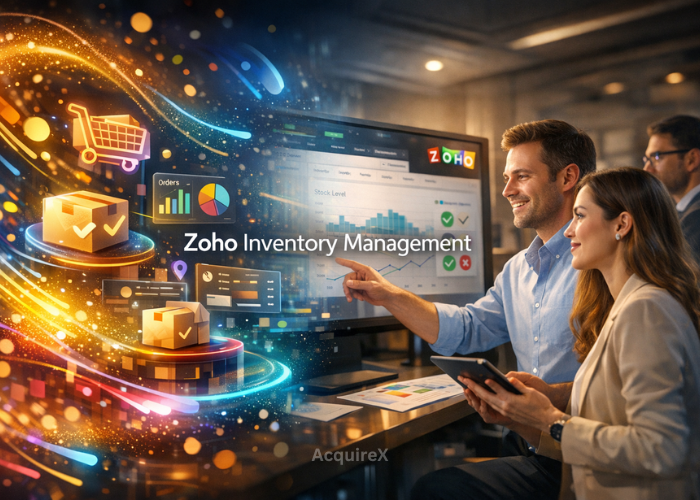
Zoho Inventory Management has emerged as a powerful technology solution for e-commerce businesses looking to gain full control over stock, orders, warehouses, and multichannel selling. As online retail becomes more complex, with Marketplaces, D2C websites, and omnichannel fulfillment, brands need a centralized system that is reliable, scalable, and cost-effective.
Designed for small to mid-sized e-commerce businesses as well as growing enterprises, Zoho Inventory Management helps automate inventory workflows, reduce stockouts, and improve order accuracy. Its deep integration with popular e-commerce platforms and accounting tools makes it especially relevant in today’s fast-moving digital commerce environment.
What Is Zoho Inventory Management?
Zoho Inventory is a cloud-based inventory and order management system developed for businesses that sell online across multiple channels. It allows sellers to manage products, track inventory levels in real time, process orders, and coordinate shipping from a single dashboard.
For e-commerce operators, Zoho Inventory acts as the operational backbone, connecting storefronts, marketplaces, warehouses, and logistics partners while maintaining data accuracy and visibility.
Why Zoho Inventory Management Matters for E-commerce Brands
In e-commerce, poor inventory control directly impacts revenue and customer trust. Overselling, delayed shipments, and inaccurate stock counts can damage brand reputation. Zoho Inventory Management addresses these challenges by providing:
- Centralized inventory across channels
- Automated order synchronization
- Real-time stock updates
- Streamlined shipping workflows
By using Zoho Inventory Management, e-commerce businesses can scale operations without proportionally increasing manual effort.
Core Features of Zoho Inventory Management

1. Multichannel Inventory Control
Zoho Inventory Management supports selling across platforms such as Shopify, Amazon, Flipkart, and custom websites. Inventory levels automatically sync across all connected channels, reducing the risk of overselling.
Read All About: Shopify Inventory Management
2. Order Management Automation
Orders from multiple channels flow into a single interface. Zoho Inventory enables automated order confirmation, packing, invoicing, and fulfilment, saving time and minimising errors.
3. Warehouse & Stock Tracking
Businesses can manage multiple warehouses, track stock movement, and transfer inventory between locations. This feature is critical for e-commerce brands operating in multiple regions.
4. Integrated Shipping
Zoho Inventory Management integrates with major shipping carriers, allowing users to generate shipping labels, track deliveries, and estimate shipping costs directly within the system.
5. Reporting & Inventory Insights
Built-in analytics help businesses forecast demand, identify fast-moving products, and optimize reorder points using real sales data.
Zoho Inventory Management Workflow Explained
Understanding the workflow of Zoho Inventory is key to using it effectively in e-commerce operations.
Product Setup
Products are added with SKUs, Pricing, tax rules, and channel-specific configurations. Once set up, items are synced across connected sales channels.
Inventory Synchronization
Stock levels update automatically whenever a sale, return, or stock adjustment occurs. Zoho Inventory ensures inventory accuracy across all platforms.
Order Processing
Incoming orders are captured, verified, and prepared for fulfillment. Users can batch-process orders to increase operational efficiency.
Fulfillment & Shipping
Shipping labels are generated, carriers are assigned, and tracking details are shared with customers—improving transparency and trust.
Accounting & Reconciliation
When integrated with Zoho Books or other accounting tools, Zoho Inventory Management ensures seamless financial reconciliation.
Best Practices for Using Zoho Inventory Management
Maintain Clean Product Data
Accurate SKUs, product names, and categories ensure smooth syncing across channels and prevent inventory mismatches.
Set Smart Reorder Points
Use historical sales data within Zoho Inventory Management to automate low-stock alerts and avoid stockouts.
Leverage Bundles & Kits
For e-commerce brands offering combo products, Zoho Inventory Management supports product bundling without losing stock accuracy.
Read All About: Shopify Product Bundles
Regularly Audit Inventory
Periodic audits help identify discrepancies early and maintain data reliability as operations scale.
E-commerce Integrations & Ecosystem
Zoho Inventory Management integrates seamlessly with the broader Zoho ecosystem, including CRM, Books, and Analytics. It also connects with leading e-commerce platforms and marketplaces.
For more insights on enterprise inventory systems, you can explore research from Gartner, which highlights the growing role of cloud-based inventory solutions in digital commerce.
About the Owner, Founding Team & Platform Establishment
Zoho Corporation & Product Background
Zoho is developed by Zoho Corporation, a global technology company founded in 1996 by Sridhar Vembu and Tony Thomas. The company is known for building enterprise-grade business software with a strong focus on data privacy and long-term sustainability.
Zoho was launched as part of Zoho’s integrated business suite to address growing inventory and order management challenges faced by e-commerce and retail businesses worldwide.
Is Zoho Inventory Management Right for Your E-commerce Business?
Zoho Inventory is particularly well-suited for:
- Small and mid-sized e-commerce businesses
- D2C brands scaling across marketplaces
- Sellers seeking cost-effective, integrated solutions
- Teams prioritizing automation and visibility
Its flexibility makes Zoho Inventory a practical choice for businesses transitioning from spreadsheets to structured inventory systems.
SEO & Trust Considerations
Zoho Inventory Management aligns well with Google’s E-E-A-T guidelines by offering transparent documentation, reliable integrations, and industry-recognized workflows. For researchers and decision-makers in the e-commerce industry, it represents a stable and well-supported technology platform.
Final Thoughts
Zoho Inventory Management is more than just an inventory tool, it is a comprehensive operational framework for modern e-commerce businesses. By automating workflows, centralizing data, and enabling scalability, Zoho Inventory Management helps brands stay competitive in an increasingly complex digital marketplace.
For e-commerce professionals, analysts, and technology researchers, understanding Zoho Inventory Management and its best practices is essential to building efficient, future-ready online businesses.
FAQ’s
What is Zoho Inventory Management used for in e-commerce?
Zoho Inventory is used to manage inventory, process orders, and coordinate shipping for e-commerce businesses selling across multiple online channels.
Is Zoho Inventory suitable for small and mid-sized e-commerce businesses?
Yes, Zoho Inventory is ideal for small and mid-sized e-commerce businesses that need scalable inventory control without complex or costly infrastructure.
How does Zoho Inventory Management handle multi-channel inventory?
Zoho Inventory automatically syncs inventory levels across connected marketplaces and online stores, helping prevent overselling and stock discrepancies.
Can Zoho Inventory Management support multiple warehouses?
Yes, Zoho Inventory supports multi-warehouse operations, allowing e-commerce businesses to track stock, transfers, and fulfillment from different locations.
Does Zoho Inventory Management integrate with accounting and shipping tools?
Zoho Inventory integrates with accounting and shipping platforms, enabling seamless workflows for invoicing, tax management, and order fulfilment.