In the fast-paced world of e-commerce, a seamless and efficient checkout process can be the difference between a completed sale and an abandoned cart. By leveraging modern technology and smart optimization strategies, businesses can streamline the checkout experience, reduce cart abandonment, and significantly boost overall conversions.
Understanding the Importance of OpenCart Checkout Optimization
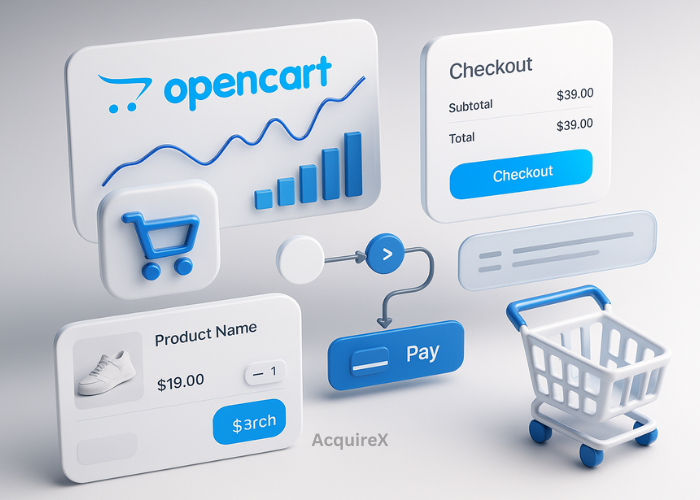
For online retailers, the checkout process is the final hurdle between a potential sale and a completed transaction. A confusing, lengthy, or inefficient checkout can cause customers to abandon their carts, leading to lost revenue. The robust technological framework allows integration with advanced tools and modules to optimise checkout effectively.
Key benefits of optimizing OpenCart checkout include:
- Faster and smoother transactions
- Reduced cart abandonment
- Increased average order value
- Higher customer satisfaction and loyalty
- Seamless integration with modern e-commerce technologies
Top 5 Tips to Boost OpenCart Checkout Conversions
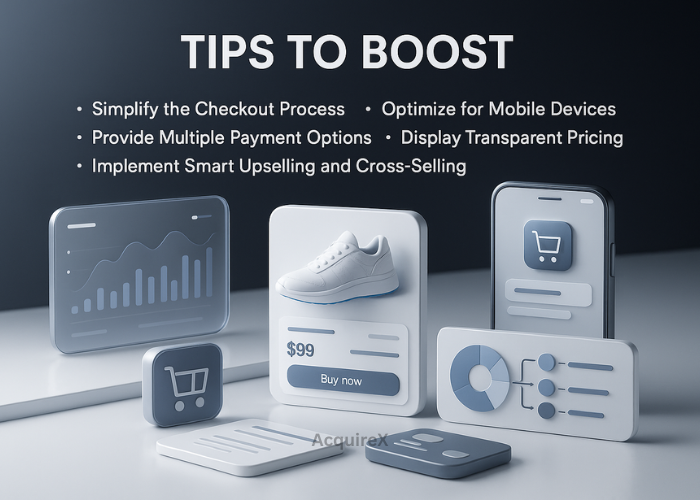
1. Simplify the Checkout Process
Complex checkout steps are a major reason for cart abandonment. Simplifying the Cart checkout can dramatically improve conversions. Consider these strategies:
- Reduce the number of checkout steps
- Offer guest checkout options
- Auto-fill customer details where possible
Streamlining the checkout not only reduces friction but also demonstrates professionalism and respect for the customer’s time. Integrating OpenCart extensions like one-page checkout modules and automation tools can further enhance the user experience and increase conversion rates. Simplified checkouts also reduce errors, making it easier for customers to finalize purchases without frustration.
2. Optimize for Mobile Devices
With over 70% of online transactions happening via mobile, mobile optimization is crucial. Ensure your OpenCart store is responsive and mobile-friendly. Use Cart-compatible mobile-optimized themes, large touch-friendly buttons, and a simple navigation flow to enhance the checkout experience.
Mobile users expect fast-loading pages and intuitive navigation. Utilizing Cart’s responsive design features ensures a seamless experience across devices, reducing cart abandonment significantly. Incorporating mobile-specific functionalities like one-tap checkout or digital wallets can further increase convenience and conversions.
3. Provide Multiple Payment Options
The Varieties of payment methods cater to a broader audience. OpenCart supports multiple payment gateways, including PayPal, Stripe, and local payment solutions, which can increase trust and reduce abandoned carts due to limited payment choices.
Additionally, using OpenCart’s built-in payment modules allows you to offer digital wallets, UPI, or installment-based payments. Providing options for recurring payments or subscriptions can also help retain customers and increase lifetime value, giving your store a technological edge.
4. Display Transparent Pricing
Unexpected costs at checkout can deter customers. Always display clear product prices, taxes, shipping charges, and any additional fees. OpenCart allows real-time updates and dynamic pricing displays, which build customer trust and reduce cart abandonment.
Consider using OpenCart’s extensions to show running totals as items are added to the cart and to apply discounts automatically. Displaying estimated delivery times and potential savings can encourage customers to proceed, creating a sense of transparency and reliability.
Read All About: Pricing Strategies
5. Implement Smart Upselling and Cross-Selling
Upselling and cross-selling at checkout can increase the average order value. OpenCart has modules and extensions, such as the Oxify App, that can suggest relevant products without overwhelming shoppers. Light, relevant suggestions help increase order value while maintaining a smooth checkout experience.
| What Are Upselling And Cross Selling? |
|---|
| Upselling: Encouraging customers to purchase a higher-end product than they initially intended. |
| Cross-Selling: Recommending complementary products to enhance the main purchase. |
Using OpenCart’s analytics and AI-powered recommendation features, you can offer personalized product suggestions that feel helpful and technologically advanced. This targeted approach boosts sales and creates a more satisfying shopping experience for the customer.
Read All About: Upselling and Cross Selling Strategies
Tools & Technology for Optimizing OpenCart
Leveraging the right tools and technology is essential to get the most out of OpenCart:
- Extensions & Modules: One-page checkout, upselling/cross-selling apps, payment gateways, and shipping calculators.
- Analytics Tools: OpenCart’s built-in reports, Google Analytics integration, and conversion tracking modules.
- Performance Optimizers: Caching plugins, CDNs, AMP integration, and image optimization tools to ensure fast loading speeds.
- Security Features: SSL certificates, fraud detection modules, and secure payment integrations to build customer trust.
- Automation & AI Tools: Personalized product suggestions, abandoned cart recovery emails, and AI-based upselling tools like Oxify App.
By combining these tools with smart optimization strategies, you can enhance user experience, improve site performance, and drive higher conversions.
Read All About: Emerging Technologies Driving E-commerce
Enhance Security and Build Trust
Online shoppers prioritize secure transactions. Ensure your OpenCart store uses SSL certificates, secure payment gateways, and visible trust badges. OpenCart supports advanced security modules and encryption protocols to reassure buyers and reduce hesitancy at checkout.
Regularly updating your store’s security protocols and using Cart’s built-in fraud detection features is essential. Trust signals, such as verified reviews, security certifications, and secure payment icons, enhance confidence and improve conversion rates. Highlighting a responsive customer support system also builds trust and reduces cart abandonment.
Optimize Page Speed and Performance
A slow website can lead to lost sales. Optimize images, leverage caching, and minimize unnecessary scripts to boost your Cart store’s speed. Implementing OpenCart-compatible performance enhancements, such as content delivery networks (CDNs) and lazy loading, improves theuser experience, reduces bounce rates, and positively impacts search engine rankings.
Additionally, OpenCart supports AMP pages and browser caching, which can significantly reduce load times for mobile and desktop users alike, contributing to higher conversions.
Leverage Analytics and Testing
Use OpenCart’s analytics tools to track checkout performance. Monitor cart abandonment rates, page views, and conversion funnels. Conduct A/B testing on checkout layouts, button placements, and payment options to identify the most effective strategies. Data-driven insights from cart modules help refine your checkout for maximum conversions.
Even small changes in Cart, such as adjusting button placement, adding trust badges, or simplifying form fields, can significantly boost conversion rates when based on analytics and user behavior.
Conclusion
Optimizing your OpenCart checkout with modern technology is essential for any e-commerce business aiming to increase sales and improve customer satisfaction. By simplifying checkout steps, optimizing for mobile, providing multiple payment options, displaying transparent pricing, leveraging upselling strategies, enhancing security, improving site performance, and integrating advanced analytics, you can significantly boost conversions. Implementing OpenCart-specific improvements ensures a smoother, faster, and more reliable checkout experience, building trust and driving revenue growth.
FAQ’s
1. What are the best strategies to improve OpenCart checkout conversions?
The best strategies include simplifying the checkout process, offering guest checkout, optimizing for mobile devices, providing multiple payment options, displaying transparent pricing, and using smart upselling and cross-selling tools. Leveraging OpenCart’s extensions and analytics tools can further enhance the checkout experience and increase conversions.
2. What tools and extensions can help boost OpenCart checkout conversions?
Key tools and extensions include one-page checkout modules, upselling and cross-selling apps like Oxify App, payment gateway integrations, analytics and reporting tools, caching plugins, and security extensions. These technologies help enhance the checkout experience, improve performance, and increase trust.
3. How can I optimize OpenCart for mobile users?
To optimize OpenCart for mobile, use responsive themes, large touch-friendly buttons, simple navigation, and fast-loading pages. Incorporating mobile-specific features like one-tap checkout, digital wallets, and AMP pages ensures a seamless experience, reduces cart abandonment, and boosts conversions.