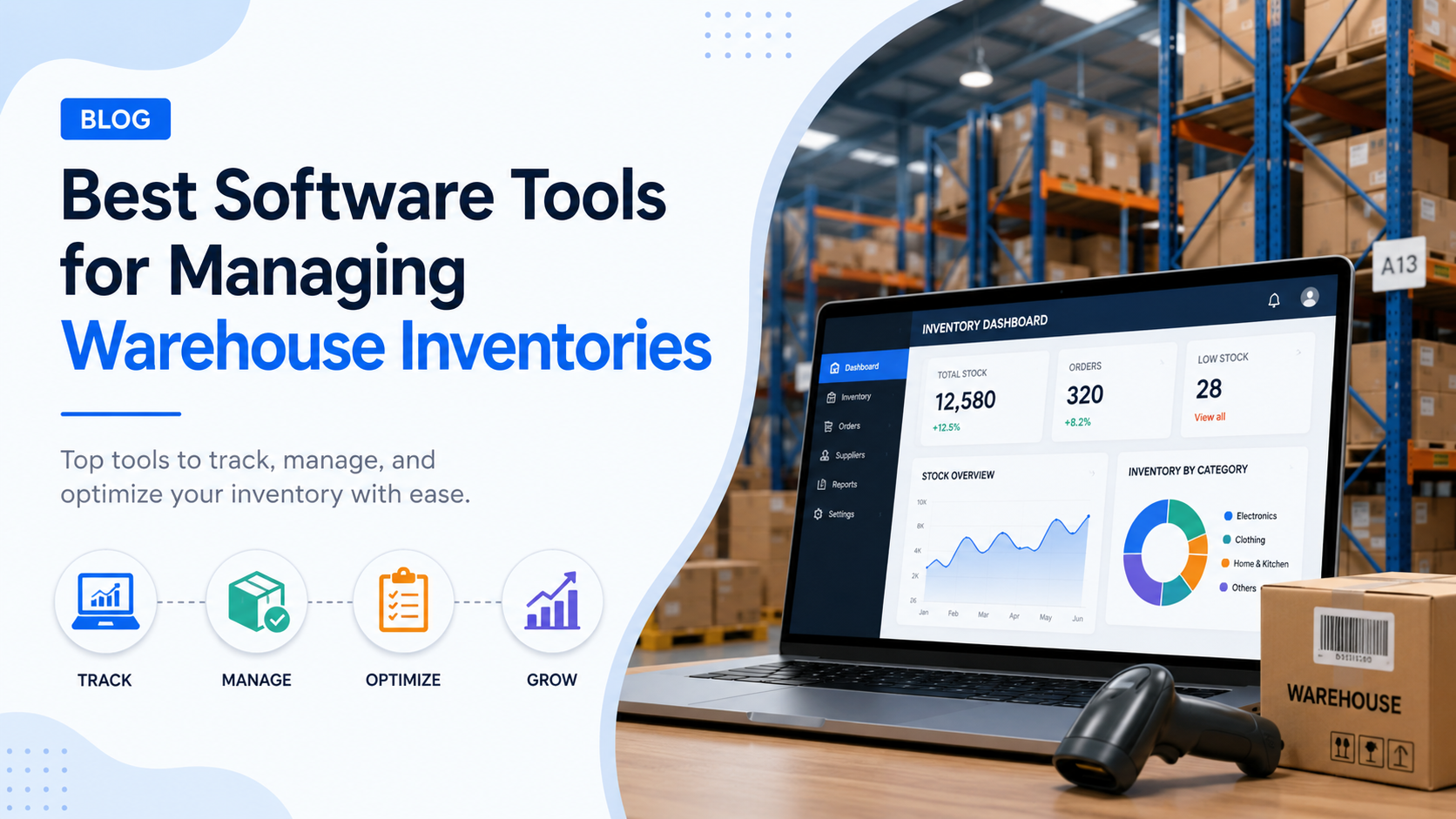
Quick answer: The best warehouse inventory management software in 2026 is NetSuite WMS for mid-market and enterprise, Fishbowl for QuickBooks-based businesses, Finale Inventory for multi-channel ecommerce, Zoho Inventory for small businesses, and SAP EWM or Manhattan Active WM for large enterprises. The right pick depends on your order volume, SKU count, and existing tech stack.
If you’re losing stock to bad counts, overselling on Shopify, or watching pickers walk miles to find SKUs, the tool you use is the bottleneck, not your team. This guide ranks 12 tools that solve real warehouse problems, with pricing, ratings, and the exact business size each one fits.
I’ll also cover the questions buyers actually ask before signing: WMS vs IMS vs ERP, the four deployment types, hidden costs nobody warns you about, and a 7-step buying framework. At the end, you’ll see how AcquireX helps growing brands turn these tools into a system that actually scales.
Comparison Table: Top 12 Warehouse Inventory Software Tools (2026)
| Software | Best For | Starting Price | G2/Capterra Rating | Free Trial |
|---|---|---|---|---|
| NetSuite WMS | Mid-market and enterprise ERP buyers | Custom (typically $1,500-$5,000/mo) | 4.0 (3,800+ reviews) | No |
| Fishbowl | QuickBooks users, manufacturers | $329/mo | 4.1 (970+ reviews) | Yes (14 days) |
| Finale Inventory | Multi-channel ecommerce sellers | $99/mo | 4.7 (218 reviews) | Yes (14 days) |
| Zoho Inventory | Small business, SMB ecommerce | Free / $39/mo | 4.5 (400+ reviews) | Yes (14 days) |
| SAP EWM | Large enterprises, 3PLs, manufacturers | Custom (enterprise) | 4.2 (Gartner) | No |
| Manhattan Active WM | Enterprise retail and 3PL | Custom (enterprise) | 4.3 (Gartner) | No |
| Odoo Inventory | Open-source, budget-conscious teams | Free / $31.10 per user/mo | 4.2 (1,290+ reviews) | Yes |
| Sortly | Asset and small-stock tracking | $29/mo | 4.5 (600+ reviews) | Yes (14 days) |
| inFlow Inventory | Small to mid-size B2B | $89/mo | 4.5 (470+ reviews) | Yes (14 days) |
| 3PL Warehouse Manager | 3PL operators | Custom | 4.1 (131 reviews) | No |
| Acctivate | QuickBooks users wanting more depth | $5,000+ one-time | 4.0 (110+ reviews) | Yes |
| Blue Yonder (JDA) | Enterprise omnichannel retail | Custom (enterprise) | 4.0 (Gartner) | No |
Now the deep dives.
What Is Warehouse Inventory Management Software?
Warehouse inventory management software is a system that tracks stock at the bin and rack level, automates receiving and putaway, and gives operations teams real-time visibility into what’s on the shelf and where. It goes beyond counting inventory to manage the full physical flow of goods from the dock door to the dispatch bay.
That’s the textbook definition. The practical one: it’s the system that stops your pickers from walking to a shelf only to find empty cardboard, and stops your customer service team from refunding orders you can’t actually ship.
A good system handles five core jobs:
- Receiving: logs every inbound item, matches it to a PO, and flags discrepancies
- Putaway: tells staff exactly which bin to drop new stock into
- Picking: generates optimized walk paths and pick lists
- Packing and shipping: prints labels, applies cartonization, books carriers
- Cycle counts and audits: keeps your numbers honest without shutting the floor down
Anything weaker than that is just an inventory tracker, not a real warehouse system. If you’re running a Shopify store and want a deeper look at the Shopify side of this, our guide on Shopify inventory management tools and tips breaks down what to use at each revenue stage.
The 12 Best Warehouse Inventory Management Tools in 2026
1. NetSuite WMS (Best Overall for Mid-Market and Enterprise)
NetSuite WMS sits inside Oracle’s NetSuite ERP, which is why so many growing brands pick it. Your finance, sales, purchasing, and warehouse all run on one database. No reconciliation, no nightly sync jobs.
Best for: Companies doing $5M to $500M in revenue with multiple warehouses or complex fulfillment
Standout features:
- Real-time inventory across unlimited locations
- Mobile barcode scanning with directed putaway and picking
- Wave and zone picking
- Built-in lot, serial, and bin tracking
- Native integration with NetSuite financials
Pricing: Custom. Most buyers land between $1,500 and $5,000 per month for the WMS module on top of NetSuite’s base license.
Downside: Implementation typically takes 4 to 9 months. You’ll need a partner or in-house NetSuite admin.
If you’re weighing a full ERP move alongside the WMS decision, our breakdown of what ERP in ecommerce actually does will save you a few demo cycles.
2. Fishbowl (Best for QuickBooks Users and Manufacturers)
Fishbowl has been the QuickBooks user’s escape hatch for over 20 years. It plugs directly into QuickBooks Online and Desktop, adds real WMS depth, and handles manufacturing workflows that QuickBooks can’t touch.
Best for: $1M to $50M businesses that outgrew QuickBooks but aren’t ready for an ERP rewrite
Standout features:
- Two-way QuickBooks sync (no double entry)
- Multi-location and bin tracking
- Bills of materials and work orders for manufacturers
- Mobile barcode scanning with Fishbowl Go
- Reorder points and automated POs
Pricing: From $329/month. One-time license option also available.
Downside: UI feels dated compared to newer cloud tools. Setup takes 2 to 6 weeks.
3. Finale Inventory (Best for Multi-Channel Ecommerce)
If you sell across Amazon, Shopify, eBay, Walmart, and TikTok Shop, Finale is built for you. Capterra has it at 4.7 stars from 218 verified reviews, which is one of the highest in the category.
Best for: Ecommerce sellers managing 1,000 to 100,000 SKUs across multiple channels
Standout features:
- Stops overselling with real-time channel sync
- Strong barcode workflows on phones and scanners
- Kits and bundles handled cleanly
- ShipStation, ShipHero, and 3PL integrations
- Lot tracking, serial numbers, expiration dates
Pricing: From $99/month (Starter) up to $649/month (Platinum).
Downside: Light on warehouse features like wave picking and directed putaway. Best for sellers, not pure fulfillment ops.
Multi-channel selling adds a layer of mess that no tool fixes on its own. Our guide on SKU management best practices for multi-channel sellers covers the cleanup process before you go live on any of these tools.
4. Zoho Inventory (Best for Small Business)
Zoho Inventory is the easiest starting point if you’re under 10,000 orders a month. The free plan handles 50 orders, and paid plans start at $39 a month. It connects to Shopify, Amazon, eBay, and Etsy out of the box.
Best for: Small businesses, solo sellers, and DTC brands under $2M revenue
Standout features:
- Free plan that’s actually usable
- Multi-warehouse tracking
- Automated reorder alerts
- Native Zoho ecosystem (CRM, Books, Desk)
- Mobile app for floor staff
Pricing: Free for 50 orders/month. Paid plans $39 to $239/month.
Downside: Not built for complex picking, wave management, or 3PL workflows.
If you’re picking Zoho, don’t just install it and hope. Our Zoho Inventory workflow best practices guide walks through the exact setup that prevents the most common stock errors.
5. SAP Extended Warehouse Management (Best for Large Enterprises)
SAP EWM is what runs the warehouses of Walmart-tier brands and global 3PLs. AI features, deep automation, and integrations with robotics and conveyors put it in a different league.
Best for: Enterprises with 100+ warehouse staff per site, complex compliance needs, or robotic automation
Standout features:
- AI-powered slotting and labor planning
- Cross-docking, yard, and dock management
- Multi-temperature zone support (food, pharma)
- Integrates with autonomous mobile robots and conveyors
- Real-time integration with SAP S/4HANA
Pricing: Enterprise. Typically six figures annually, plus implementation.
Downside: Long implementation (6 to 18 months) and dedicated IT support required.
If you’re at this scale, you’re likely also evaluating warehouse automation hardware. Read our deep dive on automated storage and retrieval systems before you sign anything.
6. Manhattan Active WM (Best for Enterprise Retail and 3PL)
Manhattan is SAP EWM’s main rival at the top end. The 2026 version pushes hard on AI for demand forecasting, smart slotting, and dynamic order routing across stores and DCs.
Best for: Enterprise retailers, 3PLs shipping millions of orders monthly, omnichannel operators
Standout features:
- Microservices architecture (update one piece without touching the rest)
- Order streaming and dynamic allocation
- Unified store and warehouse fulfillment
- Strong labor management
Pricing: Enterprise. Quote-based.
Downside: Overkill for anyone shipping under 10,000 orders a day.
7. Odoo Inventory (Best Open-Source Option)
Odoo’s community edition is genuinely free and open-source. The hosted Enterprise version starts at $31.10 per user per month and unlocks barcode, MRP, and accounting connections.
Best for: Tech-comfortable teams, agencies serving multiple clients, budget-conscious SMBs
Standout features:
- Free community edition (self-hosted)
- Modular: add HR, accounting, manufacturing, ecommerce as needed
- Barcode scanning and multi-warehouse routes
- Putaway rules and removal strategies (FIFO, LIFO, FEFO)
- 1,290+ Capterra reviews at 4.2 stars
Pricing: Free (community) or $31.10 per user per month (enterprise).
Downside: Community version needs developer help for setup and updates.
8. Sortly (Best for Asset and Light Inventory Tracking)
Sortly isn’t a true WMS, but it’s the fastest path to organized stock for small teams. Construction crews, labs, schools, and small warehouses use it to track tools, equipment, and consumables.
Best for: Teams under 20 people tracking 50 to 5,000 items
Standout features:
- Set up your full inventory in an afternoon
- QR code and barcode generation
- Photos attached to each item
- Custom fields
- Mobile-first
Pricing: Free starter / $29 to $149 per user per month.
Downside: Not for pick/pack/ship workflows. No order management.
9. inFlow Inventory (Best for B2B SMB)
inFlow is a clean cloud WMS aimed at small B2B distributors and wholesalers. It handles quotes, sales orders, purchase orders, and inventory in one tight package.
Best for: B2B distributors doing $500K to $20M annually
Standout features:
- Built-in B2B showroom (online catalog for buyers)
- Barcode scanning with phone or scanner
- Manufacturing-light features (BOMs, work orders)
- 470+ Capterra reviews at 4.5 stars
- Strong onboarding support
Pricing: $89 to $549/month.
Downside: Doesn’t scale past about $20M revenue or multi-state operations.
10. 3PL Warehouse Manager by Extensiv (Best for 3PLs)
If you’re a third-party logistics operator running fulfillment for multiple brand clients, this is the category leader. Extensiv (formerly 3PL Central) built it specifically for the 3PL workflow.
Best for: 3PLs with 5 or more brand clients
Standout features:
- Per-client billing engine (storage, picks, packs, returns)
- Client-facing portal
- EDI and API for retailer compliance
- Multi-warehouse and multi-client SKU separation
Pricing: Custom, typically $700 to $3,000+ per month.
Downside: Built for 3PLs, not single-brand warehouses.
Still deciding whether to use a 3PL or build in-house? Our 3PL vs in-house vs hybrid fulfillment breakdown lays out the cost, control, and scaling tradeoffs.
11. Acctivate (Best Deep QuickBooks Add-On)
Acctivate is the heavier alternative to Fishbowl for QuickBooks users. It extends QuickBooks Desktop with multi-warehouse, lot/serial, and landed cost tracking that the QuickBooks native inventory can’t do.
Best for: Distributors and importers locked into QuickBooks Desktop
Standout features:
- Deep two-way QuickBooks Desktop integration
- Landed cost (freight, duty, customs) allocation
- Lot and serial tracking
- Mobile warehouse module
Pricing: Around $5,000 one-time license plus annual support.
Downside: Desktop-leaning. Cloud users should look elsewhere.
12. Blue Yonder (Best for Enterprise Omnichannel Forecasting)
Blue Yonder (formerly JDA) is best known for multi-echelon inventory optimization (MEIO). It looks at your entire network of warehouses, DCs, and stores together and decides where stock should sit.
Best for: Enterprise retailers with 50+ locations and complex demand patterns
Standout features:
- AI-driven demand forecasting
- Multi-echelon inventory optimization
- Labor and task management
- Strong supply chain planning suite
Pricing: Enterprise. Quote-based.
Downside: Forecasting is its strength. Pure execution shops may prefer Manhattan or SAP.
Forecasting and stock placement is where AI and machine learning in supply chain tools earn their keep. Worth a read before you commit to Blue Yonder’s planning suite.
Must-Have Features (What Actually Matters)
Skip vendor demos that don’t cover these. Every serious tool above checks most of these boxes.
- Real-time stock visibility across every location and bin
- Mobile barcode scanning on phones, not just dedicated scanners
- Automated reorder points with PO generation
- Multi-location and multi-warehouse tracking
- Lot, serial, and expiration date support
- Channel integrations (Shopify, Amazon, eBay, EDI for retailers)
- Reporting on stock turn, dead inventory, fast/slow movers
- API access for custom workflows
- Role-based permissions for floor vs office staff
- Cycle counting built into the daily flow
How to Choose: The 7-Step Buying Framework
A structured shortlist beats demo fatigue every time. Run every vendor through this:
- Map order volume to tier. Under 500 orders/month: Zoho, inFlow, Sortly. 500 to 5,000: Fishbowl, Finale. 5,000 to 50,000: NetSuite, Odoo Enterprise. 50,000+: SAP, Manhattan, Blue Yonder.
- List your non-negotiable integrations. QuickBooks? Shopify? Amazon FBA? EDI for Walmart? If a tool can’t natively integrate, you’ll be the engineering team for the next 6 months.
- Set your total budget. Include software, hardware (scanners, label printers, mobile devices), implementation, and training. Budget 1.5x to 3x the software cost for year one.
- Demand a real free trial or pilot. Avoid vendors who only offer “guided demos.” If you can’t touch it, you don’t know it.
- Run a 14-day floor test with real SKUs and your actual team. Measure: pick errors, time per order, time to onboard a new picker.
- Verify implementation timeline in writing. If they say 8 weeks and the contract says “up to 9 months,” walk.
- Check three customer references in your industry and size band. Ask: what surprised you, what would you redo, would you pick this again?
WMS vs IMS vs ERP: The Differences That Actually Matter
This trips up most first-time buyers. Here’s the clean version:
- Inventory Management System (IMS): Tracks what you have and how much. Doesn’t care where it physically sits. Example: Zoho Inventory at the basic tier.
- Warehouse Management System (WMS): Tracks what you have, exactly where it sits down to the bin, and directs every movement on the floor. Example: NetSuite WMS, Manhattan, SAP EWM.
- Enterprise Resource Planning (ERP): Everything (finance, HR, sales, purchasing, manufacturing), with inventory or WMS as one module. Example: NetSuite, SAP S/4HANA, Microsoft Dynamics 365.
Rule of thumb: If you have under 1,000 SKUs and one location, IMS is fine. Multi-warehouse or 1,000+ SKUs, you need WMS. If finance is duct-taped to inventory via spreadsheets, you need ERP.
For a deeper look at where ERP fits in the ecommerce stack, see our guide on smart enterprise resource planning systems for ecommerce.
The 4 Types of Warehouse Management Systems
When vendors talk about “deployment models,” they mean these four:
- Standalone WMS: Dedicated warehouse software, usually on-premise. Lowest long-term cost, fewest integrations. Best for stable, single-purpose warehouses.
- ERP Module WMS: Built into an ERP like NetSuite, SAP, or Dynamics 365. Best for companies that need finance and inventory tightly coupled.
- Cloud-Based (SaaS) WMS: Web-based, subscription-priced. Fastest to deploy, easy to update, scales with you. The default choice in 2026.
- Supply Chain Suite WMS: A WMS module inside a broader supply chain platform (Manhattan, Blue Yonder, Oracle SCM). Best for enterprises that need WMS, TMS, demand planning, and labor management together.
Hidden Costs Nobody Mentions on the Sales Call
A clean software quote is the start, not the total. Plan for these:
- Hardware: barcode scanners ($300-$1,200 each), label printers ($400-$2,000), mobile computers ($800-$2,500), forklift-mounted tablets ($1,500-$3,500)
- Implementation services: 50% to 200% of year-one software cost for mid-market tools, more for enterprise
- Training: budget 4 to 8 hours per user
- Data migration: if your current data is messy, expect $2,000 to $25,000 in cleanup
- Integrations: EDI setup per retailer ($500-$5,000 each), custom API work
- Add-on modules: advanced shipping, quality control, and production planning often add $100 to $500/month each
- Overage fees: some vendors cap orders, SKUs, or users. Read the fine print.
Real-World Tips From Warehouse Operators
These keep coming up in conversations with real ops teams:
- Start with barcode scanning on day one. Manual entry causes about 90% of stock errors.
- Cycle count weekly, not yearly. A 10% count every week beats a single annual count.
- Set reorder points before go-live. Most teams configure software but never set this up. It’s the highest-leverage feature in any WMS.
- Train in 30-minute chunks. Full-day training is forgotten by week two.
- Pick a tool your floor team can run on a phone. If they need a laptop, they won’t update stock.
- Don’t import dirty data. Clean your SKU master, vendor list, and bin map before go-live, or your new system will be just as messy as the old one.
Common Mistakes That Kill WMS Projects
- Buying the biggest tool “just in case” (paying for features you’ll never use)
- Skipping the free trial
- Forgetting to check carrier and EDI compatibility
- Underbudgeting hardware
- Going live during peak season
- Not appointing one internal owner per warehouse
How AcquireX Helps You Turn These Tools Into a Real System
Picking the software is the easy part. The hard part is what comes after: setting it up properly, training your team, cleaning your SKU master, building SOPs, running cycle counts, and keeping it all running while you also try to scale revenue.
That’s where most growing brands break. The tool is fine. The execution layer around it is missing.
AcquireX builds dedicated offshore ecommerce ops teams that own the execution. Not freelancers, not an agency, not a vendor you have to manage. A team embedded into your business that runs the warehouse, marketplace, and backend systems on your behalf.
For warehouse inventory specifically, here’s what an AcquireX team takes off your plate:
- WMS setup and configuration. SKU import, bin mapping, reorder point setup, channel integrations, and EDI work.
- Inventory accuracy ops. Daily cycle counts, dead stock reports, variance investigations, and stockout prevention.
- Catalog and SKU hygiene. Multi-channel SKU mapping, variant cleanup, and listing accuracy across Amazon, Shopify, Walmart, and Flipkart.
- 3PL and supplier coordination. PO management, inbound scheduling, ASN reconciliation, and supplier follow-ups.
- Order ops and exception handling. Overselling fixes, refund prevention, and channel-by-channel inventory sync.
- Reporting and growth signals. Weekly stock-turn, sell-through, and slow-mover reports that actually drive purchasing decisions.
We do this for D2C brands, scaling Shopify stores, and marketplace sellers doing roughly $50K to $500K per month who are stuck running operations themselves.
If you’re spending your week chasing stock counts instead of growing the brand, the system is broken, not your team.
Book a 30-minute call with AcquireX and we’ll walk through what an embedded ecommerce ops team would look like for your business.
Frequently Asked Questions
What is the best warehouse inventory management software in 2026?
NetSuite WMS leads for mid-market and enterprise buyers. Fishbowl wins for QuickBooks users, Finale Inventory for multi-channel ecommerce, Zoho Inventory for small business, and SAP EWM or Manhattan Active WM for large enterprises.
What’s the difference between WMS and inventory management software?
An inventory management system tracks total stock counts and reorder points. A warehouse management system tracks stock by exact location (bin, shelf, aisle), directs picking and putaway, and manages labor and shipping. WMS is the operational layer; IMS is the accounting layer.
How much does warehouse inventory software cost?
Entry-level tools start at $39 to $200 per month. Mid-market platforms run $500 to $3,000 per month. Enterprise systems like SAP and Manhattan are quote-based, typically six to seven figures annually with implementation.
Can I use Excel instead of warehouse software?
For under 100 SKUs and a single location, yes. Above that, error rates and lost sales cost more than the software would. Most operators switch off spreadsheets around the 200-SKU mark.
Cloud or on-premise: which is better?
Cloud is the default in 2026 for almost every business. Lower upfront cost, automatic updates, remote access, and faster deployment. On-premise still makes sense for warehouses with strict data sovereignty rules or unreliable internet.
How long does WMS implementation take?
Zoho and Sortly: under a week. inFlow, Finale, Fishbowl: 2 to 8 weeks. NetSuite WMS: 4 to 9 months. SAP EWM and Manhattan: 6 to 18 months.
Do I need barcode scanners?
Yes, for any warehouse above 200 SKUs or 100 orders per day. Manual entry is where most stock errors originate. Most modern tools also work with phone cameras, which is enough for smaller operations.
What are the 4 types of WMS?
Standalone, ERP module, cloud-based (SaaS), and supply chain suite. Cloud-based is the most common new deployment in 2026.
Bottom Line: Which One Should You Pick?
If you’re under 500 orders/month, start with Zoho Inventory or inFlow. If you’re a Shopify or multi-channel ecommerce brand doing serious volume, pick Finale Inventory. If you live in QuickBooks, Fishbowl is the obvious move. If you’re scaling past $10M and need finance plus inventory unified, NetSuite WMS is the safe call. If you’re enterprise, you already know SAP EWM, Manhattan, or Blue Yonder are the shortlist.
Pick three from this guide. Sign up for free trials this week. Run them on real stock for 14 days. The one your team uses without complaining is the one to buy.
And if you don’t want to spend the next 6 months becoming a warehouse software expert on top of running your business, talk to AcquireX. We’ll handle the setup, the team, and the day-to-day so you can stay focused on growth.