You hired a great person offshore. Smart. Hardworking. Eager.
Three weeks later, an order ships to the wrong address. A refund gets approved that should not have. A product goes live with last month’s price.
The person is not the problem. The missing instructions are.
This is what happens when a remote ecommerce team runs without ecommerce SOPs. Every task becomes a guessing game. And in ecommerce, guessing costs money — lost sales, bad reviews, and hours of your time spent fixing what should never have broken.
This guide gives you a clear system to fix it: which SOPs to build first, a copy-paste template, and a 30-day plan to get it done without burning out. No 50-page documents nobody reads. Just steps that work.
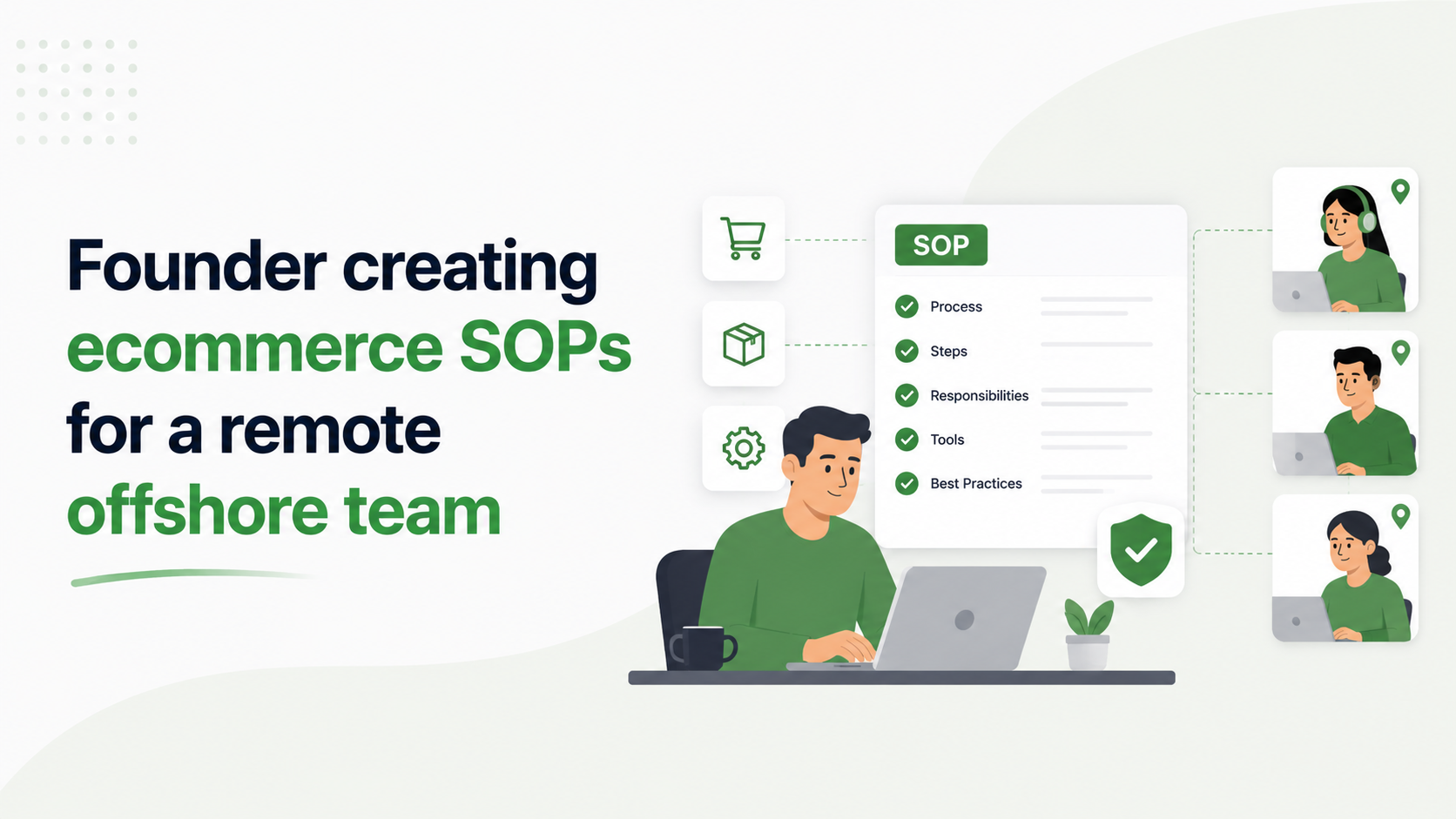
Quick answer: An ecommerce SOP (Standard Operating Procedure) is a short, step-by-step guide for one repeatable task. To create one, name the task clearly, write the goal in one line, list the steps in order, add the “what if” cases, attach a screen recording, and store it where your team can find it in 30 seconds.
What Is an Ecommerce SOP? (In Plain English)
SOP stands for Standard Operating Procedure. That sounds corporate. It is not.
An SOP is just a recipe for a task. It tells your team the exact steps to do one job, so the result is the same no matter who does it.
Think of it like this:
- A recipe lets anyone bake the same cake
- An SOP lets anyone on your team process the same refund
That is it. No magic. Just a written, repeatable way of doing things.
A good SOP passes one test: a brand-new hire could complete the task on day one, with zero help from you.
Why Remote Ecommerce Teams Need SOPs More Than Anyone
When your team sits in one room, problems get fixed fast. Someone asks a question. Someone answers. Done.
A remote team does not have that. Your support rep in the Philippines cannot tap your shoulder at 2 AM your time. So they do one of two things:
- Guess, and hope they got it right
- Wait hours for your reply, slowing everything down
Both hurt your store. SOPs fix this. They turn “ask the founder” into “check the doc.”
The data backs this up. According to a widely cited Glassdoor study by the Brandon Hall Group, a strong, structured onboarding process improves new hire retention by 82% and boosts new hire productivity by over 70%. SOPs are the backbone of that structure — without them, “structured onboarding” is just a phrase.
Here is what good SOPs give a remote ecommerce brand:
- Faster onboarding. Structured onboarding can cut time-to-productivity by 50% or more — new hires reach full speed in months, not half a year.
- Fewer mistakes. Less wrong orders, fewer bad refunds, fewer angry emails.
- Less founder stress. You stop being the answer to every question.
- Easy scaling. Add five people without five times the chaos.
This is the difference between managing tasks and building a system. If you want to dig into the team side of this, our guide on how to scale ecommerce with an offshore operations team breaks down who to hire and when.
The Real Cost of Skipping SOPs
Founders skip SOPs because writing them feels slow. But skipping them is slower — and more expensive.
Picture a brand doing 600 orders a month with no SOPs:
- Support reps answer the same questions 3 different ways
- One wrong refund per week quietly eats into margin
- The founder spends 8+ hours a week answering “how do I do this?”
Now the same brand with SOPs:
- Every customer gets the same correct answer
- Refunds follow one clear rule
- The founder answers each question once, in a doc, forever
The hidden cost is bigger than it looks. Replacing a bad hire can cost up to 200% of that employee’s salary, and remote hires who feel lost without clear processes leave early. The SOP you avoid writing today is the fire you fight — and pay for — next month.
The “First 4” Framework: Which SOPs to Build First
Do not try to document everything at once. You will get overwhelmed and quit after two SOPs — that is the single most common reason this project fails.
Instead, build SOPs in this order. The rule: start with tasks that are done most often AND cost the most when done wrong. We call it the First 4 Framework.
SOP 1: Customer Support
Support happens dozens of times a day. One wrong reply can cost a sale or a public review.
Build SOPs for:
- Answering “where is my order” (WISMO) tickets
- Processing refunds and returns
- Handling damaged or missing items
- Escalating an angry customer to you
A well-run support function is also a retention engine — pair these SOPs with a proper customer service management system for better retention and the impact compounds.
SOP 2: Order and Fulfillment
A shipping mistake means a refund, a reship, and a frustrated buyer — one error, three costs.
Build SOPs for:
- Checking orders before they ship
- Handling address change requests
- Dealing with stuck or held orders
- Reporting fulfillment delays
SOP 3: Catalog and Product
Upload one product wrong and it can stay broken for weeks, quietly losing sales.
Build SOPs for:
- Adding a new product to Shopify
- Updating prices and stock
- Writing product titles and descriptions
- Naming and sizing product images
SOP 4: Marketing and Reporting
These keep your numbers honest and your campaigns consistent.
Build SOPs for:
- Scheduling email campaigns
- Pulling weekly ad reports
- Posting on social media
- Updating homepage banners
Pick SOP 1, task one — refunds or WISMO — and document it today. Then work down the list.
How to Write an SOP Your Team Will Actually Use
Most SOPs fail because they are too long, too vague, or too boring. Here is a 6-step format that works for remote ecommerce teams.
Step 1: Name the Task Clearly
Bad: “Customer stuff” Good: “How to Process a Refund in Shopify”
The title should tell the reader exactly what they will learn.
Step 2: Write the Goal in One Line
What does “done right” look like?
Example: “Refund the customer in full within 24 hours and update the order notes.”
Step 3: List the Steps in Order
Use numbers. One action per step. Write like you are explaining it to a new hire on day one.
Example — a refund SOP:
- Open the order in Shopify Admin
- Check the refund matches our policy (link the policy)
- Click “Refund” and enter the full amount
- Add a note: reason for refund and date
- Send the customer the refund confirmation template
- Mark the support ticket as solved
Step 4: Add the “What If” Cases
Real work is messy. Tell them what to do when things go off-script. This is where weak SOPs fall apart.
- What if the order is older than 30 days?
- What if the customer wants a partial refund?
- What if they are rude or threatening a chargeback?
Step 5: Show, Don’t Just Tell
Words are not enough. Add a screenshot or a short screen recording for any step that touches a tool. A 3-minute Loom video beats 3 pages of text every time.
Step 6: Add a “Last Updated” Date and an Owner
Stores change. Tools change. Put a date at the top and one name responsible for keeping it current — so everyone knows if the SOP is fresh or stale.
A Copy-Paste SOP Template
Drop this straight into Notion or Google Docs and fill it in.
SOP Title: [Clear name of the task] Last Updated: [Date] Owner: [Who keeps this SOP current]
Goal: [One line — what “done right” looks like]
Tools Needed: [Shopify, Gorgias, Klaviyo, etc.]
Steps:
- [First action]
- [Second action]
- [Continue…]
What If Situations:
- If [problem], then [what to do]
- If [problem], then [what to do]
Video Walkthrough: [Loom link]
Keep it to one page. If it runs longer, it is probably two SOPs hiding in one.
Real Example: How One Store Cut Onboarding From 3 Weeks to 4 Days
A Shopify brand doing roughly $150K/month had a painful pattern. Every new offshore support hire took the founder 15+ hours over 3 weeks to train over Zoom — and mistakes still slipped through for months after.
They fixed it with one weekend of work:
- Wrote 6 core SOPs (refunds, WISMO, returns, escalation, product uploads, weekly reporting)
- Recorded a 3-minute Loom video for each
- Stored everything in one Notion folder, grouped by department
The next hire onboarded in 4 days, working through the SOPs at their own pace. The founder spent 2 hours, not 15. First-response time held steady instead of dipping during the handover, and refund errors in the new hire’s first month dropped to near zero.
That is the real return on SOPs. Not just cleaner docs — faster hires, fewer errors, and a founder freed from repeating themselves.
Where to Store SOPs So People Actually Find Them
The best SOP is useless if your team cannot find it.
Avoid these traps:
- SOPs scattered across email and chat messages
- One giant document with 40 tasks crammed in
- Files saved on your computer where nobody else can reach them
Here is how the main options compare for a remote ecommerce team:
- Notion — best free, flexible option. Build a database with department, owner, and review date. Downside: no built-in training tracking, so you confirm reads manually.
- ClickUp — great if you already run tasks there; SOPs sit right next to the work.
- Trainual — purpose-built for SOPs plus onboarding and quiz tracking. Best when you hire often. Paid.
- Google Drive — works fine if you keep a strict, clean folder structure by department.
- Loom + Scribe — not storage on their own, but the best pair for fast video and screenshot SOPs.
Whatever you pick, group SOPs by area — Support, Fulfillment, Catalog, Marketing — so any hire finds any SOP in under 30 seconds.
Common SOP Mistakes That Waste Your Time
Even smart founders get this wrong. Watch for these.
- Writing them too long. Nobody reads a 20-step wall of text. Cut it down.
- Using fancy words. Write for a 6th grader, not a lawyer. Simple wins.
- Doing it all alone. Ask the person who does the task to help write it. They know the real steps.
- Writing once, then forgetting. An old SOP teaches old, wrong habits. Review every quarter.
- No owner. If nobody owns an SOP, nobody updates it. One name per SOP.
- Hiring before documenting. Bringing on a remote team with no SOPs guarantees a chaotic, expensive first month.
How to Get Your Team to Actually Follow SOPs
A doc on a shelf does nothing. Here is how to make SOPs part of how your team works.
- Train with them, not around them. During onboarding, walk new hires through the SOP itself. It becomes their default.
- Link to them in tasks. When you assign work, drop the SOP link right in the task. No hunting.
- Point to them when things go well. When a tricky job runs smoothly, show that the SOP did it. Proof builds the habit.
- Update them together. When the team spots a better way, change the SOP on the spot. Now it is theirs, not yours.
When your team feels ownership of the process, they protect it. That is the goal — accountability built into the system, not forced on top of it. Our breakdown of how to reduce operational costs by outsourcing shows how much leverage you unlock once your process runs without you.
Your 30-Day SOP Sprint
You do not need 50 SOPs to see results. You need the First 4 done well. Here is the plan.
- Week 1 — Support. Write and record SOPs for refunds, WISMO, returns, and escalation.
- Week 2 — Fulfillment. Write SOPs for order checks, address changes, held orders, and delay reports.
- Week 3 — Catalog. Write SOPs for product uploads, price and stock updates, and image naming.
- Week 4 — Marketing and rollout. Write SOPs for email scheduling and weekly reporting. Then move every SOP into one folder, link them in your task tool, and walk the team through them.
One area per week. In 30 days you have a real operations playbook — and a remote team that can run without you in every small decision.
SOPs Are What Turn a Team Into a System
Here is the big idea to walk away with.
Tasks done by memory break the moment a person leaves, gets sick, or gets busy. Tasks done by SOP keep working no matter who is at the desk.
That is the whole point. You are not just writing instructions. You are building a store that runs without you in every tiny decision.
Start small:
- Pick the one task that eats your week
- Write a one-page SOP for it today
- Record a quick Loom to go with it
- Store it where your team can find it
Do that once a week for a month. That is the whole game.
Stop Managing Tasks. Build a System.
Writing SOPs is step one. Running them well, training a remote team on them, and scaling without chaos is the hard part — and the part most founders never have time for.
That is exactly what AcquireX does. We build dedicated offshore ecommerce teams and the systems behind them, so your store grows while you focus on growth — not on answering the same question for the hundredth time.
Ready to turn your operations into a system that scales? Talk to the AcquireX team today and let’s build it together.
Frequently Asked Questions
What does SOP mean in ecommerce?
SOP stands for Standard Operating Procedure. In ecommerce, it is a simple written guide showing your team the exact steps to complete a repeatable task — like processing a refund or uploading a product — so it is done the same way every time, by anyone.
How do I create an SOP for a remote ecommerce team?
Follow six steps: name the task clearly, write the goal in one line, list the steps in order, add the “what if” exceptions, attach a short screen recording, and add a “last updated” date plus an owner. Then store it where your team can find it in under 30 seconds.
Which SOPs should an ecommerce store build first?
Build them in this order: customer support, order and fulfillment, catalog and product, then marketing and reporting. Start with the tasks done most often that cost the most when done wrong — usually refunds and “where is my order” tickets.
How long should an ecommerce SOP be?
Keep it to one page when possible. If an SOP runs much longer, two separate tasks are usually crammed into one document. Short SOPs get read; long ones get ignored.
How often should I update my SOPs?
Review them every quarter, and update any SOP immediately when a tool or process changes. A “last updated” date at the top tells your team whether the SOP is still current.
What is the best tool to store SOPs for a remote team?
Notion and ClickUp work best for most ecommerce brands because they are easy to search and organize. Trainual is stronger if you hire often and want built-in training tracking. Google Drive works if you keep a strict folder structure by department.
Should I write SOPs before or after hiring a remote team?
Write them before, at least for your most common tasks. SOPs cut onboarding time by half or more and prevent costly early mistakes. You can build out the rest later with help from the team members doing each task.