Most Amazon listings lose the sale in the scroll.
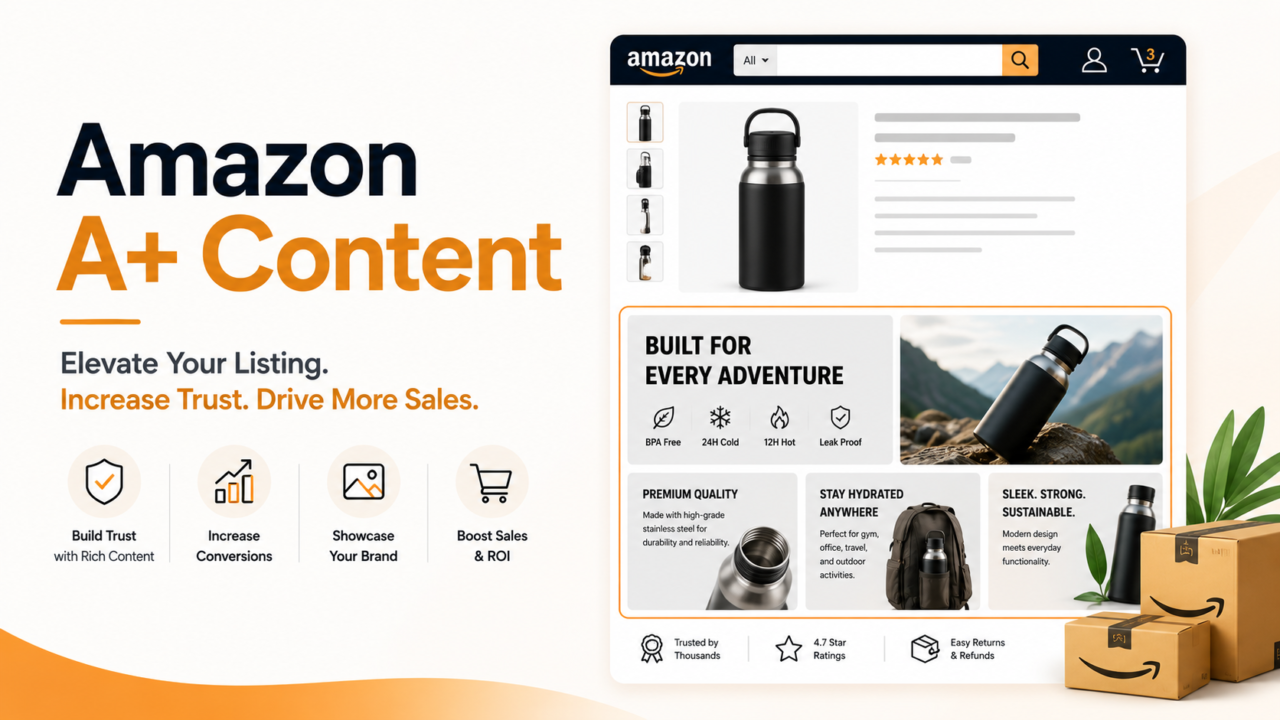
A shopper lands on your page, sees a wall of gray text, and bounces to the next brand. A+ Content is how you stop that. It swaps plain descriptions for images, comparison charts, and brand story blocks that answer questions and build trust fast.
Here is the part most sellers miss. A+ Content is free for brand registered sellers. Yet a huge share of listings still skip it or do it badly. That gap is your opening.
Amazon’s own data shows Basic A+ Content can lift sales by up to 8 percent. The average is around 5.6 percent. Premium A+ can push that even higher. This guide shows you how to build A+ Content that sells, using a simple system we call the SHELF Method.
Quick Answer: What Is Amazon A+ Content?
Amazon A+ Content is an enhanced section on your product detail page. It lets brand registered sellers add rich images, text modules, comparison tables, and brand story blocks below the standard bullet points.
Fast facts:
- Who can use it: Sellers enrolled in Amazon Brand Registry with a Professional selling plan.
- Cost: Free for Standard A+ and Brand Story. Premium A+ is also free once you qualify.
- Main benefit: Higher conversion. Amazon reports an average sales lift of about 5.6 percent, up to 8 percent for Basic A+ and up to 20 percent for Premium A+.
- Formerly called: Enhanced Brand Content (EBC). Amazon merged EBC and A+ into one program in 2019.
- Review time: About 7 business days.
- Key myth: A+ text is generally not indexed by Amazon search. It wins on conversion, not keywords.
Why Does A+ Content Matter So Much in 2026?
A+ Content is no longer a bonus. It is table stakes. When your competitor has a rich, visual page and you have plain text, the shopper trusts them more.
Here is what strong A+ Content does for you:
- Lifts conversion. More visitors turn into buyers on the same traffic.
- Cuts returns. Clear visuals and specs set the right expectations. Fewer surprises means fewer refunds.
- Builds brand trust. Your story, values, and proof live right on the page.
- Beats copycats. A cheap knockoff cannot fake a real brand story and a full module set.
- Feeds Amazon’s AI. Rufus, Amazon’s shopping assistant, reads your A+ Content to answer shopper questions. Good content gets your product suggested.
That last point is big. Shoppers now ask AI tools things like “which one is best for sensitive skin?” A+ Content is the raw material those tools pull from. Weak content means your product gets left out of the answer.
Basic A+ vs Premium A+ Content: What Is the Difference?
Both formats sit on your detail page. Premium simply unlocks more modules and richer features.
| Feature | Basic A+ (Standard) | Premium A+ |
|---|---|---|
| Cost | Free | Free once eligible |
| Modules per listing | Up to 5 | Up to 7 |
| Max image width | 970 px | 1464 px |
| Video | Limited | Yes, full video modules |
| Interactive hotspots | No | Yes |
| Image carousels | No | Yes |
| Enhanced comparison tables | Basic | Advanced |
| Who gets it | All Brand Registry sellers | Sellers who meet extra rules |
How to unlock Premium A+ (free): You need two things at the same time.
- A published Brand Story module on all of your brand owned listings.
- At least 5 approved A+ Content projects in the last 12 months.
Amazon checks eligibility on a rolling basis. Once you qualify, a banner shows up in your A+ Content Manager. Some sources quote a higher project count. Amazon’s own guidance points to five approved projects plus Brand Story. Treat that as the floor and keep publishing.
What Is the Amazon Brand Story Module?
Brand Story is its own A+ format. It focuses on your brand, not one product.
- It appears above your A+ Content on the page.
- It carries your origin, your values, and what makes you different.
- It is required to unlock Premium A+.
- Unlike A+ product text, the Brand Story area can get picked up by Google, so it helps off Amazon too.
Think of Brand Story as the handshake. It builds the trust that makes your product modules more convincing.
The SHELF Method: How to Build A+ Content That Sells
Most guides hand you a list of modules and wish you luck. That is not a plan. Use the SHELF Method to decide what goes where and why. Each letter is one job your A+ Content must do.
S: Solve the top objection first
Your first module is prime real estate. Do not waste it on a logo.
- Lead with the single biggest reason people hesitate to buy.
- Answer it with one clear headline and one strong image.
- Example: a supplement brand leads with “Third party tested for purity” because trust is the top blocker.
H: Hierarchy by decision, not by feature
Order your modules the way a shopper decides, not the way your spec sheet is written.
- Module 1: the main promise (what problem you solve).
- Module 2: proof (a comparison table or certifications).
- Module 3: how it works or how to use it.
- Module 4: what is in the box (kills “items missing” complaints).
- Module 5: the brand story that ties it together.
E: Evidence beats adjectives
Shoppers ignore hype. They believe proof.
- Use a comparison chart to show why you beat cheaper options.
- Add real specs, materials, and sizing.
- Show test results, awards, or certifications where true.
- Skip empty words like “best” and “amazing” that you cannot back up.
L: Legible on mobile first
Most Amazon shoppers browse on their phones. Design for the small screen.
- Use short lines and large, clear text inside images.
- Keep one idea per module so nothing gets lost.
- Test how every image looks shrunk down before you submit.
F: Fit Amazon’s rules so you pass the first time
Rejections can cost you days or weeks. Most are avoidable.
Common reasons A+ Content gets rejected:
- Pricing or promo language. No mentions of discounts, sale prices, or “cheapest.”
- Shipping or warranty claims. Leave out delivery speed and guarantee terms.
- Competitor names. Do not name or knock other brands.
- Unverifiable claims. If you state it as fact, you must be able to prove it.
- Low resolution or text heavy images. Blurry or cluttered art gets flagged.
Follow SHELF and your page does more than look nice. It moves the shopper from “maybe” to “add to cart.”
Does A+ Content Actually Increase Sales? A Worked Example
Yes, and here is the math with real numbers so you can see the payback.
Say you sell a kitchen product on Amazon:
- Monthly sessions: 10,000
- Current conversion rate: 12 percent
- Price: $40
Before A+ Content:
- 10,000 sessions times 12 percent equals 1,200 orders
- 1,200 orders times $40 equals $48,000 per month
After adding A+ Content (using Amazon’s average 5.6 percent lift):
- New conversion rate: 12 percent times 1.056 equals 12.67 percent
- 10,000 sessions times 12.67 percent equals about 1,267 orders
- 1,267 orders times $40 equals $50,680 per month
The result:
- Extra revenue: about $2,680 per month
- Extra revenue per year: about $32,160
- A solid A+ Content build costs roughly $800 one time
- Payback: under 9 days
The lift compounds every month with zero extra ad spend. That is why A+ Content is one of the highest return moves on Amazon.
How Do You Create A+ Content Step by Step?
Here is the clean path from zero to a published page.
- Confirm eligibility. You need a Professional selling plan and Amazon Brand Registry, which requires a live registered trademark.
- Open A+ Content Manager. In Seller Central, hover over Advertising, then choose A+ Content Manager.
- Start a new project. Pick Standard A+ or continue an existing one. Choose Premium if you qualify.
- Plan with SHELF. Map your modules before you touch design.
- Build your modules. Add copy, high resolution images, and video where allowed.
- Publish your Brand Story. Do this on every brand owned listing to move toward Premium.
- Preview on mobile. Check every module on a phone sized view.
- Submit for review. Approval takes about 7 business days. Do not submit the week of a launch.
- Assign to ASINs. Apply the content to the right products once approved.
What Are the Best A+ Content Best Practices?
Keep these habits and your pages stay ahead of the pack.
- Treat A+ like a mini landing page. Every module should remove one doubt or answer one question.
- Front load the value. Put your strongest point in the first module.
- Use comparison tables. They help shoppers choose you over cheaper options and feed Amazon’s AI clear data.
- Write for skimmers. Short headlines, benefit first, no fluff.
- Refresh yearly. Update images, claims, and comparisons so the page stays accurate and keeps ranking on conversion.
- A/B test where you can. Amazon lets many brands test A+ versions. Let the data pick the winner.
Amazon A+ Content Examples That Work
You do not need a huge budget. You need the right modules doing the right jobs.
- Supplement brand: Leads with third party testing, then a “what is inside” module, then a usage chart, then a comparison table versus generic brands.
- Home goods brand: Opens with a lifestyle image showing the product in a real room, then materials and dimensions, then a care guide, then the founder story.
- Electronics brand: Starts with the core problem it solves, then a spec comparison table, then a “what is in the box” flat lay, then setup steps.
Notice the pattern. Every example solves the top objection first, then stacks proof. That is SHELF in action.
Key Takeaways
- A+ Content is free for Brand Registry sellers and lifts sales by an average of about 5.6 percent, up to 8 percent for Basic and up to 20 percent for Premium.
- Premium A+ is free once you publish a Brand Story on all listings and get 5 approved projects in 12 months.
- A+ text does not help keyword rank. It wins on conversion and feeds Amazon’s Rufus AI.
- Use the SHELF Method: Solve the top objection, order by Hierarchy, lead with Evidence, stay Legible on mobile, and Fit Amazon’s rules.
- Avoid rejections by cutting pricing, shipping, warranty, and competitor language.
Turn Your Catalog Into a Conversion Engine
Great A+ Content is part copy, part design, and part Amazon rules. Doing it across a full catalog, one polished ASIN at a time, is the kind of work that stalls busy brands.
That is where a dedicated team changes the game. AcquireX builds embedded catalog and creative teams that own your A+ Content from start to finish. Strategy, design, and publishing all get handled, so your listings keep converting while you focus on growth.
Ready to make every listing pull its weight? Talk to AcquireX about catalog and creative execution and turn your product pages into buying machines.