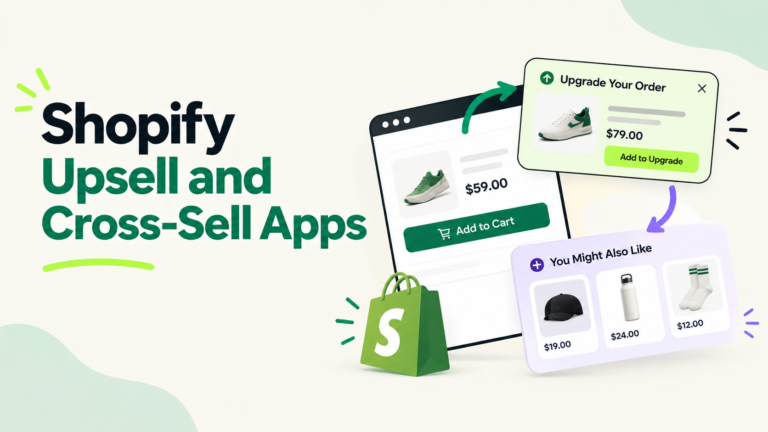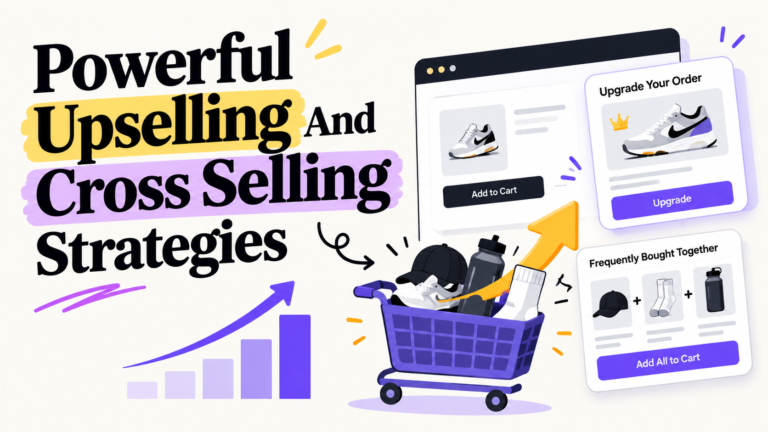
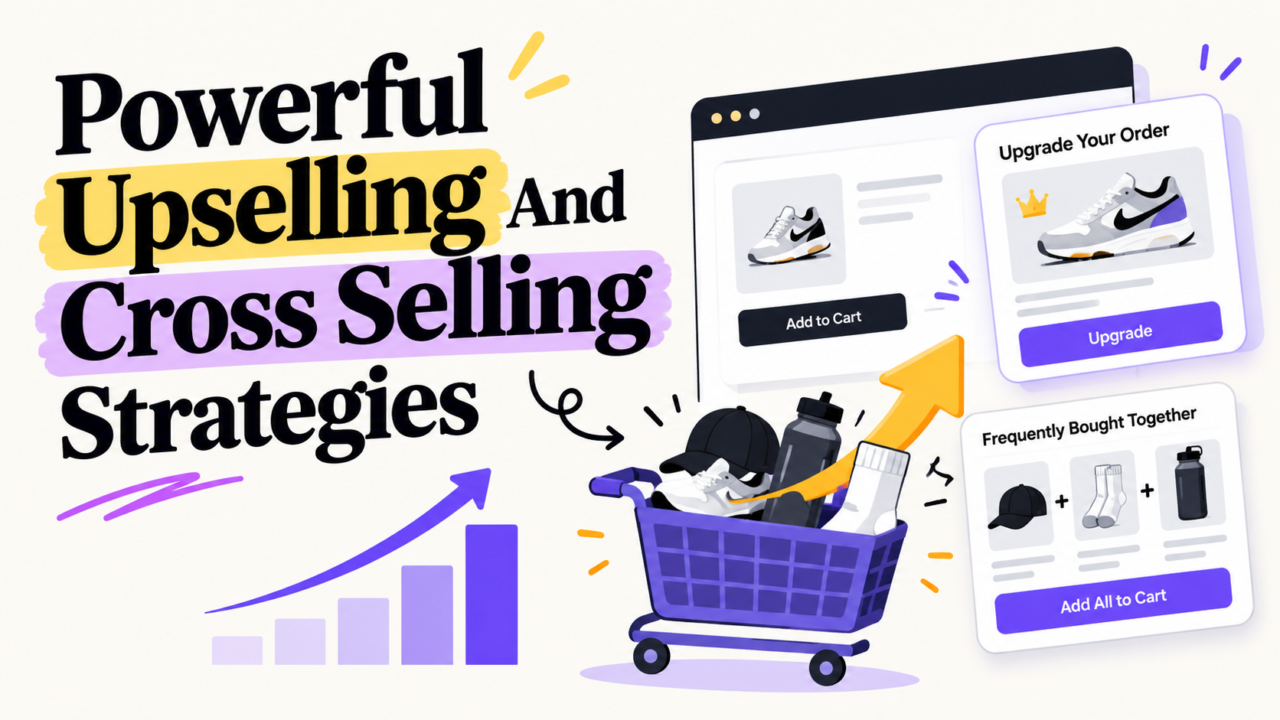
Quick answer: Upselling means getting a shopper to buy a better version of what they want. Cross selling means adding a related item to the order. The 10 strategies that work best in ecommerce are: product page upgrades, “frequently bought together,” bundles, cart add-ons, free shipping thresholds, checkout add-ons, post-purchase offers, email follow-ups, subscribe and save, and smart personalization. The rule that ties them together: one relevant offer, at the right moment, priced well below the main item.
You already paid to get the shopper to your store. The ad click is gone. The cost is spent.
So here is the real question. How much more can you earn from the people who are already buying?
That is what upselling and cross selling do. They grow revenue without buying one more click. This guide shows you where each offer goes, what to charge, and how to check if it is making you money or just making noise.
What Is Upselling vs Cross Selling?
Think of a coffee shop.
- Upsell: “Want a large instead of a medium?”
- Cross sell: “Want a muffin with that?”
Same idea online.
| Upselling | Cross Selling | |
|---|---|---|
| What it is | A better or bigger version of the same item | A related item that goes with it |
| Example | 256GB phone instead of 128GB | Phone case and charger |
| Best place | Product page | Cart and after purchase |
| Main goal | Higher price per item | More items per order |
| Main risk | Pushing budget buyers too hard | Showing random products |
There is also a third move many guides skip:
- Downsell: Offering a cheaper option when a shopper is about to leave. It saves the sale instead of growing it.
Why Upselling and Cross Selling Matter So Much Right Now
Ad costs keep climbing. Every extra dollar you earn per order makes your ad spend work harder.
Here is what the research actually says:
- Keeping customers is cheaper. Acquiring a new customer can cost 5 to 25 times more than keeping one (Harvard Business Review).
- Shoppers expect it. 71% of consumers expect personalized interactions, and 76% get frustrated when they do not get them (McKinsey, 2021).
- It moves revenue. The same McKinsey study found personalization most often drives a 10 to 15% revenue lift.
A quick fact check on stats you see everywhere
We read the top ranking guides on this topic. A few numbers get repeated without proof:
- “Amazon gets 35% of revenue from recommendations.” This comes from a McKinsey article from 2013. It was an estimate of purchases, not revenue, and it is now over a decade old. Amazon has never confirmed it.
- “Upselling brings 42% more revenue” and “raises lifetime value 20 to 40%.” We could not trace either to an original study. Skip them.
- “Selling to existing customers is 5 to 25 times more profitable.” The original HBR line is about cost to acquire, not profit. Small word, big difference.
Bottom line: use the verified numbers above. Then trust your own store data more than anyone’s headline stat.
Before You Add Any Offer: The MATCH Test
Most upsells fail for one reason. They are about the store, not the shopper.
Run every offer through this 5 point check. We call it MATCH.
- M = Moment. Is the shopper ready? Upgrades belong on the product page. Add-ons belong in the cart. Big offers belong after payment.
- A = Add-on fit. Does it make the main item better? A case for a phone, yes. A candle for a phone, no.
- T = Threshold price. Keep cross sells cheap next to the main item. A good starting rule: under 25% of the cart value. On a $60 cart, that is $15 or less.
- C = Clear value. Can the shopper see why in 3 seconds? “Lasts 2x longer” beats “Premium edition.”
- H = Hold back. One offer per step. Two at most. More choices often means fewer yes answers.
If an offer fails 2 or more checks, cut it.
The 10 Best Upselling and Cross Selling Strategies
Each strategy below shows where it goes, how to run it, and a watch-out.
1. Product Page Upgrades (Good, Better, Best)
Show 2 or 3 versions side by side. Let the shopper see what the extra money buys.
How to do it:
- Put a small comparison table right under the price.
- Mark the middle option “Most popular.”
- List 3 clear benefits for the upgrade, not 10 specs.
Why it works: The top option makes the middle one feel fair. This is called price anchoring. Want more on this? See our guide to ecommerce pricing strategies.
Watch-out: Keep the jump small. A $40 item with a $45 upgrade works. A $40 item with a $120 upgrade scares people off.
2. “Frequently Bought Together”
This is the classic cross sell. Show items that real customers buy with the main product.
How to do it:
- Use your own order data. Pull the top 3 items that appear in orders with each best seller.
- Show 2 or 3 items, not 8.
- Add a single “Add all to cart” button.
Watch-out: Do not fake it. If the pairings are random, shoppers notice and trust drops.
3. Bundles With Visible Savings
A bundle packs items together at one price. It makes the choice easy.
How to do it:
- Build starter kits (“Everything you need to start”).
- Show the savings in dollars: “Save $12,” not “Save 15%” when the dollar number is bigger.
- Test a mix and match bundle for stores with lots of variants.
The margin trap nobody talks about:
Say you sell a $100 set. Your cost is $50. Your profit is $50.
Now you give 15% off as a bundle deal:
- New price: $85
- Profit: $85 minus $50 = $35
You just cut profit per order by 30%. You need about 1.43 bundles sold for every 1 full price set just to break even.
So bundle to lift order size, not to discount things people would buy anyway. We cover this in detail in how Shopify bundles raise average order value and our Shopify product bundle guide.
4. Cart Drawer Add-Ons
The cart is where shoppers are most ready to buy. A small, cheap add-on here gets a quick yes.
How to do it:
- Show 1 to 3 small items: refills, socks, batteries, gift wrap.
- Make adding one tap. No page reload.
- Match the add-on to what is already in the cart.
Watch-out: A slow cart kills sales. Test on mobile before you go live. If your cart is losing people, read our tips to reduce abandoned cart rate.
5. Free Shipping Threshold With a Progress Bar
“You’re $12 away from free shipping.” Simple. Powerful.
How to do it:
- Set the threshold about 15 to 30% above your current average order value.
- Show a progress bar in the cart.
- Suggest items priced to close the gap.
Watch-out: Do the math first. If shipping costs you $8 and the extra items only add $4 of profit, you lose money on every order that hits the threshold.
6. Checkout Add-Ons (Protection, Warranty, Faster Shipping)
These are low effort, high margin extras.
Good checkout add-ons:
- Shipping protection
- Extended warranty
- Faster delivery
- Gift message or gift box
Watch-out: Never pre-check the box. Sneaky add-ons lead to refunds, chargebacks, and angry reviews. In some places it can also break consumer protection rules.
7. Post-Purchase One-Click Offers
The shopper just paid. Trust is at its highest. Now you show one offer they can add without entering card details again.
How to do it:
- Show it on the thank you page.
- Offer a small discount only for the next 10 minutes.
- Pick an item that pairs with what they just bought.
Why it is safe: The first sale is already done. A “no thanks” costs you nothing. We break down exact setups in our post-purchase cross sell guide.
8. Email and SMS Follow-Ups
Not every offer needs to happen in the same visit.
Flows that work:
- Day 3 to 7: “How to get the most from your [product]” plus one related item.
- Refill reminder: Timed to when the product runs out.
- Upgrade email: For customers who bought the basic version 60 to 90 days ago.
See the full setup in our ecommerce email marketing flows guide.
Watch-out: Lead with help, then the offer. A “how to use it” email gets opened. A “buy more” email gets ignored.
9. Subscribe and Save
This is an upsell from one order to many. It works best for products people run out of: coffee, supplements, skincare, pet food.
How to do it:
- Offer 10 to 15% off for subscribing.
- Make skipping and canceling easy. It lowers fear and raises signups.
- Show it as a toggle right on the product page.
Learn more in our guide to subscription ecommerce and recurring revenue. You can also reward repeat buyers through a loyalty program.
10. Smart Personalization (AI Recommendations)
Personalization shows each shopper what fits them, based on what they viewed and bought.
How to start without a big budget:
- Begin with simple rules: “Viewed X, show Y.”
- Split new and returning visitors. Returning buyers can see upgrades. New visitors see best sellers.
- Add AI tools once you have steady traffic and clean product data.
Watch-out: AI is only as good as your catalog. Missing tags and messy titles mean bad suggestions. Clean data first. Our AI in ecommerce guide and this piece on using data for personalized customer experiences go deeper.
Worked Example: What These Strategies Add Up To
Let’s use a real looking store.
Store snapshot:
- 10,000 orders per month
- Average order value: $60
- Monthly revenue: $600,000
Three offers go live:
| Offer | Who sees it | Take rate | Price | Extra revenue per month |
|---|---|---|---|---|
| $15 cart add-on | 10,000 orders | 8% | $15 | $12,000 |
| $30 product page upgrade | 2,000 buyers of one product | 12% | +$30 | $7,200 |
| $20 post-purchase offer | 10,000 orders | 4% | $20 | $8,000 |
| Total | $27,200 |
What it means:
- Average order value goes from $60 to $62.72.
- That is about 4.5% more revenue with zero new ad spend.
- Over a year, that is $326,400.
Now check profit, not just revenue. If the $15 add-on costs you $5, each sale earns $10. At 800 sales, that is $8,000 profit from one small widget.
These take rates are sample numbers for the math. Your real rates depend on your products and prices. Test to find yours.
Where Each Strategy Fits in the Customer Journey
| Stage | Shopper mindset | Best offer | Keep it to |
|---|---|---|---|
| Product page | “Which one should I get?” | Upgrade, bundle, subscribe | 1 upgrade + 1 bundle |
| Cart | “Almost done.” | Cheap add-on, shipping bar | 1 to 3 items |
| Checkout | “Just let me pay.” | Protection, warranty | 1 unchecked box |
| Thank you page | “That felt good.” | One-click offer | 1 offer |
| Email / SMS | “Let me use it first.” | Refill, upgrade, accessory | 1 product per email |
Common Mistakes That Kill Upsell Revenue
- Too many offers. Pop-up, cart widget, checkout box, and a thank you offer all at once feels like a trap.
- Random products. Showing your top sellers to everyone is not cross selling. It is just noise.
- Big price jumps. Keep add-ons cheap next to the main item.
- Deep discounts on everything. You train shoppers to wait for deals and you burn margin.
- Pre-checked boxes. Short term gain. Long term refunds and bad reviews.
- Slow widgets. Every app script slows your store. Audit your stack with our Shopify app stack guide.
- Never testing. Set it and forget it leaves money on the table.
A note on “fewer choices sell more”: You will see the famous jam study everywhere (30% bought from 6 jams vs 3% from 24 jams, Iyengar and Lepper, 2000). It is a real study, but later research has not always repeated the result. The safe lesson: fewer, clearer choices rarely hurt. Test it on your own store.
How to Measure If It Is Working
Track these 5 numbers every month:
- Average order value (AOV): Total revenue divided by number of orders.
- Take rate: Offers accepted divided by offers shown.
- Revenue per visitor (RPV): Revenue divided by visitors. This catches offers that raise AOV but lower conversion.
- Profit per order: Revenue minus product cost, discount, and shipping.
- Refund rate on add-ons: If this climbs, your offers are not a real fit.
Simple testing plan:
- Pick one offer spot. Start with the cart.
- Run the offer to half your traffic for 2 to 4 weeks.
- Compare RPV and profit per order, not just AOV.
- Keep the winner. Move to the next spot.
For tools that help, see our list of ecommerce CRO tools and 8 ways to increase conversion rate. If you are comparing apps, our tested list of the best upsell apps for Shopify shows prices and features side by side.
Your 30 Day Upsell Plan
Week 1: Find the pairs
- Export your last 90 days of orders.
- List the top 10 product pairs bought together.
Week 2: Launch 2 offers
- Add “frequently bought together” on your top 5 product pages.
- Add one cheap cart add-on.
Week 3: Add after the sale
- Turn on one post-purchase offer.
- Add one related item to your post-purchase email.
Week 4: Measure and cut
- Check take rate, RPV, and profit per order.
- Cut anything that fails the MATCH test.
Who Runs All of This?
Here is the honest truth. Upsell strategy is easy to plan. It is hard to keep running.
Someone needs to update pairings, build bundles, write emails, run tests, clean product data, and watch margins every week. Most founders start strong, then it slips.
That is where a system beats a one-time project. At AcquireX, we build dedicated offshore teams that own this work inside your business:
- Performance marketing and growth to test offers and track profit
- Catalog management to keep product data clean for better recommendations
- Design and creative for bundle pages and offer visuals
- Customer service to turn support chats into helpful upgrades
Want to see how brands grow this way? Read how to scale a Shopify brand from 7 to 8 figures or run a Shopify store lean with an offshore team.
Ready to grow order value without more ad spend? Talk to the AcquireX team and we will map your first 3 upsell wins.
FAQs
What is the difference between upselling and cross selling?
Upselling gets a shopper to buy a better or bigger version of the item they want. Cross selling adds a related item to the order. A larger phone is an upsell. A phone case is a cross sell.
Which is better, upselling or cross selling?
Neither is always better. Upselling works best on the product page when shoppers compare options. Cross selling works best in the cart and after purchase. Most stores should use both.
How much should a cross sell item cost?
A good starting rule is under 25% of the cart value. On a $60 cart, aim for add-ons of $15 or less. Then test to find what works for your store.
Do upsells hurt conversion rate?
They can if you show too many offers or slow down the page. Track revenue per visitor, not just average order value, so you catch offers that raise order size but lose sales.
What is a good upsell take rate?
It depends on price, product, and placement. Cheap cart add-ons usually get accepted more than big upgrades. Measure your own baseline, then test one change at a time to improve it.
Where should I put upsell offers on my store?
Put upgrades on the product page, cheap add-ons in the cart, protection at checkout, one-click offers on the thank you page, and refills or accessories in follow-up emails.