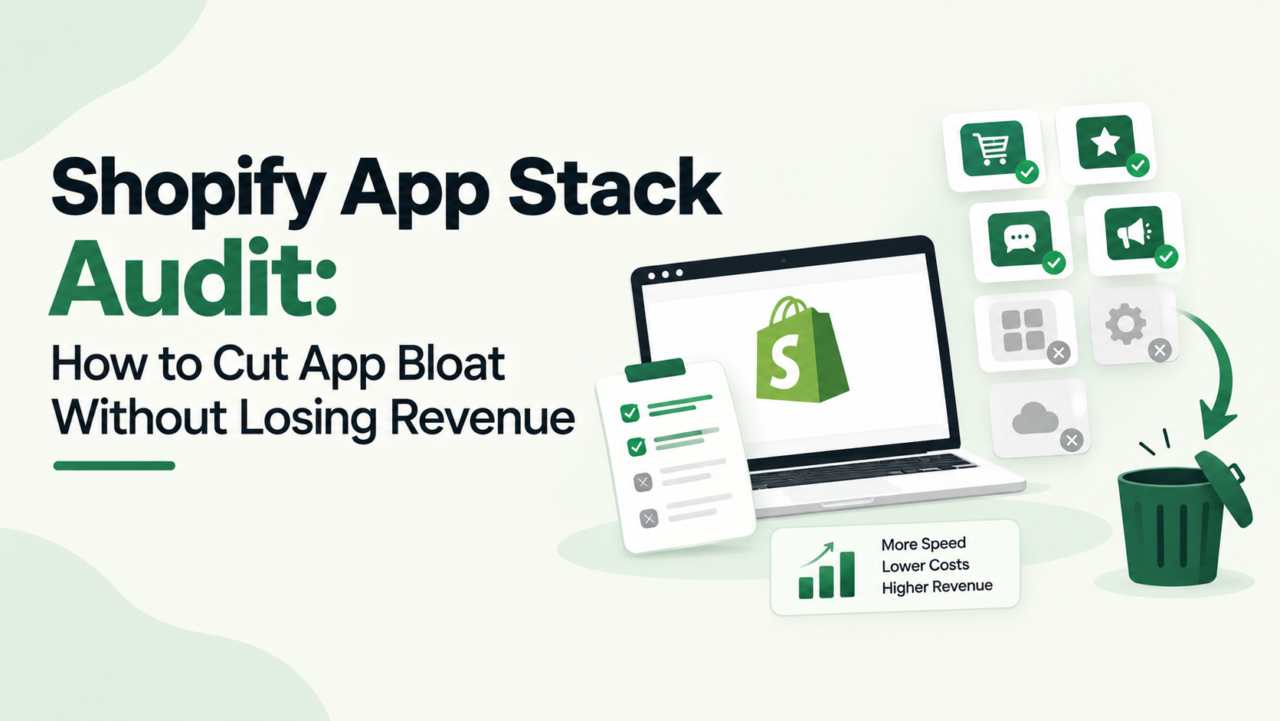
Too many Shopify apps cost you in three ways: monthly fees, slower pages, and messy data. But cutting apps without a plan can cost you more. Remove the wrong one and your upsells, reviews, or subscriptions can stop working overnight.
Here’s the short answer. Run a Shopify app audit every quarter. List every app. Find the ones doing the same job. Test before you remove anything. Then clean up the code that old apps leave behind.
In this guide you get a checklist, a real dollar example, and a simple 5 step method called PRUNE that you can start this week.
Quick answer: The number of apps you have isn’t the real problem. The real problems are paying twice for one job, apps loading on pages that don’t need them, and dead code from apps you already deleted. Fix those three and you can often cut 10% to 20% of your app bill without hurting sales.
Who This Guide Is For
This guide is for you if:
- You run a Shopify or Shopify Plus store doing about $2M to $20M a year
- Your app bill has crept past $2,000 a month and nobody can explain every line
- Your mobile speed keeps getting worse, even after you fixed your images
- Many people have installed apps over the years, and nobody owns the list
If your store is new and runs 5 apps, you can skip most of this. Come back when you hit 20.
Why Stores End Up With 30+ Apps
Nobody plans a bloated stack. It builds up one “quick fix” at a time.
Here’s the story we see again and again:
- Year 1: The founder installs a review app, a popup app, and an email tool.
- Year 2: A new marketer tests a second review app. The old one never gets removed.
- Year 3: An agency adds a bundle app, an upsell app, and a sticky add to cart button.
- Year 4: Black Friday brings a countdown timer, a gift wrap app, and a wishlist.
- Year 5: The team has 34 apps, 3 people who can edit the theme, and nobody in charge.
Each install made sense at the time. Together, they became a tax on every page view.
Is App Count Really the Problem?
Not always. This is where many “too many apps” articles get it wrong.
Some guides say “more than 20 apps is too many,” or they show tables that tie app counts to exact seconds of load time. We couldn’t find a real study behind those numbers.
The best data we found points the other way. A StoreInspect study of 340,557 Shopify stores found:
- The median store runs just 2 apps that show up on the storefront
- Busier stores run more apps: about 1.8 on average for stores under 50K monthly visits, and 7.3 for stores over 1M
- 94% of stores with 8+ storefront apps were on Shopify Plus
- 8.7% of stores pay for two apps in the same category
So a big app count often just means a big business. The real issue is what those apps do on your storefront.
What actually matters:
- Storefront apps vs. backend apps. An inventory app that only runs in your admin doesn’t slow your store at all. A popup app that loads on every page does.
- Where the code loads. A size chart app loading on your homepage is pure waste.
- Overlap. Two apps doing one job means double fees and double code.
- Ghost code. Code left behind by apps you already uninstalled.
Key point: Don’t ask “how many apps do we have?” Ask “what does each app cost us per month, per page load, and per dollar it truly earns?”
The Real Cost of App Bloat
1. Money you can see
App fees are easy to ignore because each one is small. $19 here, $49 there.
At scale, it adds up fast. A 34 app stack at $3,140 a month costs $37,680 a year. That’s close to the cost of a full time offshore team member.
2. Speed your shoppers feel
Every storefront app adds code (JavaScript or CSS) or calls to outside servers. Your shopper’s phone has to load all of it.
Why this matters: in the Milliseconds Make Millions study, Deloitte and Google looked at 37 brands and more than 30 million sessions. For retail sites, a mobile load that was 0.1 seconds faster was linked to 8.4% more conversions and 9.2% higher average order value.
One honest note: that study shows a link, not proof that speed alone caused the lift. Still, the direction is clear. Faster pages tend to sell more.
3. Problems you can’t see
- Messy data: Two tracking tools can count the same sale twice. Your ad decisions get worse.
- App conflicts: Two cart apps fight over the same cart. Discount codes stack when they shouldn’t.
- Theme lock in: Apps that edited your theme code can block clean theme updates.
- Security risk: Every app gets some access to your store data. Old apps keep that access until you remove them.
- Slower dev work: Every developer who touches your theme has to work around old app code first.
Which Apps Slow Your Store the Most?
Not all apps are equal. Some never touch your storefront. Others load code on every page.
We can’t give you exact seconds per app. It depends on the app, your theme, and how it’s set up. But how an app loads tells you a lot about its risk:
| App type | Usual speed risk | Why |
|---|---|---|
| Live chat widgets | High | Often load a big script on every page, even if nobody chats |
| Social proof popups (“Jane just bought…”) | High | Keep running and animating in the background |
| Reviews and UGC galleries | Medium to high | Load widgets, stars, and photos on product pages |
| Upsell, bundle, and cart drawer apps | Medium to high | Load on product and cart pages, right where shoppers buy |
| Tracking and analytics pixels | Medium | Each pixel adds more calls when the page loads |
| Countdown timers and announcement bars | Low to medium | Small, but often load on every page |
| Currency and translation widgets | Medium | Change the page after it loads |
| Email and SMS tools | Low to medium | Mostly backend, but signup forms load on the storefront |
| Inventory, shipping, and ERP apps | Very low | Run in the admin only |
Quick win: For live chat, use a “Chat with us” button that loads the widget only when someone clicks. Many chat tools support this.
Warning Signs Your Stack Is Bloated
Go through this list. If you check 3 or more, it’s time for an audit.
- [ ] You pay for two apps in the same category (two review apps, two popup apps)
- [ ] Nobody on your team can say what every installed app does
- [ ] An app was added for one sale or launch and never removed
- [ ] Your mobile speed has dropped over the last 6 months
- [ ] Your theme has code that mentions apps you no longer use
- [ ] Your app bill is growing faster than your revenue
- [ ] Two tools show different revenue for the same day
- [ ] A developer has complained that an app “fights” your theme
The PRUNE Method: A 5 Step Shopify App Audit
We built PRUNE for teams that want to cut costs without breaking what makes money. Each step gives you one clear result.
| Step | What you do | What you get |
|---|---|---|
| Pull the list | Log every app, its cost, its owner, and where it loads | One app inventory sheet |
| Rank by revenue role | Tag and score each app | A ranked list |
| Uncover overlap | Group apps by the job they do | A list of duplicates |
| Neutralize ghost code | Find code from apps you already removed | A clean theme |
| Exit with a test | Remove one app at a time and measure | Safe cuts, no surprises |
Step 1: Pull the list
Go to Settings > Apps in your Shopify admin. Check both the Installed and Uninstalled tabs. The Uninstalled tab matters for Step 4.
Build a simple sheet with these columns:
- App name
- Monthly cost (use your Shopify bill, not the price on the app listing)
- The job it does, in one sentence
- Who owns it on your team
- Does it load on the storefront? (Yes or No)
- Which pages it needs to load on
- Last time anyone logged into it
Pro tip: The “who owns it” column is the most useful one. Apps with no owner are usually the first to go.
Step 2: Rank by revenue role
First, tag every app with one of three labels:
- Revenue: Directly drives sales. Examples: upsells, bundles, reviews, subscriptions.
- Operations: Keeps the business running. Examples: shipping, returns, inventory, helpdesk.
- Nice to have: Looks good, but no clear number is tied to it. Examples: wishlist, social feeds, trust badge apps.
Next, give every Revenue app a simple score:
App return = true monthly revenue it adds ÷ monthly cost
“True” revenue means sales that wouldn’t have happened without the app. (More on how to find that in Step 5.)
| App | True monthly lift | Monthly cost | App return | Call |
|---|---|---|---|---|
| Reviews | $2,500 | $99 | 25.3x | Keep |
| Upsell | $600 | $79 | 7.6x | Keep |
| Wishlist | $40 | $29 | 1.4x | Cut (it also slows pages) |
| Countdown timer | $0 | $12 | 0x | Cut |
Our rule of thumb: If a storefront app returns less than 3x its cost, it probably isn’t worth the speed hit. Backend apps don’t carry the speed cost, so judge them on time saved.
Step 3: Uncover overlap
Sort your sheet by “job.” Duplicates jump out fast.
This isn’t rare. StoreInspect found 5,993 stores running both Klaviyo and Mailchimp at the same time. The most common doubled up categories were email, reviews, Instagram feeds, support, and loyalty.
Common overlaps we see at scale:
| Job | Typical overlap | What to do |
|---|---|---|
| Reviews | 2 review apps (one old, one new) | Keep one. Export and import your reviews first. |
| Email capture | Popup app plus your email tool’s own signup forms | Use your email tool’s forms. |
| Cart and AOV | Cart drawer + upsell + bundle + sticky add to cart apps | Pick one tool that covers most of these. |
| Urgency | Countdown timer + announcement bar + low stock badge | Merge into one, or use theme sections. |
| Tracking | 2 or 3 tracking and attribution tools | Pick one source of truth. |
| Email platforms | Old email tool never cancelled after a switch | Export lists, then cancel. |
Step 3b: Check what Shopify already does for free
Shopify adds more built in features every year. Before you pay for an app, check this list:
| If you pay for an app that… | Try this Shopify option first |
|---|---|
| Shows a signup popup or form | Shopify Forms (free, made by Shopify) |
| Builds fixed product bundles | Shopify Bundles (free, made by Shopify) |
| Converts currency | Shopify Markets |
| Translates your store | Translate & Adapt (free, made by Shopify) |
| Shows related products or tunes search | Search & Discovery (free, made by Shopify) |
| Runs simple store tasks (tagging, alerts) | Shopify Flow |
| Adds FAQs, tabs, or trust badges | Your theme’s own sections and blocks |
A common mistake in other guides: Some articles still list “Shopify Product Reviews” as a free native option. Shopify removed that app in May 2024 (details here). For reviews, you still need a third party app.
Also, a free Shopify app isn’t always enough. Shopify Bundles works well for simple bundles. Tiered discounts, mix and match, or bundle upsells in the cart often still need a dedicated app. See our guides on the best upsell apps for Shopify and using bundles to raise average order value.
Step 4: Neutralize ghost code
This is the step most stores skip. It’s also where a lot of hidden speed goes.
Here’s what you need to know. Modern apps use theme app extensions (called app blocks). When you uninstall them, Shopify removes their blocks for you.
Older apps often edited your theme code directly. Shopify’s own developer docs say removing those apps “often leaves the code edits, or ghost code, behind in the theme.” Shopify’s Help Center also warns that some apps add code that isn’t removed automatically.
How to find and remove it:
- Duplicate your live theme first. Always work on the copy.
- Go to Online Store > Themes > Edit code.
- Open
theme.liquid. Search (Ctrl+F) for the names of apps on your Uninstalled list. - Check the Snippets folder for files named after old apps.
- Comment out the line first instead of deleting it. Preview the store. If nothing breaks, delete it.
- Remove the line that calls the file (the
renderorincludeline), not just the file. A missing file with a live reference can break the page. - Test on mobile and desktop. Then publish.
Not sure if an app is still active? Leave its code alone. A broken feature costs more than a few extra kilobytes.
Step 5: Exit with a test
Never remove five apps on the same day. If sales drop, you won’t know which app caused it.
Instead:
- Remove one app at a time. Wait 7 to 14 days between big cuts.
- Measure speed before and after. Use the tools in the next section.
- Watch the right numbers. Conversion rate, average order value, and revenue per session. Compare with the same weekdays in earlier weeks.
- Test your big revenue apps with a holdout. Turn the app off for part of your traffic, or for a set time, and compare. This shows you the true lift.
- Move your data out first. Export reviews, subscriber lists, loyalty points, and email flows before you uninstall anything.
How to Measure App Speed the Right Way
Most guides say “run PageSpeed” and stop there. Here’s a better way to do it.
1. Start with real shopper data. Shopify’s web performance dashboard (in your admin under Online Store) shows how fast your store loads for real visitors. It tracks the three Core Web Vitals:
- LCP (how fast the main content shows up): aim for under 2.5 seconds
- INP (how fast the page reacts to taps): aim for under 200 milliseconds
- CLS (how much the page jumps around): aim for under 0.1
These targets come from Google’s Web Vitals guide.
2. Use lab tests to find the cause. Run PageSpeed Insights on 3 pages: your homepage, a top product page, and a collection page. Run each test 3 times and use the middle score. Scores jump around a lot from test to test.
3. Find the heavy scripts. In Chrome, open DevTools and go to the Network tab. Sort by size. Match each large script’s web address to an app. The Coverage tab also shows how much of each script your page never uses.
4. Test before you install, too. Before adding any new app, record your speed. Install the app and test again. If your mobile score drops by more than a few points, ask if the feature is worth it.
Worked Example: A $6M Brand With 34 Apps
Here’s what an audit looks like for a US home goods brand. The numbers are an example, but the math is real.
Starting point: 34 apps, $3,140 a month in app fees. At $500,000 a month in sales, that’s about 0.6% of revenue.
After PRUNE, the team cut 9 apps:
| App cut | Why | Monthly saving |
|---|---|---|
| Second review app | Duplicate | $99 |
| Popup app | Email tool already has signup forms | $59 |
| Second upsell app | Overlapped with the cart app | $79 |
| Wishlist | Under 1% of visitors used it | $29 |
| Currency converter | Shopify Markets handles it | $19 |
| Sticky add to cart | Theme has it built in | $15 |
| Countdown timer | Only used for one old sale | $12 |
| Old SEO app | Theme and Shopify cover it | $49 |
| Old loyalty app | Replaced last year, never removed | $149 |
| Total | $510 |
The result:
- $510 a month saved, or $6,120 a year
- That’s 16.2% of the total app bill
- No revenue app was removed without a test
The part most audits miss: claimed vs. true revenue
The brand’s main upsell app dashboard claimed $4,000 a month in upsell sales.
A two week holdout test told a different story. Many of those shoppers would have bought the extra item anyway. The true lift was about 15% of what the app claimed, or $600 a month.
So was the app worth keeping? Yes. It costs $79 a month and brings in about $600 in truly new sales. That’s a 7.6x return.
Lesson: Don’t let apps grade their own homework. Most app dashboards count every sale they touch, not every sale they cause. Test the big ones.
What a small speed gain could be worth
Say the same store gets 250,000 sessions a month with an $80 average order value.
If cleaner code lifts conversion rate from 2.0% to 2.1%, that’s:
- 250,000 × 0.001 × $80 = $20,000 more revenue a month
That’s not a promise. It’s why speed is worth testing, and why it often matters more than the fee savings.
When Custom Code Beats an App
Some small features don’t need a monthly app at all. A developer can build them into your theme once.
Good candidates:
- Sticky add to cart buttons
- Simple countdown or announcement bars
- FAQ tabs and size chart pop ups
- Trust badges and free shipping messages
The math: Say an app costs $30 a month. A developer builds the same feature for a one time $300.
- $300 ÷ $30 = 10 months to break even
- After that, it’s pure savings. It also loads only the code you need.
Keep the app instead when:
- The feature needs a dashboard your team uses every day
- It relies on data from outside Shopify (reviews, subscriptions, loyalty points)
- The app gets regular updates you’d have to rebuild yourself
When to Consolidate vs. Keep Separate Apps
Moving to one “all in one” app sounds great. But it isn’t always the right call.
Consolidate when:
- Three apps do parts of the same job (cart, upsell, bundles)
- The apps load code on the same pages
- Your team wastes time switching between dashboards
Keep separate apps when:
- A specialist app clearly earns more than the all in one tool
- Switching means a big data move (reviews, subscribers)
- The all in one app loads heavy code everywhere, even for features you don’t use
Watch out: Fewer apps doesn’t always mean less code. Before you switch, test the new app’s speed on your 3 key pages.
Apps You Should Never Cut Without a Plan
Some apps look expensive but do real work. Plan carefully before you touch them:
- Subscription apps. Removing one can stop billing for your active subscribers.
- Reviews. Losing review stars can hurt sales and your star ratings in Google. Export reviews first.
- Helpdesk and returns. Your support history lives there.
- Email and SMS. Flows and customer lists are hard to rebuild.
- Shipping and fulfillment. If this link breaks, orders stop shipping.
For these, the rule is simple: move your data first, then remove the app.
6 Common Mistakes When Cutting Apps
| Mistake | What goes wrong | Do this instead |
|---|---|---|
| Removing many apps at once | You can’t tell which cut hurt sales | One app at a time, 7 to 14 days apart |
| Trusting app dashboards | You keep weak apps and cut strong ones | Run a holdout test on big revenue apps |
| Cutting tracking during live ad campaigns | Your ad data breaks mid campaign | Change tracking tools between campaigns |
| Uninstalling before exporting data | Reviews, lists, or points are lost | Export, move, check, then uninstall |
| Skipping the ghost code check | You pay the speed cost anyway | Search your theme after every removal |
| Editing the live theme | One mistake takes your store down | Always work on a duplicate theme |
How Often Should You Audit Your Shopify Apps?
| Store stage | How often | Why |
|---|---|---|
| Under $1M a year | Twice a year | Your stack changes slowly |
| $2M to $20M a year | Every quarter | More people install more apps |
| After Black Friday or a big launch | Within 30 days | Short term apps pile up |
| Before a theme change or move to Plus | Before you start | Don’t carry dead code into a new theme |
Planning a platform move? Pair this audit with our Shopify Plus migration checklist.
Make One Person Own the Stack
Here’s the real reason app bloat comes back: nobody owns it.
Set these rules after your audit:
- One owner approves every new app install
- Every new app needs a goal, like “raise AOV by $5 in 60 days”
- Every new app gets a speed test before and after install
- Every trial gets an end date on the calendar
- Every removal gets a ghost code check
This is ongoing operations work, not a one time project. It’s also the kind of work that slips when your team is busy running the store. Want to see how lean teams handle it? Read about running a Shopify store with a lean offshore team. App fees also feed straight into your cost per order, so a cleaner stack shows up in your margins too.
Your 30 Day App Audit Plan
Week 1: Pull and rank
- [ ] Export the full app list (Installed and Uninstalled tabs)
- [ ] Pull 3 months of app charges from your Shopify bill
- [ ] Record speed from the web performance dashboard and PageSpeed (3 pages, 3 runs each)
- [ ] Tag every app and give it an owner
- [ ] Score every revenue app (true lift ÷ cost)
Week 2: Find overlap and clean code
- [ ] Group apps by job and mark duplicates
- [ ] Check which Shopify built in features can replace an app
- [ ] Duplicate your theme
- [ ] Search the theme for ghost code from uninstalled apps
Weeks 3 and 4: Cut and test
- [ ] Remove “Nice to have” apps one at a time
- [ ] Export data before removing any app that stores it
- [ ] Run holdout tests on your top 2 or 3 revenue apps
- [ ] Re-test speed after each removal
- [ ] Track conversion rate, AOV, and revenue per session
- [ ] Book the date for your next audit
Frequently Asked Questions
How many Shopify apps is too many?
There is no fixed number. What matters is how many apps load code on your storefront, how many do the same job, and whether each one earns more than it costs. A store with 30 backend apps can be faster than a store with 10 heavy storefront apps.
Does uninstalling a Shopify app remove its code?
Not always. Apps built with theme app extensions have their blocks removed automatically when you uninstall. Older apps that edited your theme code directly can leave ghost code behind, which you need to remove by hand.
How do I find which app is slowing down my Shopify store?
Check Shopify’s web performance dashboard for real visitor data. Then run PageSpeed Insights on key pages and use the Chrome DevTools Network tab to find the largest scripts. Remove or turn off one storefront app at a time and test again.
Will removing apps hurt my sales?
It can if you remove a revenue app without testing. Remove one app at a time, track conversion rate and average order value for 1 to 2 weeks, and run holdout tests on your main revenue apps before you cut them.
Can Shopify’s free built in features replace paid apps?
Often, yes. Shopify Forms, Shopify Bundles, Shopify Markets, Translate & Adapt, Search & Discovery, and Shopify Flow cover many jobs that used to need paid apps. Reviews are the main exception, since Shopify removed its own reviews app in May 2024.
How much should a Shopify store spend on apps?
There is no reliable industry benchmark. A better test is whether each storefront app returns at least 3 times its monthly cost in true new revenue, and whether your total app bill grows slower than your sales.
How often should I do a Shopify app audit?
Brands doing $2M to $20M a year should audit every quarter. Also audit within 30 days after big sales events and before any theme change or platform move.
What to Do Next
You don’t need a week to get started. Start today:
- Today: Export your app list and add the cost of each app.
- This week: Tag every app and find your duplicates.
- This month: Clean up ghost code and remove apps one at a time.
Want a deeper look at which apps to keep or cut by category? Read our Shopify app stack keep or cut guide.
Want this done for you? AcquireX builds dedicated ecommerce teams that own your store operations. That covers app audits, catalog management, and conversion work that follows a plan, not guesswork. See how AcquireX works and stop fixing your app stack one fire at a time.