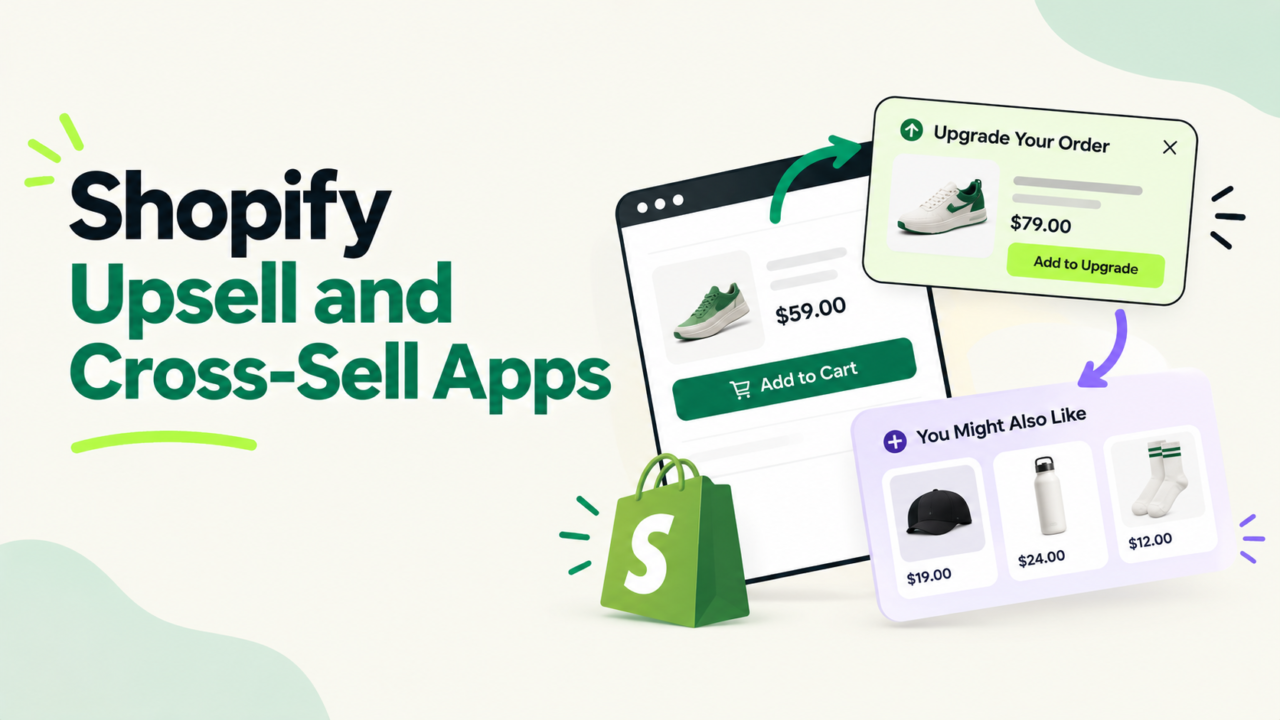
You installed an upsell app. You turned on every offer. AOV moved a little, or not at all.
The app is rarely the problem. The spot you put the offer in is.
A $12 add-on in the cart drawer, a 2-pack on the product page, and a one-click offer after payment do three different jobs. Mix them up and you get clutter, not cash.
This guide shows what each placement earns, using real USD math. It also answers a question most guides skip: who should test these offers every week, and how many orders do they need to trust the result?
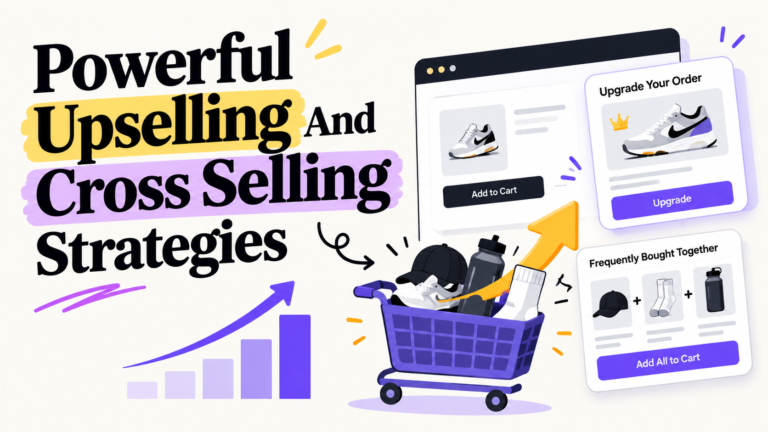
Quick answer: Put quantity breaks on the product page, one small add-on in the cart drawer, and a one-click offer after payment. Judge each one on profit per order, not take rate. Review them every week with one owner, but only call a winner after enough orders. A big change needs about 1,800 orders to prove. A small one needs about 6,400.
Key Takeaways
- Three placements do most of the work: quantity breaks on the product page, add-ons in the cart drawer, and one-click offers after payment.
- In our example store (2,000 orders a month, $60 AOV), the three together add about $6,300 a month in revenue and $3,500 in gross profit. These numbers are assumptions, not benchmarks.
- A post-purchase offer cannot block checkout, because the order is already paid.
- Most stores cannot trust a weekly A/B test. A small win needs thousands of orders to prove.
- “Weekly” should mean a weekly review run by one named owner. It should not mean a new winner every week.
Which Placement Does What?
| Placement | Its job | Best offer | Main risk |
|---|---|---|---|
| Product page quantity breaks | Make a bigger pack the easy choice | 2-pack or 3-pack with a clear saving | Discount eats your margin |
| Cart drawer | Add one small, cheap extra | Low-price add-on or a free shipping bar | Clutter slows people down |
| Post-purchase page | Sell the next product after payment | One-click offer on a related item | Offer feels random |
Think of it as three shelves in one store. Each shelf holds a different kind of product.
Placement 1: Quantity Breaks on the Product Page
A quantity break shows pack tiers before anyone touches the cart.
- 1 unit for $30
- 2 units for $54 (10% off)
- 3 units for $76.50 (15% off)
The shopper picks a pack size while they are still deciding. That is why this placement shapes the order, not just the add-ons.
The math (assumptions, not benchmarks):
- Product price: $30. Product cost: $12.
- One unit earns $18 in gross profit.
- A 2-pack sells for $54 and costs $24, so it earns $30.
- Each upgrade adds $12 in profit and $24 in revenue.
- Say 1,200 of your 2,000 monthly orders are single-unit orders for this product.
- If 12% upgrade, that is 144 orders.
- 144 x $24 = $3,456 extra revenue. 144 x $12 = $1,728 extra gross profit.
Works best for: things people use up, like coffee, skincare, supplements, and pet food.
Skip it if: the item is a one-time buy, or your margin is thin. Run the numbers on contribution margin first. A 10% discount can erase the whole gain.
Want the full bundle playbook? Read how to use Shopify bundles to raise AOV and the product bundle guide.
Placement 2: The Cart Drawer
The cart drawer slides out when someone adds an item. It is the last stop before checkout.
Good cart drawer offers are small and cheap:
- A low-price add-on that fits the item in the cart
- A free shipping progress bar
- A free gift at a set cart value
The math (assumptions, not benchmarks):
- 2,000 orders a month.
- 8% add the offer. That is 160 orders.
- The add-on costs $18 and earns a 60% gross margin.
- 160 x $18 = $2,880 extra revenue. At 60%, that is $1,728 extra gross profit.
Watch out for:
- More than one or two offers. People stop reading.
- Offers that do not match the cart.
- Anything that hides the checkout button.
Open your own drawer on your phone before you trust any report. Many shoppers see it there first. If carts are getting dropped, also read our guide to reducing abandoned carts.
Placement 3: The Post-Purchase Page
The post-purchase page shows up after payment and before the order status page, according to Shopify’s developer docs.
The offer is one click. The card is already on file. The order is already paid.
That last part matters. A bad offer here cannot stop the sale.
What the data says:
ReConvert (now Upsell.com) published a 2023 report built on 40,000+ merchants. It found:
- One-click post-purchase offers converted at 4.7% on average.
- The top 5% of stores reached 28.3%.
- Offers shown on the thank-you page converted at just 1.7%.
Keep two things in mind. This is vendor data from a company that sells the product. It is also from 2023. Use it as a rough guide, not a promise.
The math (assumptions, not benchmarks):
- 2,000 orders x 4.7% = 94 buyers.
- The offer is a $25 item at 10% off, so it sells for $22.50. It costs $10 and ships in the same box.
- 94 x $22.50 = $2,115 extra revenue. 94 x $12.50 = $1,175 extra gross profit.
Two Shopify facts to know:
- Per Shopify’s docs, only Plus merchants can install custom apps that use post-purchase extensions. Any merchant can install an App Store app that uses them. Source
- Shopify’s checkout docs say script tags stopped working on thank-you and order status pages for non-Plus stores on August 26, 2026. If an old app built your thank-you page offer on scripts, check that it still shows. Source
For picking the right next product, see our post-purchase cross-sell guide.
Add It Up (Without Fooling Yourself)
| Placement | Revenue a month | Gross profit a month |
|---|---|---|
| Quantity breaks | $3,456 | $1,728 |
| Cart drawer | $2,880 | $1,728 |
| Post-purchase | $2,115 | $1,175 |
| Total before overlap | $8,451 | $4,631 |
| After a 25% overlap cut (my guess) | $6,338 | $3,473 |
Why cut 25%? The same shopper sees all three placements. They will not buy from all three. The 25% is a placeholder. Your real number comes from testing.
After the cut:
- $6,338 / 2,000 orders = $3.17 more per order.
- On a $60 AOV, that is a 5.3% lift.
Profit here is gross profit only. Take out app fees, payment fees, and any extra shipping.
App fees are the small part, but they grow with your order volume. Even if the three apps together cost $200 a month, that is about 6% of the $3,473 gross profit in our example. The real cost is the margin you give away and the time to run it.
Apps by Placement: 12 to Shortlist
You need an app for each placement. Some apps cover more than one. Here are 12 to look at, grouped by the job you hire them for.
A few notes before you read:
- I did not test these apps. Ratings, review counts, and plans come from each app’s Shopify App Store listing, checked on October 5, 2026.
- These are not endorsements. Plans change often, so check the live page before you buy.
- Many plans rise with your orders. The entry price is not what you will pay at 2,000 orders a month.
Cart drawer apps
| App | What the listing offers | Rating (reviews) | Starting plan |
|---|---|---|---|
| Kaching CartDrawer | Slide cart, upsell carousel, free shipping bar, free gifts bar | 5.0 (1,450) | $9.99/mo up to 99 orders |
| Selleasy | In-cart and checkout upsells, product add-ons | 4.9 (2,738) | Free up to 50 orders, then $9/mo |
| Upcart | Slide cart, reward bar, upsells | 4.7 (954) | $29.99/mo up to 200 orders, 14 day trial |
| iCart | Slide cart drawer, progress bar, cart upsell | 4.7 (451) | $9/mo by order volume |
Quantity break apps
| App | What the listing offers | Rating (reviews) | Starting plan |
|---|---|---|---|
| Easy Bundles Quantity Breaks | Quantity breaks and bundles | 5.0 (326) | $6/mo |
| Fly Upsell & Cross Sell | Bundles, quantity breaks, upsells | 4.9 (610) | Free (1 upsell offer), then $15/mo |
| P: Quantity Breaks & Bundles | Quantity breaks, bundles, build your own box | 4.9 (264) | Free (1 active offer), then $14.99/mo |
Post-purchase apps
| App | What the listing offers | Rating (reviews) | Starting plan |
|---|---|---|---|
| ReConvert | Post-purchase and thank-you page offers, cart upsell | 4.8 (3,093) | Free tier, then $9.99/mo |
| Aftersell | One-click post-purchase offers, thank-you page | 4.9 (1,087) | $34.99/mo |
| Zipify OneClickUpsell | One-click post-purchase and checkout upsells | 4.6 (566) | $9.95/mo while upsell revenue stays under $200 |
| Bold AI Upsell & Cross-Sell | Checkout upsells, post-purchase funnels | 4.4 (594) | $4.99/mo on Shopify Basic, priced by your Shopify plan |
| Honeycomb Upsell & Cross Sell | One-click upsell and cross-sell funnels | 4.6 (158) | Free plan, paid from $54.99/mo |
How the pricing differs matters as much as the price:
- By orders: Kaching, Selleasy, Upcart, and iCart rise as your monthly orders rise.
- By upsell revenue: Zipify’s price steps up as your upsell revenue grows. In our example, post-purchase revenue is $2,115 a month. That sits in Zipify’s $200 to $2,500 band, which its page lists at $25 to $99 a month.
- By Shopify plan: Bold’s price follows your Shopify plan.
Pick the pricing style that fits your store. A revenue-based plan feels cheap at first and costs more as the offer works. That is fair, but plan for it.
Want a ranked, hands-on list? We tested ten in Best Upsell Apps for Shopify.
Who Should Test Weekly? Do the Order Math First
Here is the part most guides skip.
A split test needs enough orders to be trusted. Small changes need a lot of them.
I ran the numbers at 95% confidence and 80% power, with orders split evenly between two versions:
| Test | Orders needed in total | Weeks at 250 orders/week | Weeks at 500 | Weeks at 1,000 |
|---|---|---|---|---|
| Cart add-on take rate 8% to 12% | 1,764 | 7.1 | 3.5 | 1.8 |
| Quantity break upgrades 12% to 15% | 4,072 | 16.3 | 8.1 | 4.1 |
| Cart add-on take rate 8% to 10% | 6,426 | 25.7 | 12.9 | 6.4 |
| Post-purchase take rate 4.7% to 6% | 9,406 | 37.6 | 18.8 | 9.4 |
What this means in plain words:
- A big change (8% to 12%) can be proven in a few weeks at 500 orders a week.
- A small change (8% to 10%) takes 13 weeks at that same volume.
- At 100 orders a week, even the big change takes about 18 weeks.
So a “weekly test” is a myth for most stores. What works is a weekly review.
Who owns it, by store size
- Under 150 orders a week: The founder, once a month. Make one big change at a time. Judge it on profit per order over four weeks. Treat the result as a hint, not proof.
- 150 to 500 orders a week: One named person, such as a growth lead or ecommerce ops manager. Do a 30 minute review every week. Change one thing every three to four weeks.
- 500+ orders a week: A named owner with a written test log. Review weekly. Run one placement test at a time, for two to six weeks each.
This is the AcquireX view of how to run it: stop managing app vendors and build one small system with one owner. A dedicated team fits this job well, because someone has to care about the sheet every single week. See how this works in practice in our guide to running a Shopify store with a lean offshore team.
The LADDER Method: A Simple Weekly System
Climb one rung at a time.
- L: Lay out every live offer. Screenshot the product page, cart drawer, checkout, post-purchase page, and thank-you page. Many stores find two apps showing offers at the same time.
- A: Assign one owner. One name, not a team. If everyone owns it, nobody does.
- D: Decide one number. Use profit per order. Take rate alone can look great while margin falls.
- D: Don’t stack tests. Change one placement at a time. If you change three things, you learn nothing.
- E: Estimate the dollars first. Use the table above. If the test cannot finish in six weeks, make a bigger change.
- R: Retire losers. Set a kill rule before you start. For example: “If profit per order is flat after the full test window, turn it off.”
The 30 minute weekly review
- Open one sheet with these columns: placement, offer, orders, take rate, profit per order.
- Check for broken offers. Look on your phone.
- Read the number, not the story.
- Pick one: keep, change one thing, or retire.
- Write one line in the log.
What to Offer by Product Type
These are ideas to test, not proven results.
- Skincare and beauty: 2-pack of the cleanser as the quantity break. Travel size in the cart drawer. The matching moisturizer after payment.
- Supplements: A 90 day pack as the quantity break. A shaker or sample in the cart drawer. A product that pairs with the first one after payment.
- Pet food: A bigger bag as the quantity break. Treats in the cart drawer. A toy or chew after payment.
- Coffee: 2 and 3 bag tiers on the product page. Filters or a mug in the cart drawer. A second roast after payment.
- Apparel: Quantity breaks rarely fit. Use the cart drawer for socks or a care kit. Offer a matching piece after payment.
The rule is simple. The first offer should finish the job of the first purchase. The second should be the next thing they would buy anyway.
Mistakes That Quietly Drain Profit
- Two apps, same offer. The shopper sees it twice and trusts you less.
- Judging on take rate. A 15% take rate on a thin-margin add-on can earn less than a 5% take rate on a good one.
- Discounting past your margin. Do the math before you publish the tier.
- Random offers. A phone case offer after a candle order feels odd.
- Never checking mobile. Look at every placement on a phone each week.
- Old thank-you page code. Check that offers still show after Shopify’s August 26, 2026 change for non-Plus stores.
Too many apps is its own problem. Our Shopify app stack guide shows how to decide what to keep.
When You Should Not Run These Offers
- Your margin is thin. Fix price and costs first. See cost per order.
- You have one product and no natural add-on. Use quantity breaks only.
- Your site is slow or confusing. Offers will not save a broken page. Start with conversion basics.
- Nobody can own it. An unowned offer system gets worse over time.
For more ideas across the whole funnel, see our top 10 upselling and cross-selling strategies.
Your First 30 Days
- Week 1: Lay out every live offer. Name the owner. Build the sheet.
- Week 2: Fix the basics. Remove duplicate offers. Check mobile.
- Week 3: Pick the one placement with the biggest gap. Make one bold change.
- Week 4: Read profit per order. Keep, change, or retire. Log it.
Then repeat. This is how stores scale from seven to eight figures without adding chaos.
Want a Named Owner for This?
Most brands do not lack apps. They lack someone who owns the offers every week.
AcquireX builds dedicated teams that run performance marketing and growth for ecommerce brands. That includes the offer calendar, the test log, and the weekly review. If you want that off your plate, talk to us.
Frequently Asked Questions
Which upsell placement converts best on Shopify?
It depends on what you measure. In ReConvert’s 2023 data, one-click post-purchase offers converted at 4.7% on average, and thank-you page offers at 1.7%. That is vendor data. Compare placements on profit per order, not take rate alone.
Do I need Shopify Plus for post-purchase offers?
Not to use an App Store app. Per Shopify’s docs, any merchant can install an App Store app that uses post-purchase extensions. Only Plus merchants can install custom apps that use them.
How often should I test upsell offers?
Review weekly. Change one placement every two to six weeks, depending on volume. Under 150 orders a week, change one big thing a month and treat the result as a hint.
How much should I discount a quantity break?
Run the margin math first. In our example, a 10% discount on a 2-pack still earned $12 more gross profit per upgrade. If the discount makes the pack earn less than a single unit, it is too deep.
Can I run a cart drawer and a post-purchase offer together?
Yes. They do different jobs. Use the cart drawer for small, cheap add-ons. Use the post-purchase page for the next product. Never offer the same item in both places.
What is a good take rate for an upsell offer?
There is no single number. ReConvert’s data shows a 4.7% average for one-click offers and 28.3% for the top 5%. Your range depends on price, fit, and traffic. Start with your own baseline and improve it.