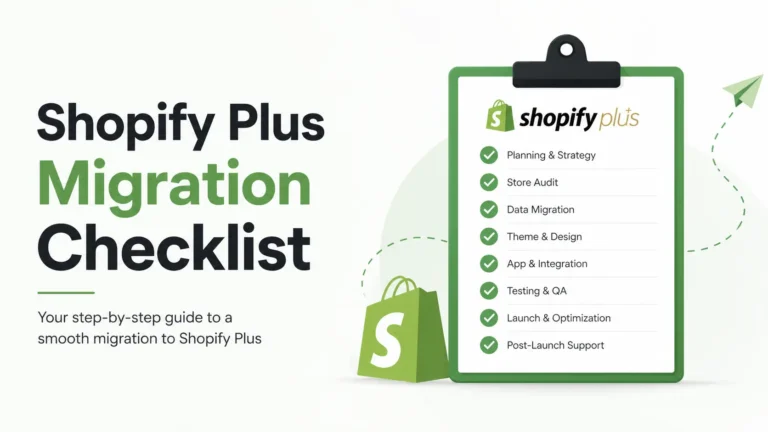
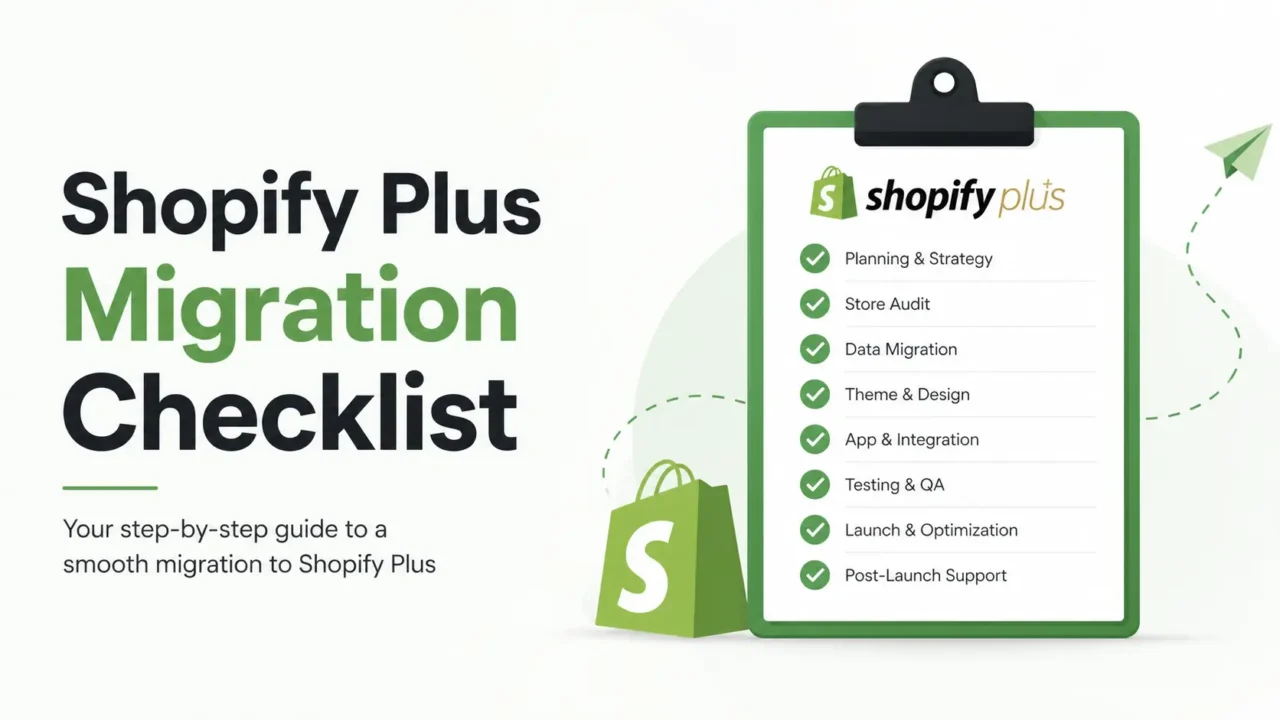
Most Shopify Plus migration checklist guides on the internet read like a wedding planner’s notebook. Tidy. Polite. Useless when something actually catches fire.
Here is the truth from someone who has spent the last four years building Shopify apps used by thousands of merchants: the migration itself is rarely the problem. The problem shows up three days after launch — when a merchant pings support saying their cart drawer is empty, their post-purchase upsell is dead, and Google Analytics has stopped tracking conversions. None of that was on the agency’s checklist.
This guide is built around what actually breaks in real US-based Shopify Plus migrations, when it makes sense to upgrade, and how to avoid the silent revenue leaks no one tells you about. By the end, you will have a complete framework — from the first audit to the 30-day post-launch review.
Who Should Upgrade to Shopify Plus in 2026?
Shopify will tell you to upgrade once your monthly revenue hits roughly $80,000. The math works on paper. It does not always work in practice.
The honest answer is this: you should upgrade when at least three of the signals below describe your store. Not one. Three.
Clear Signs You Need Shopify Plus
- Your monthly revenue sits steadily above $80,000, and the transaction fees on Shopify Advanced are starting to feel like a tax on growth.
- You have hit the 15-staff-account ceiling on Advanced, and your team is sharing logins (which is a security risk and an audit nightmare).
- You want to add custom checkout fields, post-purchase upsell flows, age verification, or a one-page checkout that the standard plan will not allow.
- You are launching B2B or wholesale and need net-30 terms, customer-specific pricing, and minimum order quantities.
- You are expanding into Canada, the UK, the EU, or Australia and need true multi-currency storefronts with localized pricing — not just a currency converter.
- Your Black Friday traffic spikes are stress-testing your apps, and orders are timing out under load.
- Your finance team needs deeper ERP integration with NetSuite, Acumatica, Microsoft Dynamics, or QuickBooks Enterprise.
- You are running 5 or more apps to recreate features that Shopify Plus offers natively (Shopify Flow, Shopify Functions, Launchpad, Combined Listings).
- You manage more than 200 hours of manual work per quarter — order tagging, inventory alerts, customer segmentation, fraud review — that automation could eliminate.
Signs You Should Wait
Plenty of US merchants jump too early. The financial damage of upgrading before you are ready is real. Hold off if any of these are true:
- You are doing under $1 million a year, and your problems are marketing problems, not platform problems. No platform fixes a weak offer.
- You have not yet maxed out Shopify Functions, Shopify Flow’s free tier, or the Combined Listings feature on the Advanced plan.
- You are upgrading because a competitor did. That is FOMO, not strategy.
- Your team has not built the bandwidth to actually use Flow, Scripts replacement Functions, or Launchpad once you upgrade.
- You cannot articulate three specific features on Plus that will pay for the upgrade within 12 months.
Shopify Plus is worth it when you have outgrown the platform — not when you have outgrown the vibe. Upgrade for capability, never for status.
Shopify Plus Pricing in 2026: The Real Numbers
The sticker price is not the real price. Here is what a US merchant actually pays in 2026:
Base Platform Fees
- $2,300 per month on a 3-year contract — the cheapest published option.
- $2,500 per month on a 1-year contract — more flexibility, $200 a month more expensive.
- Variable platform fee: 0.25% of monthly GMV once your monthly revenue exceeds approximately $800,000.
- Capped at $40,000 per month, no matter how high your GMV goes. Predictability matters at scale.
True Total Cost of Ownership
The base fee is roughly 30 to 50 percent of what you will actually spend monthly on Shopify Plus. Here is the real breakdown:
| Cost Layer | Starting Range (USD) | What It Covers |
|---|---|---|
| Base platform fee | $2,300 to $2,500/month | 3-year vs 1-year term |
| Variable fee (above ~$800K monthly GMV) | 0.25% of GMV (capped at $40,000/mo) | Negotiable for >$100M GMV brands |
| Transaction fees with Shopify Payments | 2.15% + $0.30 per US transaction | 0.15% Plus rate replaces 2% Advanced rate |
| App stack | $500 to $2,000/month | Most Plus stores run 15 to 25 apps |
| Custom theme or development | $5,000 to $30,000 one-time | Higher for headless or B2B builds |
| Migration project (agency-led) | $8,000 to $75,000 one-time | Depends on the platform you leave |
| Ongoing development retainer | $1,500 to $10,000/month | Optional but common at $5M+ scale |
If you are doing $1 million a year, expect a true monthly Shopify Plus cost of $5,000 to $8,000 once apps and dev are baked in. At $5 million per year, transaction fee savings alone usually cover most of the platform spend, and Plus actually becomes cheaper than Advanced.
Negotiation Levers Most Merchants Miss
- Push for a higher GMV threshold before the variable fee kicks in. This is regularly negotiable.
- Lock in app discounts. Shopify partners with major app vendors and bundles pricing on Plus contracts.
- Negotiate migration credits if you are coming from Magento, BigCommerce, Salesforce Commerce Cloud, or Adobe Commerce. Shopify aggressively wins competitor migrations.
- Renegotiate 90 days before contract renewal. Auto-renewal is where merchants leave money on the table.
What Actually Breaks During a Shopify Plus Migration
Every guide on the internet warns you about SEO and 301 redirects. Fine. Let’s talk about what they don’t warn you about — the stuff that costs real revenue in week two.
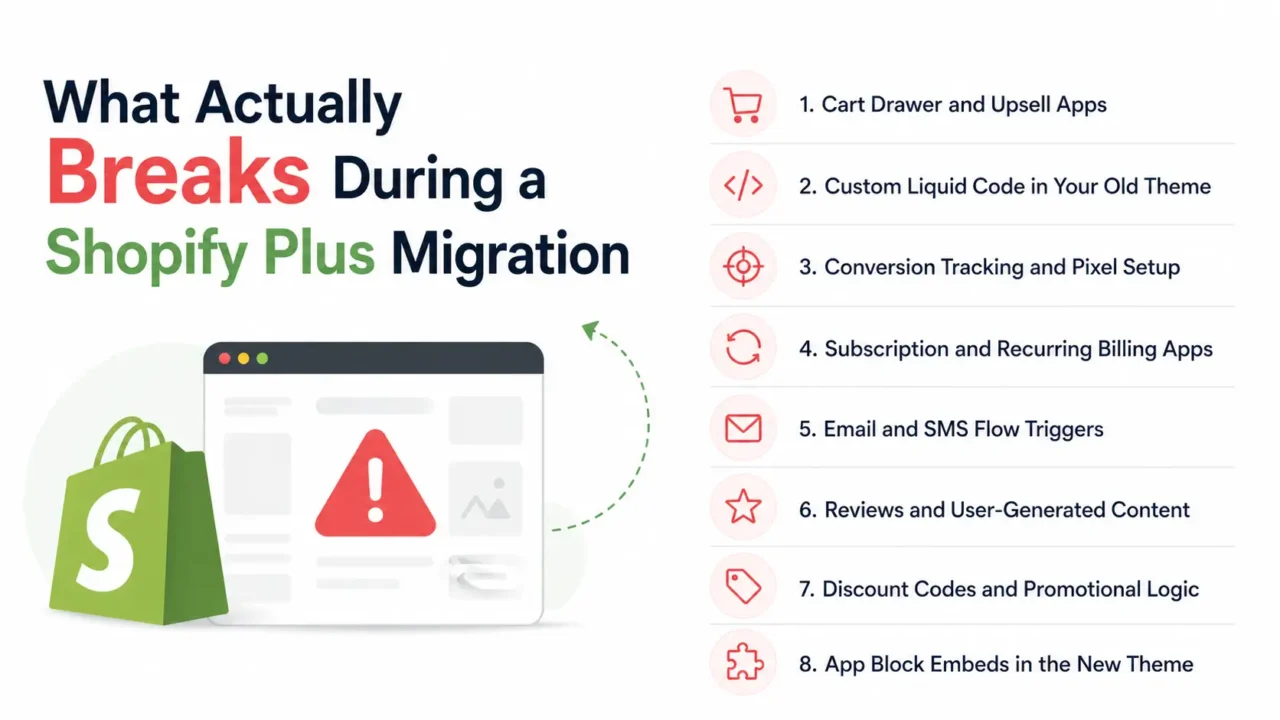
1. Cart Drawer and Upsell Apps
This is the silent killer of migration revenue. When you switch themes during a Plus upgrade — which most merchants do — most cart drawer, upsell, and cross-sell apps need to be reinstalled and reconfigured from scratch. Your free shipping bar threshold? Gone. Your frequently-bought-together rules? Gone. Your post-purchase upsell funnel? Often broken, because the new theme does not have the app embeds enabled by default.
Cart conversion is where 60 to 70 percent of your revenue lives. Losing the configuration here for even 7 days can cost more than the entire migration project.
Real fix: Before you flip the DNS, screenshot every single setting in your cart, upsell, and checkout apps. Where the app supports it, export configurations as JSON. Test the rebuilt setup on the staging URL with at least 20 real test orders covering edge cases like discount stacking, free gifts, and mobile checkout.
2. Custom Liquid Code in Your Old Theme
If a developer ever added custom Liquid blocks to your old theme — for a delivery date picker, a size chart, a product personalizer, a wholesale pricing display, a country-specific banner, or a one-off promotion module — that code lives in the old theme files. Your new Shopify Plus theme starts blank.
Most agencies forget this until a merchant calls in panic because the size chart is missing from 400 product pages, or the wholesale pricing tier is showing retail prices to B2B accounts.
Real fix: Before migration, audit every custom Liquid section, snippet, and template override. Document what each one does and which pages it appears on. Rebuild them as proper Shopify theme app extensions or app blocks in the new theme.
3. Conversion Tracking and Pixel Setup
Google Tag Manager containers need to be reinstalled. Meta Pixel events break. The Customer Events tab in Shopify Plus replaces the old additional scripts box, and most marketing teams have never used it. Result: a week of blind spending on Meta, Google, and TikTok ads while you figure out why ROAS dropped 60 percent and your CAC tripled.
Real fix: Before launch, build every pixel event in Customer Events. Test purchase events with the Meta Pixel Helper Chrome extension, Google’s Tag Assistant, and the TikTok Pixel Helper. Confirm fires on add-to-cart, checkout-started, and purchase. Match the conversion value, currency, and content_ids exactly to what the old store sent.
4. Subscription and Recurring Billing Apps
Apps like Recharge, Skio, Bold Subscriptions, and Loop store subscription contracts that are tied to a specific store. Migration usually requires a coordinated handoff with the app vendor, where existing subscription contracts are migrated to the new store while preserving billing dates. If you skip that conversation, customers either get charged twice or not at all. That triggers a refund spiral, chargebacks, and a real compliance headache.
Real fix: Open a migration ticket with your subscription app vendor 4 to 6 weeks before launch. Most have a dedicated migration team. Do not assume the standard data export covers active subscription contracts.
5. Email and SMS Flow Triggers
Klaviyo, Omnisend, Attentive, and Postscript all rely on event triggers from Shopify. When you migrate, the event IDs change. Welcome series, abandoned cart, browse abandonment, post-purchase, and win-back flows all go quiet until you remap them. US Shopify merchants typically lose 5 to 12 percent of email revenue in the first 30 days post-migration if they do not catch this in advance.
Real fix: Reconnect Klaviyo or your ESP to the new Shopify Plus store at least 7 days before launch. Validate that the customer event sync is firing. Update flow filters and triggers to use the new store’s event names. Send test emails through every active flow.
6. Reviews and User-Generated Content
Yotpo, Judge.me, Loox, Stamped, and Okendo all tie reviews to specific Shopify product IDs. New product IDs after migration mean reviews orphan themselves. You see a perfectly migrated catalog with zero stars on every product, even though the reviews are still in the database. Most apps offer a remapping tool — but you have to use it before launch, not after.
Real fix: Export your old store’s product handle to product ID mapping. Share it with your reviews app vendor. Most of them will batch-remap reviews if you provide the mapping table. Confirm star ratings are showing on the new storefront before you flip the DNS.
7. Discount Codes and Promotional Logic
This one is sneaky. If your old store had cart-level discount logic baked into the theme — BOGO rules, volume discounts, tiered pricing, or stackable codes — Shopify Plus often replaces this with Shopify Functions. The logic feels the same to a customer until they hit checkout and the math is different by $4. By the time you notice, you have 200 angry support tickets.
Real fix: Run at least 20 test checkouts before launch covering every discount type: percentage, fixed amount, free shipping, BOGO, volume tiers, gift cards combined with discounts, and customer-segment pricing. Compare the final order total to what the old store would have produced.
8. App Block Embeds in the New Theme
Modern Shopify themes use app blocks (Online Store 2.0). When you migrate to a new Plus theme, every single app embed must be re-added through the theme editor. Trust badges, sticky add-to-cart, countdown timers, announcement bars, currency switchers, image galleries — none of them auto-carry over. They sit installed in the admin, but invisible on the storefront.
Real fix: Use the theme editor’s preview mode to walk through every page template — home, collection, product, cart, checkout, account — and confirm every app block is present and configured. Compare side-by-side with the old storefront on a second monitor.
The Complete Pre-Migration Audit Checklist
Skipping this phase is the number one reason migrations go sideways. Spend 2 weeks here and save 6 weeks of post-launch fixes.
Data Inventory
- Export all products with SKUs, variants, images, metafields, inventory levels, and tags.
- Export the full customer database, including order history, marketing consent, segments, and lifetime value.
- Export historical orders. Decide whether to migrate full history or the last 12 to 24 months.
- Export blog posts, custom pages, navigation menus, and policy pages.
- Export gift cards, store credits, and outstanding draft orders.
- Export discount codes — including used, expired, and active ones.
Technical Inventory
- Document every installed app, what it does, the plan tier, and the configuration.
- List every active integration: ERP, 3PL, accounting, shipping (ShipStation, ShipBob, Shippo), and tax (Avalara, TaxJar).
- Audit custom theme code. Have a developer document every Liquid customization, snippet, and template override.
- Document Customer Events scripts, Google Tag Manager triggers, and any additional scripts in checkout.
- Map every API connection and webhook your store uses.
SEO Inventory
- Pull a full URL list from Google Search Console covering the last 16 months.
- Run a Screaming Frog crawl. Save the full export with response codes, meta tags, and H1s.
- Identify your top 50 pages by organic traffic. These need 100 percent redirect coverage.
- Document all canonical tags, hreflang tags (if international), and structured data markup.
- Export your XML sitemap and robots.txt.
Visual Inventory
- Screenshot every cart, upsell, checkout, and email flow configuration.
- Screenshot the full storefront on desktop and mobile, page by page.
- Screenshot the admin settings: shipping zones, tax rates, payment providers, and notifications.
- Record video walkthroughs of complex flows (B2B checkout, subscription upsells, gift card redemption).
The 5-Phase Shopify Plus Migration Roadmap
Most successful US migrations run on an 8 to 16 week timeline. Here is the breakdown that actually works:
Phase 1: Discovery and Audit (Weeks 1 to 2)
- Lock in your migration goals. Are you replatforming, upgrading, or redesigning? Each requires a different scope.
- Complete the full pre-migration audit above.
- Choose your migration partner: solo, agency, or Shopify’s Launch Engineer team.
- Sign up for Shopify Plus and provision your development store.
- Define success KPIs: organic traffic recovery, conversion rate, page speed, and revenue continuity.
Phase 2: Build and Configure (Weeks 3 to 6)
- Migrate products in this order: products → variants → metafields → collections → images → tags.
- Migrate customers. If your platform supports hashed password export, use it. Otherwise customers will need to reset on first login.
- Migrate historical orders. Some platforms make this brutal. Plan for it.
- Build or refresh your theme. Decide now: lift-and-shift the old design or do a redesign.
- Reinstall every app on the new store. Reconfigure each one from your screenshots.
- Build the 301 redirect map. Every old URL maps to a new URL. No exceptions.
- Set up Customer Events for Meta Pixel, Google Ads, TikTok Pixel, Pinterest Tag, and any other ad platform.
- Connect ERP, 3PL, accounting, and tax integrations. Test order sync end-to-end with at least 5 test orders.
- Configure Shopify Flow workflows for VIP tagging, fraud holds, inventory alerts, and win-back triggers.
Phase 3: Testing and QA (Weeks 6 to 8)
- Run 20 to 50 test orders. Cover gift cards, discount codes, B2B pricing, subscriptions, free shipping thresholds, and edge cases like split shipments.
- Test checkout on iPhone Safari, Android Chrome, iPad, and desktop. Mobile is 60 to 75 percent of US ecommerce traffic.
- Test all wallet payments: Shop Pay, Apple Pay, Google Pay, PayPal, Klarna, Afterpay, and Affirm if you offer them.
- Run load testing if you do over 10,000 sessions per day. Tools like k6, LoadNinja, and Gatling work well.
- Validate every 301 redirect with httpstatus.io or a custom Python script.
- Confirm conversion tracking fires correctly using Meta Pixel Helper, Google Tag Assistant, and Charles Proxy if needed.
- UAT (User Acceptance Testing): have 3 to 5 people from the team try to break the store.
Phase 4: Launch (Week 8 or 9)
- Launch on a Tuesday or Wednesday morning, not Friday and never before a holiday weekend.
- Pause all paid ads for 2 to 4 hours during DNS propagation.
- Submit a fresh XML sitemap to Google Search Console immediately.
- Submit the same sitemap to Bing Webmaster Tools.
- Monitor Shopify analytics, GA4, Hotjar, and your error logs hourly for the first 48 hours.
- Have a documented rollback plan. DNS changes can be reverted if something catastrophic happens.
Phase 5: Post-Launch Stabilization (First 30 Days)
- Re-map all reviews to new product IDs. Verify on the storefront that ratings appear.
- Check organic traffic daily. A 10 to 20 percent dip is normal for the first 14 days. A 50 percent drop means something broke.
- Audit your top 20 landing pages for missing Liquid blocks, broken images, wrong prices, or stripped meta data.
- Run a paid traffic check on day 3, day 7, and day 14. Make sure conversion tracking is reporting back correctly.
- Reconnect any reporting tools (Triple Whale, Polar Analytics, Looker Studio, Northbeam).
- Run a 14-day post-launch retro with the team and the agency. Document everything that broke.
Platform-Specific Migration Notes
Every source platform has its own quirks. Here is what US merchants should know before they start.
From Shopify Advanced to Shopify Plus
This is the easiest path. Your data, products, customers, orders, themes, and apps all carry over. The upgrade itself is a billing change that completes within 24 business hours after Shopify approves it.
- Timeline: 1 to 4 weeks if you are using the upgrade as a chance to redesign or rebuild infrastructure.
- Watch out for: app billing tier changes (apps often charge more on Plus), Customer Events migration, and team training on Flow and Functions.
- Use this window to clean up: archive unused apps, consolidate metafields, and audit theme code.
From Magento (Adobe Commerce) to Shopify Plus
This is the most common Plus migration path and one of the most complex. Magento’s data architecture is fundamentally different from Shopify’s. Custom attributes, configurable products, and EAV tables do not map cleanly.
- Timeline: 8 to 16 weeks. Allow 3 to 4 months for catalogs over 50,000 SKUs.
- Watch out for: configurable products mapping to Shopify variants (limited to 2,048 with Combined Listings), customer password export, and customer group pricing migration.
- Cost benefit: most Magento merchants save 60 to 80 percent on total cost of ownership after migrating, including hosting, security patches, and developer retainers.
From WooCommerce to Shopify Plus
WooCommerce migrations look simple but have hidden traps. WordPress plugins do not transfer. SEO URL structure is often very different. Blog content needs careful handling.
- Timeline: 6 to 12 weeks.
- Watch out for: plugin replacements (every plugin needs a Shopify app or native equivalent), user roles, and WooCommerce subscription contracts.
- Easy win: WooCommerce stores often run on slow hosting. Page speed jumps significantly on Shopify Plus’s global CDN.
From BigCommerce to Shopify Plus
BigCommerce migrations are typically straightforward. The data models are similar enough that most agencies can build a clean migration in 6 to 10 weeks.
- Timeline: 6 to 10 weeks.
- Watch out for: BigCommerce’s product options versus Shopify variants, custom fields versus metafields, and Stencil theme rebuilds.
- API limit relief: BigCommerce stores often hit API throttling on integrations. Shopify Plus offers 10x higher rate limits.
From Salesforce Commerce Cloud to Shopify Plus
These are large enterprise migrations. Salesforce Commerce Cloud (formerly Demandware) carries a lot of complexity in OCAPI integrations and custom Site Genesis cartridges.
- Timeline: 12 to 24 weeks.
- Watch out for: B2B and B2C unification, customer master data hygiene, and the cost of running both platforms in parallel during cutover.
- Why brands move: Shopify reports its top 10,000 enterprise stores increasingly chose Shopify Plus over Adobe Commerce and Salesforce Commerce Cloud in the last two years. Total cost of ownership is the primary driver.
How to Protect Your SEO During a Shopify Plus Migration
SEO is the part most agencies treat as a launch-week task. That is wrong. SEO protection starts on day one of the migration project.
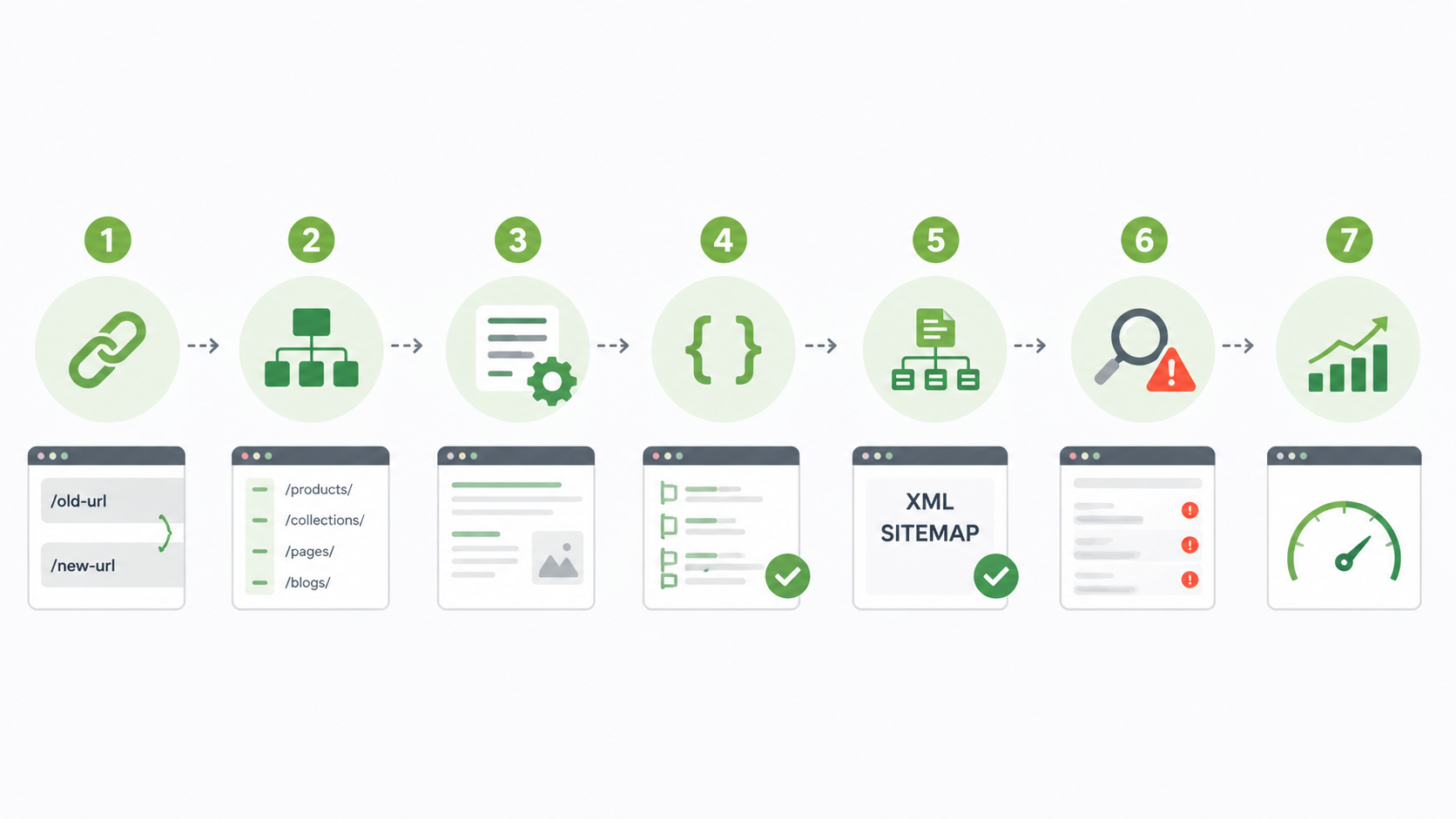
The 7-Step SEO Protection Plan
- Map every old URL to a new URL. Use Screaming Frog plus Google Search Console exports as your source of truth.
- Preserve URL structure where possible. Shopify uses /products/, /collections/, /pages/, /blogs/. If your old structure was /catalog/ or /shop/, you need 301s on every product URL.
- Migrate all meta titles, descriptions, H1 tags, and image alt text. These do not transfer automatically with most migration tools.
- Rebuild structured data: Product schema, Organization schema, Breadcrumb schema, FAQ schema, and Review schema. Validate with Google’s Rich Results Test.
- Set up the new XML sitemap and submit it to Google Search Console and Bing Webmaster Tools the day you launch.
- Monitor crawl errors daily for the first 14 days. Fix 404s immediately.
- Track Core Web Vitals before and after. Shopify Plus stores typically see 18 to 30 percent improvement in LCP.
Common SEO Failures to Avoid
- Forgetting to migrate redirects on the second hop. If your old store had A → B redirects, the new store needs both A → C and B → C.
- Letting the new store launch with the old domain pointing to a noindex tag (yes, this happens — agencies forget to remove the staging robots.txt).
- Not preserving canonical tags on duplicate-content pages.
- Allowing parameters in URLs that bloat the index (?variant=, ?utm_source=, ?ref=).
Per Shopify’s own data, brands that invest 2 to 4 weeks in pre-migration SEO planning typically recover rankings within 4 to 6 weeks. Rushed migrations average 3 to 6 months of recovery.
Best Practices US Merchants Actually Use
Migration Tools and Vendors
- LitExtension and Cart2Cart for product, customer, and order data migration from Magento, WooCommerce, BigCommerce, and Volusion.
- Matrixify (formerly Excelify) for bulk imports and exports inside Shopify.
- Shopify’s free Store Importer app for basic catalog migration from Etsy, Squarespace, BigCommerce, and Magento.
- Screaming Frog for SEO crawling and URL inventory.
- Ahrefs or Semrush for organic traffic baseline and keyword tracking before and after.
- Loom for recording walk-throughs of complex flows (so the agency knows what each customization does).
Apps Worth Setting Up Before Launch
- A robust cart drawer with upsells, free shipping bars, and free gifts (Oxify Cart Drawer & Upsell is one of the highest-rated free options for Shopify Plus stores).
- Klaviyo or Omnisend for email and SMS, connected to Customer Events.
- Yotpo, Judge.me, or Loox for reviews — set up before launch with mapped product IDs.
- Triple Whale or Polar Analytics for marketing attribution after launch.
- Gorgias or Re:amaze for customer support, with order history sync from day one.
Team Setup for a Smooth Launch
- Owner: one person whose job is the migration. Not a side project.
- Developer: agency or in-house, with Shopify Plus experience specifically (not just Shopify).
- Marketing lead: owns Customer Events, ad platform reconnects, and email flow validation.
- Operations lead: owns ERP, 3PL, shipping, and tax integration testing.
- Customer support lead: pre-loaded with FAQs about the new account experience and any password reset friction.
Realistic Timelines for 2026
| Migration Path | Realistic Timeline | Complexity |
|---|---|---|
| Shopify Advanced → Plus (no redesign) | 1 to 2 weeks | Low |
| Shopify Advanced → Plus (with theme rebuild) | 4 to 8 weeks | Medium |
| WooCommerce → Shopify Plus | 6 to 12 weeks | Medium |
| BigCommerce → Shopify Plus | 6 to 10 weeks | Medium |
| Magento (Adobe Commerce) → Shopify Plus | 8 to 16 weeks | High |
| Salesforce Commerce Cloud → Shopify Plus | 12 to 24 weeks | Very High |
| Custom-built platform → Shopify Plus | 16 to 24+ weeks | Very High |
Frequently Asked Questions
How long does a Shopify Plus migration actually take?
If you are coming from standard Shopify, plan for 1 to 4 weeks. From Magento, BigCommerce, or WooCommerce, plan for 8 to 16 weeks. From a custom-built platform, plan for 16 to 24 weeks. Most US migrations underestimate the post-launch stabilization period — add another 30 days for that.
Will my SEO rankings drop during migration?
Some fluctuation is normal — usually 10 to 20 percent in the first 2 weeks. Rankings stabilize within 4 to 6 weeks if your 301 redirects are correct, your URL structure is preserved where possible, and your meta tags transfer cleanly. A drop bigger than 30 percent means something is wrong: usually missing redirects, canonical tag issues, or a rogue noindex tag.
Can I migrate to Shopify Plus without an agency?
If you are upgrading from Shopify Advanced, yes. The plan upgrade is essentially a billing change and can be done in 24 hours. If you are coming from another platform like Magento or WooCommerce, doing it solo is possible but risky. The cost of a bad migration is almost always higher than the cost of a good agency. Shopify also offers a Launch Engineer service for Plus customers, which is included in the platform fee.
Do my apps transfer when I upgrade from Shopify Advanced?
Mostly yes. Apps stay installed and most settings carry over. But if you change your theme during the upgrade, app blocks and embeds need to be re-added in the theme editor. App vendor billing tiers may also change because you are now on Plus — some apps charge more on Plus, others stay the same.
What is Shopify Plus’s monthly cost in 2026?
Shopify Plus starts at $2,300 per month on a 3-year contract or $2,500 on a 1-year contract. Once your monthly GMV exceeds approximately $800,000, the platform fee shifts to 0.25 percent of GMV, capped at $40,000 per month. True total cost including apps, transaction fees, and development typically runs $5,000 to $10,000 per month for a $1M-per-year store.
Can I migrate customer passwords to Shopify Plus?
It depends on the source platform. Magento and some custom platforms support hashed password export, which Shopify can sometimes accept. WooCommerce, BigCommerce, and most other platforms cannot export passwords — customers will need to reset their password on first login. Plan a clear customer communication about this 7 days before launch.
What is the single biggest mistake US merchants make?
Underestimating the post-launch period. The migration is not done at launch. It is done 30 days after launch when the dust settles, conversion tracking is verified, organic traffic stabilizes, and revenue is back to baseline. Plan a budget for this. Plan time for it. Most agencies sell you the launch and go quiet on day 8.
Does Shopify Plus include B2B features in 2026?
Yes. Shopify Plus includes native B2B and wholesale tools: customer-specific pricing, net 30 and net 60 payment terms, self-service company portals, draft orders, minimum order quantities, and quote management. This eliminates the need for a separate wholesale storefront for most US merchants.
What happens to Shopify Scripts after June 30, 2026?
Shopify Scripts officially deprecates on June 30, 2026. All Plus merchants must migrate cart and checkout logic to Shopify Functions before that date. If you are migrating to Plus in 2026, build your discount logic, shipping rules, and payment customization with Functions from day one. Do not write new Scripts.
Should I redesign my store during the migration?
Pick one battle. A redesign and a replatform together usually doubles the timeline and the risk. If your current design is performing well (good conversion rate, solid mobile experience), do a lift-and-shift first and refresh the design 60 days post-migration. If your current design is dragging conversion, redesign during migration but expect a 16-week project minimum.
The Bottom Line: Your Next Step
Shopify Plus is worth it when you have outgrown the platform. Not when you have outgrown the vibe. The migration is a real project. It takes 8 to 16 weeks, costs more than the sticker price, and breaks things you did not know were connected.
Get the checklist right and Plus pays for itself within 12 to 18 months through better conversion rates, lower transaction fees, native B2B revenue, and the time you stop spending fighting platform limits.
Get it wrong and you join the long list of US brands that lost a quarter of revenue chasing an upgrade they were not ready for.
Your Action Plan This Week
- Audit your store against the ‘Clear Signs You Need Plus’ list. If three or more apply, start the conversation.
- If they don’t apply, focus on conversion rate optimization on your current plan first. Most stores can squeeze 30 to 40 percent more revenue out of Shopify Advanced before Plus becomes the right answer.
- Book a 30-minute call with a Shopify Plus partner to scope the migration. Most reputable agencies offer this for free.
- Print this checklist. Tape it to the wall. Start the audit.
And whatever you do — don’t let an agency convince you the launch is the end of the migration. The launch is the start of week 9. The migration ends when revenue is back to baseline and your team has stopped fixing things on weekends.
Need Help With Your Shopify Plus Migration?
If you are planning a Shopify Plus migration and want a partner who has lived through every failure mode in this guide, our agency can help. We have built and migrated Shopify stores end to end — from data and SEO to checkout, cart, and post-launch stabilization. Reach out and we will scope your migration, flag the real risks specific to your platform, and give you a clear timeline before you commit a dollar.
Get in touch through Acquirex.io to start the conversation.