Quick answer: An Amazon suppressed listing is a product that still exists in the catalog but is hidden from search and browse because it breaks a listing rule. To fix it, open Inventory, then Manage All Inventory, filter by Search Suppressed (or open Fix Your Products), read the exact issue Amazon names, correct only that field, save, and confirm the listing is searchable again.
Suppression is one of the most expensive problems on Amazon that nobody notices. There is no dramatic suspension email and no account health warning. A product quietly drops out of search, sales slow down, and teams often spend days tweaking bids or keywords before anyone checks the listing status. This guide explains what suppression actually is, how it differs from the other statuses that look similar, every common cause and its fix, what to do when a fix will not stick, and how to run a simple weekly routine so suppressions get caught in hours instead of weeks.
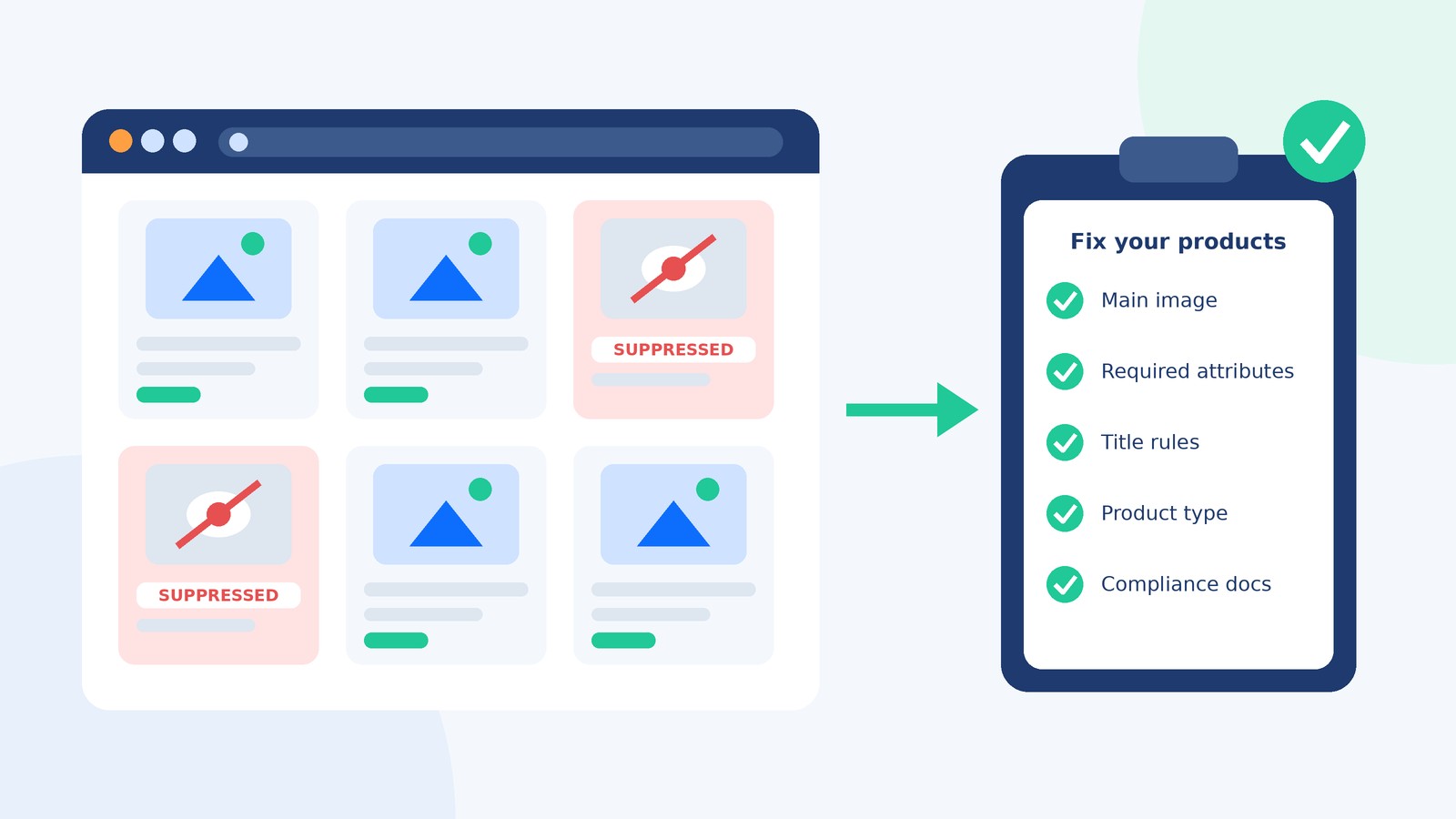
What is a suppressed listing on Amazon?
A suppressed listing (Amazon’s label is “Search Suppressed”) is an ASIN that Amazon has removed from search results and category browse because its detail page is missing required information, contains non-compliant content, or is under review. The detail page usually still exists and can often be opened by direct link, and your offer may even remain technically buyable. But since most Amazon shoppers find products through the search bar, a suppressed listing behaves like a product that does not exist.
Amazon describes the purpose plainly in its own seller education material: listings that do not meet its detail page standards are hidden from search and browse until the seller takes action. In other words, suppression is not a penalty against your account; it is a quality gate on a single listing, and it lifts once the flagged problem is fixed. That distinction matters, because the fix is almost always a catalog edit rather than an appeal.
How is “suppressed” different from inactive, stranded, or Buy Box suppressed?
Many sellers say “my listing got suppressed” when they mean something else entirely. Each status has a different cause and a different place to fix it, so diagnosing the right one first saves a lot of wasted edits.
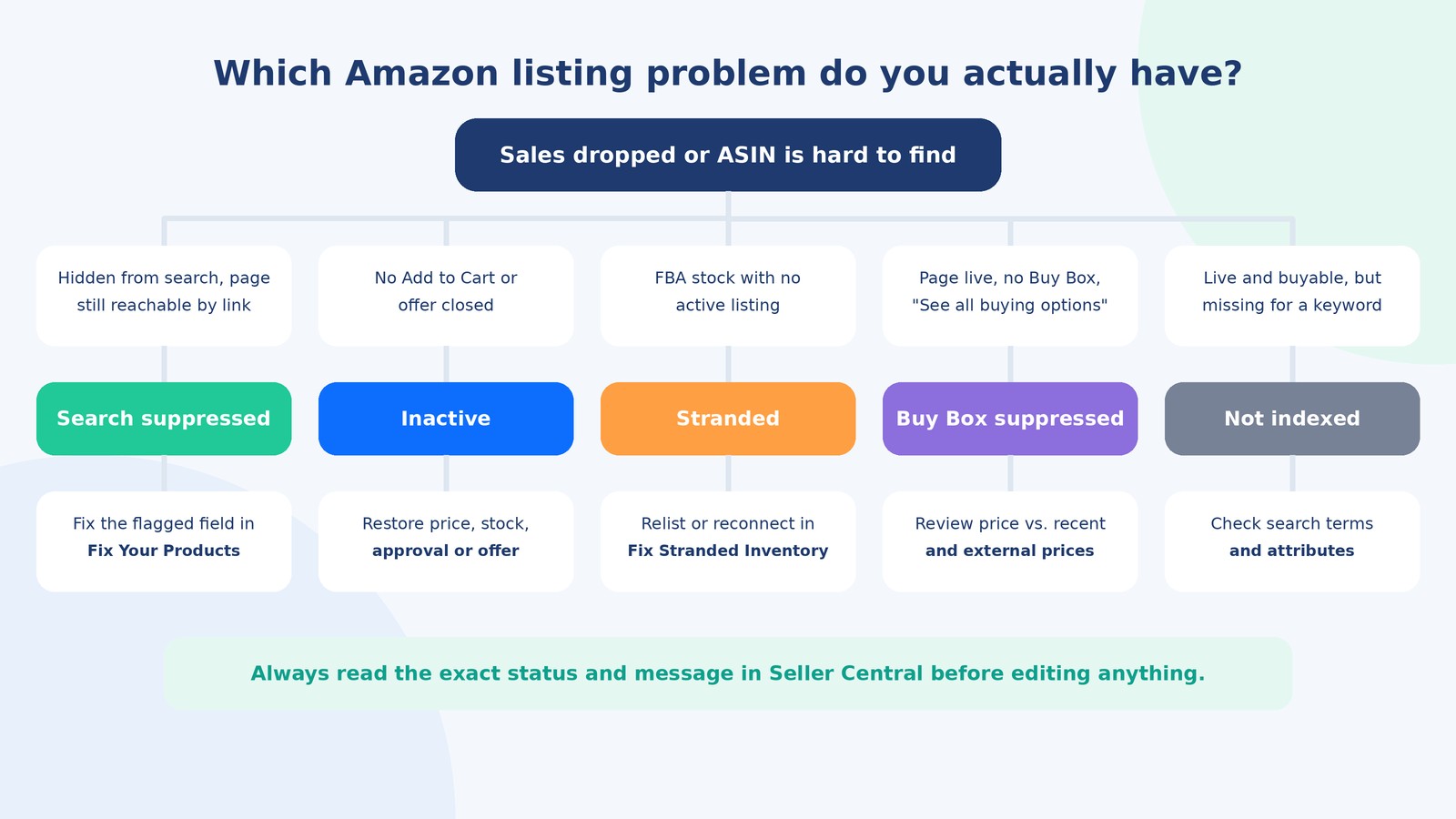
| Status | What shoppers see | Typical cause | Where to fix it |
|---|---|---|---|
| Search suppressed | Product missing from search and browse; page may open by direct link | Missing required attribute, non-compliant image or title, wrong product type, compliance review | Manage All Inventory (Search Suppressed filter) or Fix Your Products |
| At risk of suppression | Nothing yet; listing is still live | A new or changed requirement your listing does not meet, with a deadline | Same Fix Your Products view, before the deadline passes |
| Inactive | No Add to Cart or offer not shown | Out of stock, closed offer, pricing error, missing approval, fulfillment issue | Manage All Inventory; restore price, stock, or approval |
| Stranded inventory | Nothing; FBA units sit unsellable in a warehouse | FBA stock is not connected to an active offer | Fix Stranded Inventory page: relist, edit, or create a removal order |
| Buy Box suppressed | Page live but no Buy Box; “See All Buying Options” instead | Price is out of line with recent or external prices, or no eligible featured offer | Pricing review; see our Amazon Buy Box strategy guide |
| Not indexed for a keyword | Listing is live and buyable but does not appear for a specific search term | Term missing from title, bullets, or backend search terms; attribute gaps | Listing content and search terms, not a suppression workflow |
| Detail page removed | Listing gone entirely | Policy violation such as restricted product or IP complaint | Account Health and Performance Notifications |
A quick way to separate suppression from indexing: search Amazon for the ASIN itself. If the product appears, it is visible and indexed, and your problem is ranking or relevance for specific keywords. If it does not appear and Seller Central shows a Search Suppressed or At Risk flag, you are dealing with suppression. If there is no flag at all, treat it as an indexing or catalog problem and open a case with the ASIN.
How do you find suppressed listings in Seller Central?
Amazon gives you three main views. Use all three, because each catches problems the others make easy to miss.
- Manage All Inventory filter. Go to Inventory, then Manage All Inventory, and use the listing status filter for Search Suppressed. Amazon only shows this option when you actually have suppressed listings, so if you never see it, that is good news.
- Fix Your Products. This page lists suppressed and at-risk listings with the specific issue for each one, and lets you filter by issue type or attribute. For many simple problems you can type the missing value directly into the grid and save.
- Listing quality report. Under Inventory Reports, the listing quality and suppressed listing report exports every flagged SKU with the issue description. This is the version to use if you manage hundreds of SKUs, because you can sort, assign, and track fixes in a spreadsheet.
Also watch your Seller Central notifications and Account Health dashboard. A compliance request (for example, a safety document for a regulated product) often arrives as a notification first and only later shows up as suppression.
What causes Amazon listings to get suppressed?
Amazon does not publish one universal trigger list, and requirements differ by category and product type. In practice, almost every suppression falls into one of the families below. The message in Fix Your Products tells you which one you have; treat that message as the source of truth rather than guessing from symptoms.
| Cause family | What it usually looks like | How to fix it |
|---|---|---|
| Missing required attribute | “Missing required attribute: [field]” such as brand, material, size, color, target audience, or unit count | Fill the named field with an accurate value. Categories add new required fields over time, so older listings get caught. |
| Main image problem | Missing main image, non-white background, text or graphics on the main image, product too small in frame | Upload a main image on a pure white background with the product filling most of the frame and no added text, badges, or watermarks. |
| Title violation | Title too long, prohibited characters, repeated words, or promotional phrases | Rewrite to your category’s style guide. Amazon’s title standards cap most categories at 200 characters, restrict some special characters, and limit repeating the same word. |
| Wrong product type or category | Required fields do not appear in the editor, or the product is flagged for a category it does not belong to | Correct the product type. Some product types cannot be changed in place and need the listing recreated correctly. |
| Missing or invalid product ID | Invalid UPC or GTIN, or GTIN does not match the brand | Use valid GS1 barcodes registered to the brand, or apply for a GTIN exemption where eligible. |
| Prohibited claims or keywords | Medical, pesticide, or disease claims; words like “best seller” or “free shipping” in content | Remove the unsupported claim everywhere it appears, including bullets, description, and backend terms. |
| Compliance or dangerous goods review | Hazmat review, safety data sheet request, certificate or test report request | Submit genuine documents through Manage Your Compliance or the requested workflow, and complete the dangerous goods information. |
| Variation errors | Child ASINs missing the variation theme value (for example, size or color), or a parent with conflicting data | Complete the variation attributes on every child and make sure the theme matches the product. |
| Unit pricing data | Missing unit count or unit count type in categories that display price per unit | Add accurate unit count and unit type values. |
Notice how many of these are catalog data issues rather than marketing issues. That is why suppression rates are one of the clearest signals of how healthy a seller’s catalog operation is. If you are seeing the same causes again and again, the problem is upstream in how product data is created, not in any single listing. Our guide to catalog enrichment for ecommerce covers how to build complete, consistent product data before it ever reaches a marketplace.
How do you fix a suppressed listing step by step?
Use the same sequence every time. It keeps fixes clean and gives you evidence if you later need Seller Support.
- Confirm the status. Check that the SKU is actually flagged Search Suppressed (or At Risk), not inactive, stranded, or Buy Box suppressed. Use the triage table above.
- Read the exact issue. Open Fix Your Products and note the field, policy message, or document request word for word. Take a screenshot.
- Fix only what was flagged. Enter the missing value in the grid, or click Edit to open the full product editor, where the problem field is highlighted. Resist rewriting unrelated content at the same time; if the listing stays suppressed, you want to know which change mattered.
- Check the whole family. If one child ASIN in a variation family was flagged for a missing attribute, check its siblings. They often share the same gap.
- Save and record the change. Note the date, what you changed, and the feed or batch ID if you used a file upload.
- Wait for processing, then verify. Changes usually process within minutes to a few hours. Recheck the status, then search for the ASIN on Amazon to confirm it is visible again.
- Escalate if it has not cleared within about 24 hours. Open a Seller Support case with the information listed in the next section.
What should you do when a suppression will not go away?
Sometimes you fix the field, save, and the flag stays. This is where most of the time is lost. The usual reasons are below, roughly in order of how often they cause trouble.
Your edit did not win the detail page
Amazon builds each detail page from contributions by multiple sources, including brand owners, other sellers, and Amazon’s own catalog data. If another contribution controls the field, your saved value may not appear on the live page. Brand-registered owners generally have the strongest say over their own listings, which is a strong reason to enroll in Brand Registry if you own the brand. If you do, edit through your brand account and check whether the live page shows your value.
The product type blocks the field you need
If a listing was created under the wrong product type, the attribute Amazon is asking for may not even appear in the editor. In some cases you can change the product type with a flat file upload; in others, the cleanest path is to create the listing again under the correct type and retire the broken one. Check with Seller Support before deleting anything, especially if the ASIN has reviews.
The fix is still under review
Images, compliance documents, and dangerous goods classifications can sit in a review state. Keep the listing status and the compliance case separate in your tracking, because one can clear while the other is still open.
How to write a Seller Support case that gets resolved
Vague cases get vague answers. Include:
- The ASIN and SKU.
- The exact suppression reason as shown in Seller Central, plus a screenshot.
- What you changed, when, and how (editor, grid, or flat file with the batch ID).
- A screenshot showing the corrected value saved in your account.
- A clear ask: confirm the reason the listing is still suppressed and what is still required.
If the issue is actually a policy violation or a removed detail page, you are in account health territory, not catalog territory. Our marketplace account suspension recovery playbook covers how to respond to those notices and write a plan of action.
How do you fix suppressed listings at scale?
Fixing one ASIN in the editor is fine. Fixing 300 after a category requirement change is a different job. At scale, work from files rather than screens:
- Export the flagged list from the listing quality report and group SKUs by issue type. Most bulk suppressions come down to two or three root causes.
- Fix each group with a flat file (a category inventory file) or the Listings Loader, filling the same attribute across every affected SKU in one upload. Download the current category template, because required fields change.
- Read the processing report after each upload. Errors in the report are the most common reason a “fixed” batch is still suppressed.
- Keep a master product data source outside Amazon, such as a spreadsheet or PIM, so every channel pulls from the same accurate values. Our guide to SKU management for multi-channel sellers explains how to structure that source of truth.
How do you prevent listings from getting suppressed?
Prevention is mostly discipline: the same checks done every time a listing is created or edited, and a regular look at the dashboards. Here is a practical checklist.
| Check | When | Owner |
|---|---|---|
| All required attributes for the product type are filled, using the current category template | Every new listing and every bulk edit | Catalog specialist |
| Main image meets requirements: pure white background, product fills the frame, no added text | Every image change | Creative or catalog team |
| Title follows the category style guide and Amazon’s title rules | Every listing and every title rewrite | Listing copywriter |
| No prohibited or unsupported claims in title, bullets, description, A+ content, or backend terms | Before publishing any copy | Copywriter plus reviewer |
| Fix Your Products and Search Suppressed filter reviewed | Daily for large catalogs, at least twice weekly for small ones | Marketplace manager |
| At-risk listings fixed before their deadline | Weekly | Marketplace manager |
| Compliance documents and certificates on file and current | Monthly and at product launch | Operations or compliance owner |
Two habits make the biggest difference. First, check at-risk listings, not just suppressed ones; they are suppressions you can still prevent. Second, never let anyone publish content without a second set of eyes on claims. A single phrase in a bullet or in your A+ content can hide a bestseller. For the content side of a strong listing, our Amazon product listing optimization guide covers titles, bullets, images, and keywords that rank without breaking the rules.
How much does a suppressed listing really cost?
The direct cost is lost sales for every day the listing is hidden, which for a hero SKU can be most of its revenue. There are knock-on costs too. Ads pointed at a suppressed ASIN stop delivering or waste budget, FBA units keep accruing storage fees while they cannot sell, and a listing that drops out of search loses sales velocity, which can make it harder to win back its previous ranking once it returns. That is why speed matters: the cheapest suppression is the one you catch the same day it happens.
When should you get help managing your Amazon catalog?
If suppressions keep coming back, if you sell across many categories or marketplaces, or if nobody on your team owns daily listing health, it is usually time to make it someone’s actual job. That person (or team) should own monitoring, fixes, flat file uploads, Seller Support cases, and the prevention checklist above, every single day.
Keep every listing live and searchable with AcquireX. Our marketplace management services give you a dedicated team that monitors Amazon, Walmart, and other marketplaces daily, fixes suppressed and at-risk listings, handles flat files and Seller Support cases, and keeps your catalog compliant as category rules change. Need the product data fixed at the source? Our catalog management services build clean, complete attributes for every channel.
Book a free call with our team to get a listing health audit of your catalog.
If you are weighing whether to hire in-house or bring in a partner, our breakdown of marketplace management outsourcing compares the models, costs, and what to hand off first.
Frequently asked questions
What does “Search Suppressed” mean on Amazon?
It means Amazon has hidden the listing from search and category browse because its detail page is missing required information, has non-compliant content, or is under review. The listing still exists, and the page may open by direct link, but shoppers will not find it by searching.
How long does it take for a suppressed listing to come back after a fix?
Most fixes process within minutes to a few hours. If the listing is still flagged after about 24 hours, open a Seller Support case with the ASIN, the exact suppression reason, what you changed, and screenshots.
Can I still sell a suppressed listing?
Sometimes the offer remains technically buyable through a direct link, but in practice sales usually drop sharply because the product no longer appears in search results, which is how most shoppers find products on Amazon.
What is the difference between suppressed and stranded inventory?
A suppressed listing exists but is hidden from search because of a content or compliance problem. Stranded inventory is FBA stock that is not connected to an active offer at all. Suppression is fixed by correcting listing data; stranded inventory is fixed on the Fix Stranded Inventory page by relisting, editing, or removing the units.
Why is my listing suppressed when Seller Central shows no reason?
If no specific reason appears, the issue may be a review in progress, a catalog contribution conflict, or an indexing problem rather than true suppression. Open a case with Seller Support and ask for the exact reason and what is still required.
Does a suppressed listing affect my account health?
Ordinary search suppression is a listing-level quality issue, not an account penalty. However, suppressions caused by policy problems, such as restricted products or prohibited claims, can be linked to account health notices, so check Account Health whenever the reason mentions a policy.
Will my listing lose its ranking while suppressed?
It can. A suppressed listing makes no sales from search, so it loses sales velocity, which is one of the signals that supports ranking. The longer it stays hidden, the more ground it may need to recover, so fix suppressions as quickly as possible.
How can I stop listings from getting suppressed in the first place?
Use the current category template for every new listing, follow image and title rules, keep unsupported claims out of all content, review the Fix Your Products page and at-risk listings on a regular schedule, and keep compliance documents current. Assigning one owner for daily listing health prevents most repeat problems.
Tired of chasing hidden listings? Talk to AcquireX about a dedicated marketplace team that keeps your catalog clean, compliant, and visible.