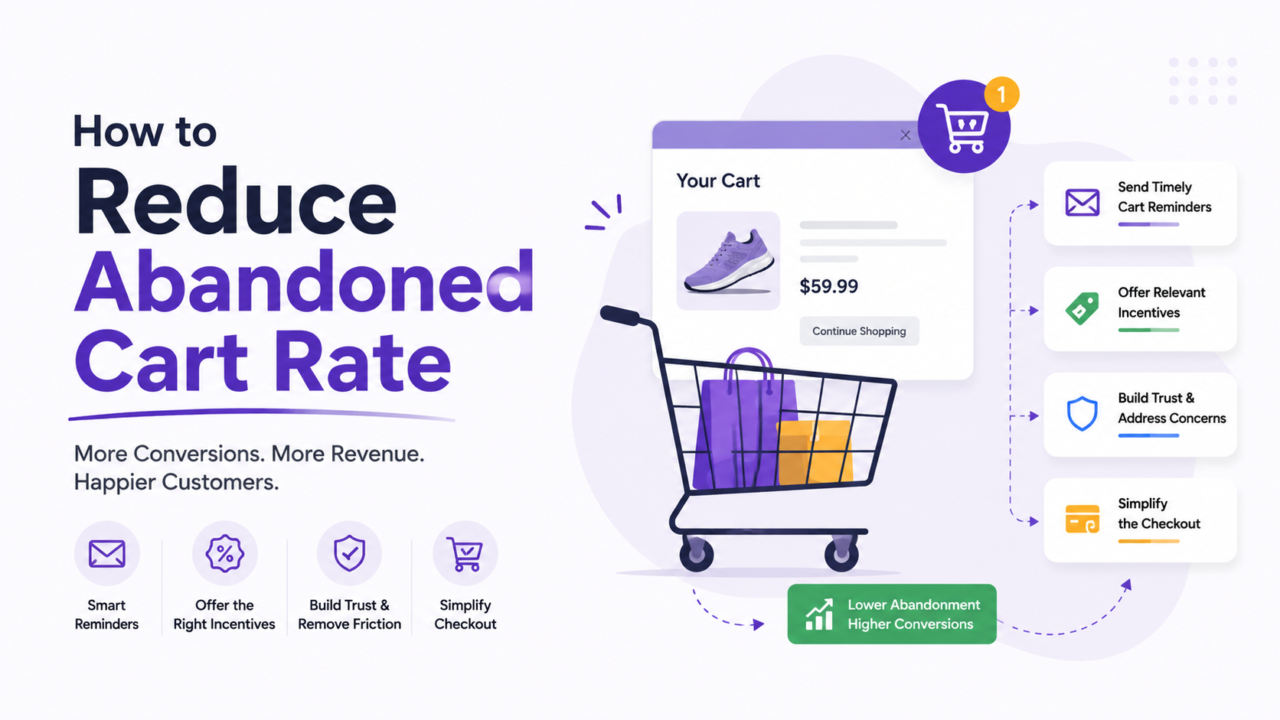
Most stores lose 7 out of 10 carts before checkout is done. That is not a small leak. It is the biggest hole in your funnel, and it gets worse on phones.
Here is the part most founders miss: web and mobile carts get abandoned for different reasons. Fix them the same way and you leave money on the table. This guide shows you exactly what to fix on each one, in the order that matters most.
You will get clear steps, real 2026 numbers, and a simple framework you can run this week.
Key Takeaways
- The average cart abandonment rate is 70.19% in 2026, and it has barely moved in a decade. The stores that win are the ones that recover carts, not the ones with zero abandonment.
- Mobile loses more carts than desktop. Mobile sits at 76.98% and desktop at 64.78%, a 12-point gap caused by small forms, slow loads, and missing one-tap pay.
- The top reason people quit is cost. 48% leave over surprise shipping, taxes, or fees shown too late.
- Guest checkout alone can lift completed orders by 34%. One-tap pay like Apple Pay closes the mobile gap by 35%.
- Recovery is where the fast money is. The first recovery email drives 69% of all recovered email revenue, so timing beats volume.
What “Abandoned Cart Rate” Actually Means
Abandoned cart rate is the share of shoppers who add an item but leave before they pay.
The formula is simple:
Abandonment Rate = (Carts Created − Completed Purchases) ÷ Carts Created × 100
So if 1,000 people add to cart and 300 buy, your rate is 70%. That is normal. The goal is not zero. The goal is to claw back as many of those 700 as you can.
Track these three numbers next to it so you know where people drop:
- Add-to-cart rate: are people even starting?
- Checkout start rate: do they begin checkout or bounce at the cart?
- Checkout completion rate: where in the steps do they quit?
If most drop-off happens at the cart, your problem is pricing or trust. If it happens inside checkout, your problem is friction.
Why Shoppers Abandon Carts (The Real Reasons)
Before you fix anything, look at why people leave. The reasons have stayed the same for years, which means they need real changes, not small tweaks.
Here is what the 2026 data shows shoppers say:
Cost reasons:
- Surprise shipping, taxes, or fees: 48%
- Total cost higher than expected: 36%
- No free shipping option: 28%
- Shipping cost shown too late: 23%
Experience reasons:
- Forced to create an account: 26%
- Checkout too slow or confusing: 22%
- Worried about payment security: 18%
- Delivery time too long: 16%
- Site error or crash: 13%
- Not enough payment options: 9%
One more thing to know: 58% of people say they were “just browsing” and never planned to buy that visit. You will not save those today. But a good recovery flow brings a chunk of them back later.
The DROP Framework: A Simple Way to Cut Abandonment
Most advice throws 20 random tips at you. Use this order instead. We call it DROP:
- D — Diagnose: find where people quit before you change anything.
- R — Reduce: strip friction from the cart and checkout.
- O — Optimize for mobile: treat phones as their own job.
- P — Persist with recovery: win back the carts you still lost.
Work it top to bottom. Skipping straight to recovery emails (the fun part) without fixing checkout is like mopping the floor while the tap is still running.
Step 1: Diagnose Before You Touch Anything
You cannot fix what you cannot see. Spend a few days here first.
- Watch session recordings. Tools like Hotjar or Microsoft Clarity show you the exact field where people rage-quit.
- Split your data by device. Pull abandonment for mobile, desktop, and tablet on their own. The numbers will not match, and that tells you where to spend time.
- Check your load speed on a real phone. Not your office WiFi. Use 4G. Slow pages past 3 seconds push 29% of mobile shoppers to leave.
- Map your checkout steps. Count the form fields. The average checkout has 14. The sweet spot is 7 to 8.
Write down your top three drop-off points. That is your fix list.
Step 2: Reduce Friction on Web Checkout
Now cut the friction. These changes work on every device, but they matter most on desktop where people expect a smooth, full-screen flow.
Show all costs early. This is the single biggest fix. Put shipping, tax, and fees on the cart page, not on the final step. Surprise costs cause nearly half of all abandons. Kill the surprise.
Offer guest checkout. Forcing account creation drives away 26% of shoppers. Let people buy with just an email. Offer the account after they pay. This one change can lift completed orders by 34%.
Cut the form fields. Going from 15 fields to 7 improves completion by about 30%. Drop anything you do not need to ship the order. Use one field for full name. Auto-fill city and state from the zip code.
Add a progress bar. A simple “Step 2 of 3” bar lifts completion on multi-step checkouts by around 11%. People finish what they can see the end of.
Show trust signals at checkout. Add security badges, accepted card logos, and a clear return policy right where people enter card details. Trust badges lift checkout completion by about 17%. A visible return policy adds another 13%.
Keep the order summary on screen. Show what they are buying the whole time. A persistent cart summary lifts completion by around 10%.
Step 3: Optimize for Mobile (Where Most Carts Die)
Mobile is not “desktop on a small screen.” It is a different game, and it loses the most carts. Here is why phones leak:
- Small forms are hard to fill: 34% of mobile abandons
- Slow load times over 3 seconds: 29%
- No Apple Pay or Google Pay: 22%
- Hard to type card details: 19%
- Pop-ups blocking the screen: 17%
Now the fixes that close the gap:
Add one-tap wallets. Apple Pay and Google Pay are the biggest mobile win. They cut the mobile abandonment gap by 35% and finish checkout in about 12 seconds instead of fighting a tiny keyboard. If you sell on Shopify, turn on Shop Pay too.
Design for thumbs. Big tap targets. Buttons near the bottom where thumbs reach. Responsive checkout built for thumb zones lifts mobile completion by about 27%.
Speed up the page. Get load time under 2 seconds and you cut abandonment by around 20%. Compress images. Cut heavy scripts. Test on a real phone on cell data.
Auto-fill everything. Pull the address from the phone’s saved data. Use number keypads for number fields. Every tap you remove saves a sale.
Kill the pop-ups on mobile. That email pop-up that covers the whole screen? On mobile it just makes people leave. Show it later, or make it a small bar at the bottom.
Let coupons apply easily. 14% of mobile shoppers quit because they cannot apply a code. Make the coupon field obvious and easy to tap.
Step 4: Persist With Recovery (Win Back Lost Carts)
You fixed the leaks. Now go get the carts you still lost. This is where stores leave the most money, since 42% of merchants have no recovery plan at all.
Use more than one channel. Here is how they stack up in 2026:
| Channel | Conversion Rate | When It Opens |
|---|---|---|
| AI-powered email | 8.17% | ~6 hours |
| Standard email | 4.10% | ~6 hours |
| App push notification | 3.48% | ~12 minutes |
| SMS | 2.65% | ~3 minutes |
| Web push | 2.12% | ~18 minutes |
| Retargeting ads | 1.07% | 1 to 4 hours |
Build a 3-email sequence. Three is the sweet spot. Do not spam.
- Email 1 (within 1 hour): simple reminder. This one alone drives 69% of recovered email revenue. Open rates hit 41%.
- Email 2 (24 hours): add a small discount code. This lifts conversions by about 11%.
- Email 3 (72 hours): last call with urgency, like low stock.
Always include the product image. Emails with the product photo convert 47% better.
Add SMS and push for speed. SMS gets a 98% open rate and gets read within 3 minutes. Push notifications are great for mobile and app users. Use these for high-intent shoppers, but do not over-message or people opt out.
Use exit-intent on desktop. A well-built exit popup converts 10 to 15% of leaving visitors. Offer help or a small reason to stay. On mobile, use scroll-based detection instead of mouse movement.
Quick Wins You Can Ship This Week
If you only have a few hours, start here:
- Move shipping and tax cost to the cart page
- Turn on guest checkout
- Add Apple Pay and Google Pay
- Set up a 1-hour recovery email
- Cut three fields from your checkout form
These five changes hit the biggest reasons people leave. You can do all of them in a week.
When Abandonment Is an Operations Problem, Not a Design One
Sometimes the cart is not the issue. The issue is everything behind it.
You can have a clean checkout and still bleed carts when:
- Shipping cost is high because fulfillment is messy
- Delivery is slow because your supply chain is slow
- Support tickets pile up and pre-sale questions go unanswered
- Your team is too stretched to test and fix checkout each week
This is the part founders underrate. Cart abandonment is often a symptom of an operations bottleneck, not a button color. A 13% abandon from “site errors” or a 16% abandon from “slow delivery” gets fixed in your back end, not your front end.
That is the gap a dedicated team closes. Instead of juggling vendors for support, fulfillment, and CRO, you get one embedded team that owns the whole flow, finds the leaks, and fixes them on repeat. You focus on growth. They handle execution.
Frequently Asked Questions
What is a good cart abandonment rate?
The average is 70.19% in 2026, so anything below that is solid. Grocery and pet supplies run lower, near 50 to 58%. Travel and luxury run higher, near 80 to 87%. Compare against your own industry, not the global number.
Why is my mobile abandonment higher than desktop?
Because phones have more friction. Small forms, slow loads, and missing one-tap pay all hurt. Mobile sits at 76.98% versus 64.78% on desktop. Adding Apple Pay and Google Pay and speeding up your page closes most of that gap.
How many recovery emails should I send?
Three. Send the first within an hour, the second at 24 hours with a discount, and the third at 72 hours with urgency. The first email does most of the work, driving 69% of recovered email revenue.
Do discount codes in recovery emails work?
Yes, but use them in the second email, not the first. A code in the second email lifts conversions by about 11%. Leading with a discount trains shoppers to abandon on purpose to get one.
Does SMS work better than email for cart recovery?
SMS opens faster, with a 98% open rate read within 3 minutes. But email converts higher per message and earns more revenue. Use both. SMS for speed, email for revenue.
Can I reduce abandonment without offering discounts?
Yes. Most abandonment comes from friction and surprise costs, not price. Show all costs early, offer guest checkout, add one-tap pay, and speed up your site. These fix the real reasons people leave without cutting your margin.
Stop losing carts you already paid to fill
Every abandoned cart is wasted ad spend. If you are scaling and your checkout, support, or fulfillment cannot keep up, the leaks get bigger, not smaller.
AcquireX builds a dedicated offshore team that owns your ecommerce execution end to end, from checkout fixes and CRO to support and fulfillment. One team, full ownership, built to scale with you.
Talk to our team and see where your funnel is leaking.