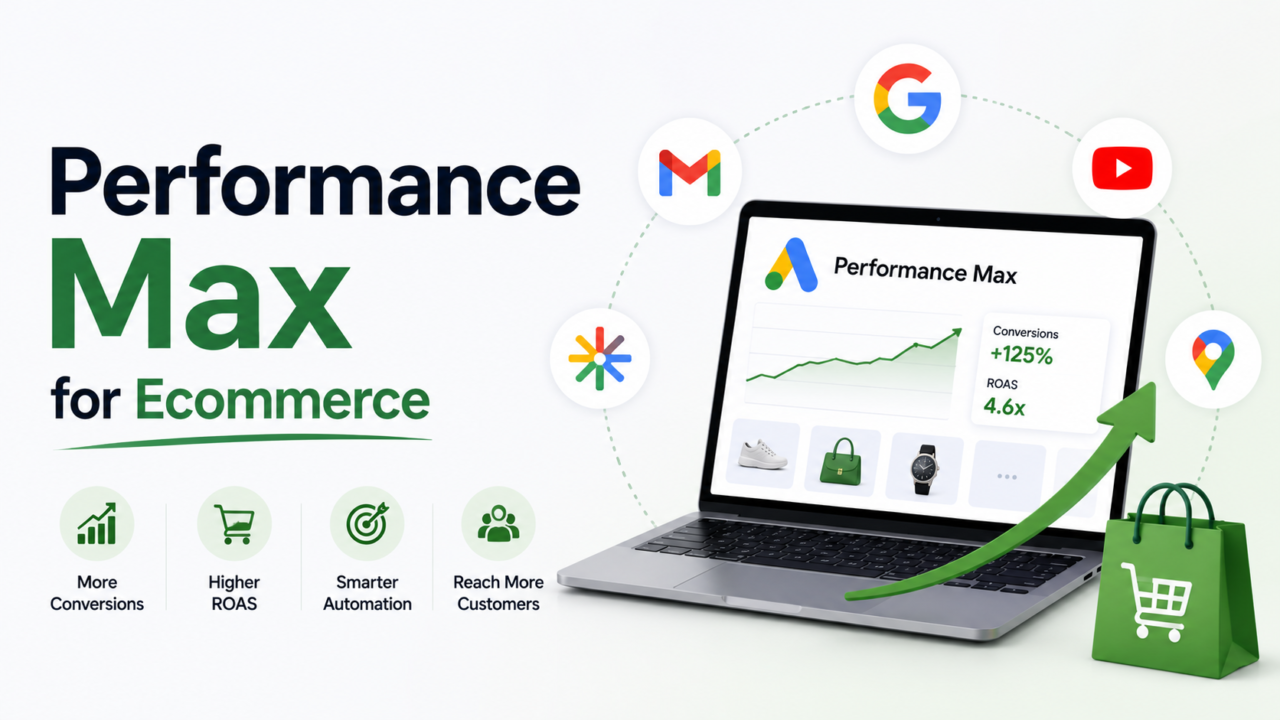
Quick Answer: Performance Max (PMax) is Google’s AI campaign type that runs your ads across Search, Shopping, YouTube, Display, Discover, Gmail, and Maps from one setup. For ecommerce, it can drive strong sales, but it can also quietly burn budget if you leave it wide open. The fix is guardrails. Feed your best product data, block waste with negative keywords, push the AI toward new customers, read the channel report, and judge every dollar on profit, not just ROAS. This guide shows the exact setup and the guardrails that keep PMax profitable.
What Is Performance Max for Ecommerce?
Performance Max is a single Google Ads campaign that shows your ads everywhere Google can. You give it your product feed, some images, headlines, and a goal. Google’s AI does the rest.
It serves ads across:
- Google Search
- Google Shopping
- YouTube
- Display
- Discover
- Gmail
- Maps
- Search partner sites
For an ecommerce brand, the big draw is your product feed. PMax pulls your products from Google Merchant Center and turns them into Shopping ads, then finds buyers across every Google surface.
The catch is control. Early PMax was a “black box.” You could not see where money went or block bad traffic. That has changed a lot. In 2026, PMax gives you real steering tools. Most brands just never turn them on.
That is the whole game. PMax rewards brands that set boundaries. It punishes brands that trust it blindly.
What Changed in Performance Max in 2026?
If you last touched PMax in 2023, it is a different tool now. Google added the controls advertisers kept asking for.
Here is what matters most for ecommerce:
- Negative keywords at scale. You can now add up to 10,000 campaign-level negative keywords yourself. The old limit was 100, and you had to ask a Google rep. Account-level negative lists support up to 5,000 terms.
- Channel-level reporting. A “where ads showed” view now tells you how much spend went to Search, Shopping, YouTube, Display, and the rest. No more guessing.
- Search terms reporting. You can see the actual searches that triggered your ads, close to what Standard Shopping shows.
- Customer list exclusions. You can upload your buyer list and exclude it. That stops PMax from spending to “win” people who would have bought anyway.
- More search themes. You can add up to 50 search themes per asset group, up from 25. These guide the AI toward the intent you want.
- More video slots. Asset groups now hold up to 15 videos, up from 5.
Sources for these updates include Google’s own Performance Max steering and reporting update.
The takeaway: PMax is no longer a black box. It is a car with a steering wheel you have to actually hold.
How Do You Structure a Performance Max Campaign for Ecommerce?
A clean structure makes PMax easier to read and easier to fix. Messy accounts hide their leaks.
Follow these steps.
1. Get your feed right first. Your product feed in Google Merchant Center is the engine. Titles, images, prices, and product types all feed the AI. A weak feed caps your results no matter how good your bids are. Fix the feed before you touch the campaign. Our Google Shopping feed optimization guide walks through this in full.
2. Set one clear goal. Pick “Sales” and use conversion value, not just conversion count. You want revenue, not raw orders. Later, turn on the new customer goal so PMax hunts for fresh buyers.
3. Split asset groups by product logic. Group products the way your store thinks about them. Common splits:
- By brand
- By category (for example, shoes vs bags)
- By margin tier (high-margin vs low-margin)
- By best sellers vs the long tail
Margin-based splits are the ecommerce power move. They let you set different profit targets for different products.
4. Feed strong creative into each group. Add several headlines, long headlines, descriptions, logos, images, and at least one video. If you skip video, Google makes a low-quality one for you. Give it real assets instead.
5. Add search themes. Use them to point the AI at buyer intent. Think “waterproof hiking boots,” not “shoes.” Fill the slots with real search language your customers use.
6. Set a target ROAS, but set it with math. More on that below. A guessed target is how brands go broke on autopilot.
7. Turn on the guardrails before you launch. This is where most brands stop too early. The setup is only half the job. The guardrails are the other half.
The FENCE Framework: 5 Profit Guardrails for Performance Max
Here is the AcquireX system for keeping PMax profitable. We call it the FENCE framework because a fence lets the AI roam inside a safe boundary instead of running loose with your money.
FENCE stands for Feed, Exclude, New customers, Channel-check, and Evaluate on profit.
F is for Feed First
Your feed is the single biggest lever in PMax. The AI can only sell what your feed describes.
Do this:
- Write clear product titles with the key detail up front (brand, product, size, color).
- Use high-quality images with clean backgrounds.
- Fill every field: GTIN, product type, brand, and Google product category.
- Add custom labels for margin, season, or best seller status. You will use these to split and steer spend.
- Keep prices and stock accurate. Out-of-stock products waste clicks.
A rich feed feeds the algorithm. A thin feed starves it.
E is for Exclude Waste
This is the guardrail brands skip most, and it costs them the most.
Use these blocks:
- Negative keywords. Add terms that never convert for you. Block competitor misspellings, “free,” “used,” “repair,” “jobs,” and any junk intent. You have room for 10,000 now, so use it.
- Brand exclusions. Stop PMax from bidding on your own brand terms if you do not want to pay for traffic that was already yours. Learn more in our post on how negative keywords sharpen targeting.
- Placement exclusions. Block low-quality apps and sites at the account level.
Every block you add points the AI’s budget at better traffic.
N is for New Customers Only
PMax loves easy wins. Left alone, it will spend to “convert” your existing buyers who were coming back anyway. That inflates your ROAS on paper and hides weak growth.
Fix it:
- Upload your customer list and exclude it, or use it in “new customer” mode.
- Turn on the new customer acquisition goal so PMax bids higher for fresh buyers.
Now your ad budget buys growth, not repeat orders you already earned. Keep those repeat buyers loyal with email and retention instead. Our guide on turning first-time buyers into repeat customers covers that side.
C is for Channel-Check
Use the new channel report every week. It shows where your money actually went.
Watch for these red flags:
- Most spend going to Display or video with few sales. That often signals cheap, low-intent traffic.
- Search and Shopping getting starved even though they convert best.
- Rising spend with flat conversions.
If Display eats your budget and returns little, tighten your audience signals, add better assets, or split that traffic out. The report ends the guessing.
E is for Evaluate on Profit
ROAS is not profit. A 4.0 ROAS can still lose money on a low-margin product.
Judge PMax on POAS, or profit on ad spend. POAS looks at the money you keep after product costs, not just revenue.
- ROAS = revenue divided by ad spend.
- POAS = profit divided by ad spend.
Set your targets from margin math, not gut feel. The worked example below shows how. For the full profit picture, pair this with our guides on contribution margin for ecommerce and cost per order.
FENCE in one line: strong feed in, waste out, new buyers targeted, channels watched, profit measured.
Worked Example: How to Set a Profit-Safe Target ROAS
Guessing a target ROAS is how brands lose money on autopilot. Here is the simple math instead.
Say you sell a product with these numbers:
| Item | Amount |
|---|---|
| Average order value (AOV) | $80 |
| Product cost, shipping, and fees | $48 |
| Contribution margin per order | $32 |
Your contribution margin is what is left before ad spend. Here it is $80 minus $48, which is $32.
Step 1: Find break-even ROAS. Break-even happens when your ad spend equals your margin. If you spend $32 to get one $80 order, you break even.
- Break-even ROAS = $80 divided by $32 = 2.5
So any ROAS below 2.5 loses money on this product.
Step 2: Add your profit goal. Say you want to keep $12 profit per order after ads. Then your allowed ad spend per order is $32 minus $12, which is $20.
- Target ROAS = $80 divided by $20 = 4.0
Step 3: Set the target with a buffer. Set your PMax target ROAS near 4.0, not the 2.5 break-even. That protects your profit.
Now check POAS to confirm:
- Ad spend per order = $20
- Profit before ads = $32
- POAS = $32 divided by $20 = 1.6
A POAS above 1.0 means you keep money. At 1.6, you are safely profitable. If your POAS drops below 1.0, PMax is losing you money even if ROAS looks fine.
Run this math per product tier. High-margin products can take a lower ROAS target. Low-margin products need a higher one. This is why margin-based asset groups matter.
PMax vs Standard Shopping: Which Should You Run?
This is one of the most searched PMax questions, so let us be direct.
You do not have to pick one. Many strong ecommerce accounts run both.
- Performance Max gives you reach and finds new demand across every Google surface.
- Standard Shopping gives you cleaner data and tighter control over specific products.
A simple hybrid plan:
- Run PMax as your main engine for most of the catalog.
- Run Standard Shopping for products where you want tight control, such as your top sellers or a clearance push.
- Google now uses ad rank, not automatic PMax priority, to decide which campaign shows. That makes the hybrid setup work more fairly than it did before.
Use Standard Shopping when you want a clean read on search terms for one product group. Use PMax when you want scale and automated discovery. For a wider view of paid tactics, see our post on ecommerce PPC tactics that outperform in 2026.
Why Is My Performance Max Not Profitable?
If PMax is bleeding money, it is almost always one of these five causes.
- No guardrails. You launched with no negative keywords, no exclusions, and no new customer goal. The AI chased cheap, easy, low-value clicks.
- A weak feed. Thin titles and bad images capped your Shopping reach, so spend leaked to Display instead.
- A wrong target. You set a target ROAS by feel, not by margin math. It looked fine and still lost money.
- Spending on existing buyers. Without customer list exclusion, PMax “won” repeat orders you already had.
- No channel check. Budget drifted to low-intent placements and no one noticed.
Fix them in that order. Nine times out of ten, the FENCE framework above solves it.
Performance Max Feed Optimization Checklist
Your feed drives everything, so give it a quick monthly audit.
- [ ] Titles lead with the most important detail.
- [ ] Every product has a clean, high-quality main image.
- [ ] GTIN, brand, and Google category are filled in.
- [ ] Custom labels tag margin tier, season, and best sellers.
- [ ] Prices and stock match your store in real time.
- [ ] Low-margin or out-of-stock items are handled or paused.
- [ ] Product types are specific, not generic.
Also confirm your conversion tracking is solid. PMax optimizes toward the data it gets. Bad data means bad bids. Server-side tracking helps here, which we cover in our Meta Conversions API guide (the same tracking logic applies across platforms).
Do Not Miss the August 2026 Feed Deadline
One quick but important warning. Google is shutting down the old Content API for Shopping on August 18, 2026.
- After that date, feeds that still use the Content API stop syncing.
- If your feed stops, your Shopping and PMax ads stop serving.
- The replacement is the new Merchant API v1.
If you sell on Shopify or WooCommerce and use the official Google channel or plugin, the migration is handled for you. Just confirm your plugin is on a recent version. If you use a custom feed tool or a developer-built integration, you must migrate before the deadline. You can read Google’s note in the Merchant API announcement.
Do not let a listing you forgot about take your whole account offline.
Key Takeaways
- Performance Max runs ads across all of Google from one campaign, powered by your product feed.
- In 2026, PMax has real controls: 10,000 negative keywords, channel reporting, search terms, and customer list exclusions.
- Success comes from guardrails, not blind trust. Use the FENCE framework: Feed, Exclude, New customers, Channel-check, Evaluate on profit.
- Set your target ROAS from margin math, and judge results on POAS, not ROAS alone.
- Run PMax and Standard Shopping together for reach plus control.
- Migrate your feed off the Content API before August 18, 2026, or your ads may stop serving.
Frequently Asked Questions
What is Performance Max in Google Ads?
Performance Max is Google’s AI-driven campaign type. It shows your ads across Search, Shopping, YouTube, Display, Discover, Gmail, and Maps from one campaign, using your assets and product feed.
Is Performance Max good for ecommerce?
Yes, when you set guardrails. PMax uses your product feed to sell across every Google surface. Left wide open, it can waste budget. With negative keywords, exclusions, and profit-based targets, it can be a strong growth engine.
Why is my Performance Max campaign not profitable?
The usual causes are no negative keywords, a weak product feed, a target ROAS set by guess, spending on existing buyers, and no channel check. Fixing the feed and adding guardrails solves most cases.
Should I use PMax or Standard Shopping?
Many brands run both. PMax gives reach and finds new demand. Standard Shopping gives cleaner data and control on specific products. A hybrid setup often works best.
What target ROAS should I set for Performance Max?
Set it from margin math, not feel. Find your break-even ROAS (order value divided by contribution margin), then raise it to include your profit goal. Confirm with POAS above 1.0.
How do I control Performance Max spend?
Use campaign-level negative keywords, brand and placement exclusions, customer list exclusions, and a margin-based target ROAS. Then read the channel report weekly to catch budget leaks.
Stop Guessing With Your Ad Budget
Performance Max works, but only with a steady hand on the wheel. Feed quality, exclusions, profit math, and weekly channel checks are the difference between a growth engine and a money pit.
That is exactly the kind of hands-on work our team handles. AcquireX builds a dedicated ecommerce team embedded in your business, so you get owners running your feed, your PMax structure, and your profit guardrails every single day. No vendor juggling. No task-by-task handoffs. Just execution you can trust.
See how our performance marketing and growth team can take PMax off your plate and put profit back in focus.