Time zones are the number one reason brands say no to an offshore team. The fear is simple. Your team sleeps while your store sells. A campaign breaks at 2 AM and nobody sees it until 11 AM.
The fear is reasonable, but the hour gap itself is rarely what breaks these arrangements. What breaks them is that nobody documented who is allowed to decide what, so every decision waits for a person who is currently asleep.
This guide covers the three overlap models, what each one costs, what breaks inside each one, and the escalation rules that keep money from leaking overnight.
Quick Answer
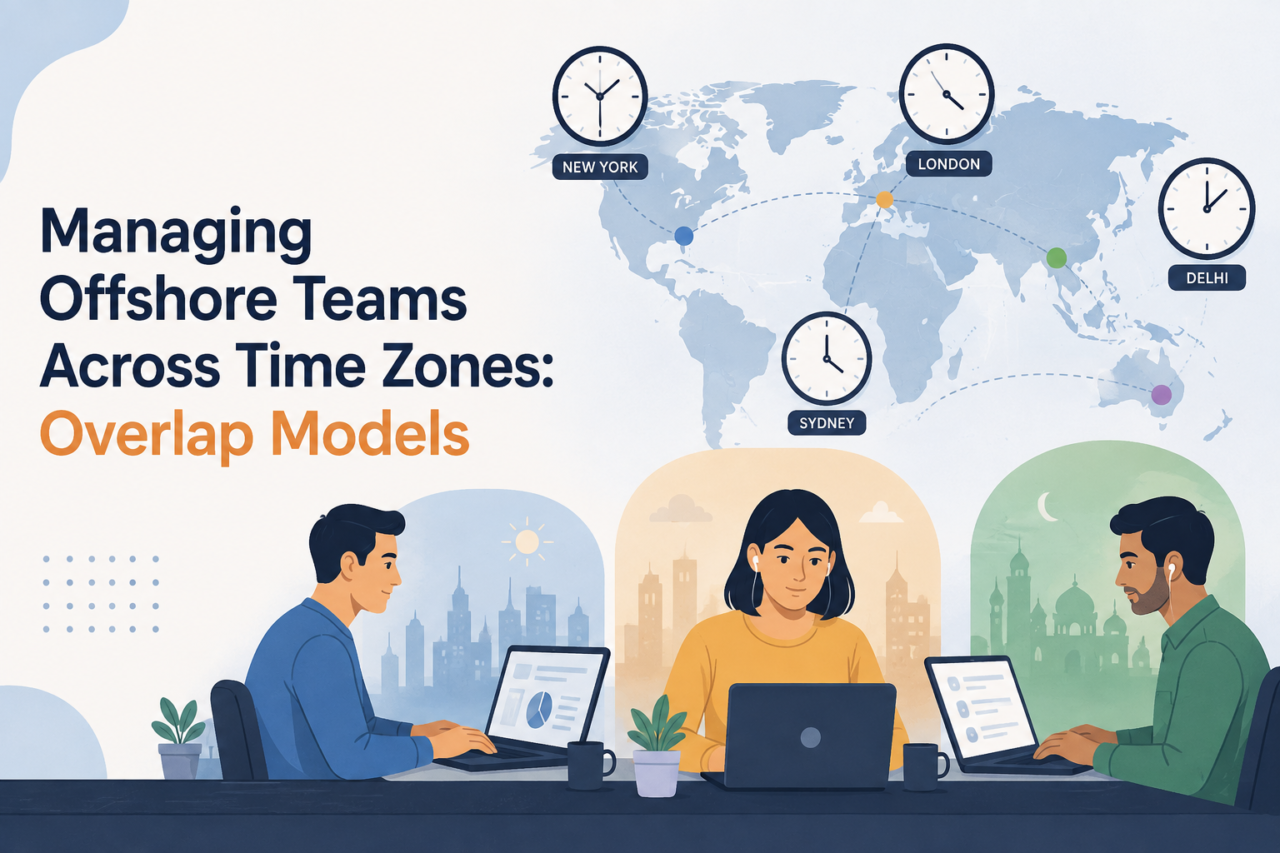
There are three ways to run an offshore ecommerce team across time zones:
- Follow the sun. Work moves from one region to the next. Best for support queues and monitoring.
- Overlap window. Both sides share two to four live hours per day. Best for most D2C and marketplace brands.
- Async first. Almost no shared hours. Work runs on written handoffs. Best for slow, planned tasks like catalog and design.
Most scaling brands should run an overlap window with a follow the sun layer on top of support only. Then they should write escalation rules that let the offshore team act without waiting for a US reply.
Key Takeaways
- The gap is not the problem. Unclear decision rights are the problem.
- Two to four protected overlap hours beats eight thin ones.
- Every ecommerce task has a clock. Sort tasks by clock speed, not by team.
- Ad spend is the fastest thing that leaks overnight. Guard it first.
- Handoffs should carry decisions, not status updates.
- Write a short list of things your offshore team may do without asking.
- Track missed windows in a log. That log tells you which model to change.
What Actually Breaks When Your Offshore Team Is Asleep?
Most articles on this topic are written for software teams. They talk about sprints, code reviews, and bug tickets. Those things can wait a day.
Ecommerce operations are different, because your store runs several deadline clocks that never pause overnight.
Here is what is actually ticking while your team sleeps:
- Ad spend. A broken feed or a runaway budget burns real cash every hour.
- Marketplace messages. Amazon expects sellers to reply to buyer messages fast. Slow replies turn into claims.
- Claims and chargebacks. Each one has a response deadline printed on it. Miss it and you lose by default. See our guide to chargeback management for D2C brands.
- Stock. An oversell on a hero SKU during a flash sale creates hundreds of cancellations. This is why SKU management for multi channel sellers matters more once you go offshore.
- Listing health. A suppressed listing on a top ASIN stops sales cold, and a full account suspension is worse.
- Site issues. A broken checkout at 3 AM is a full night of lost revenue.
Notice the pattern here. Almost none of these situations require a meeting or a discussion. They require somebody awake who already has permission to act.
That reframes the real design question. It is not “how many hours do we share?” but rather “what problems can our offshore team resolve independently?”
What Does the Research Really Say About Time Zone Gaps?
A lot of blog posts on this topic quote a scary number. You will see claims that a one hour time gap cuts real time collaboration by 37 percent. That number does not match the study it points to.
The actual research comes from Prithwiraj Choudhury at Harvard Business School, working with Jasmina Chauvin and Tommy Pan Fang. They studied more than 12,000 employees at one large global company. They used daylight saving clock changes as a natural test.
Here is what they found:
- Real time contact dropped by about 11 percent when the time gap between two workers grew by one hour.
- Written contact, like email and chat, did not drop at all.
- That lost hour cut the chances to talk live during a normal workday by about 19 percent.
- About 57 percent of live contact happened inside normal business hours. The other 43 percent happened when at least one person was working outside their local hours.
Two more findings matter a lot for how you staff:
- People doing routine work simply switched to written tools and were fine. People doing complex, shared work stretched their own hours to stay reachable.
- Choudhury’s advice is that follow the sun setups work well for routine and administrative tasks, but work poorly for complex team based tasks.
That conclusion is worth reading twice, because it directly contradicts how most outsourcing agencies market follow the sun coverage.
One honest caveat belongs here. The 11 percent figure came from a single hour shift, so you cannot multiply it by ten and claim a ten hour gap eliminates 110 percent of your live contact. The underlying research does not support that arithmetic, and neither do we.
Sources: Harvard Business School Working Knowledge and Rice Business.
What Are the Three Overlap Models?
Model 1: Follow the Sun
Work travels around the globe in sequence. Your US team finishes the day and your offshore team picks the queue up immediately, so nothing sits idle overnight.
Best for: support tickets, marketplace message queues, order monitoring, ad account watching, review response. If support is your first offshore function, read outsourcing customer support for ecommerce alongside this.
Why it works there: these tasks are repeatable and the rules are already documented, so nobody has to ask a question before starting the next one.
What breaks: anything requiring judgment, such as creative feedback, pricing calls, or promotion strategy. When judgment work enters a follow the sun queue, it stalls immediately and returns a day later completely untouched.
Model 2: Overlap Window
Both teams share a fixed block of live hours each day. Usually two to four.
For a US East Coast brand with a team in India, the natural window is early morning in the US and evening in India. For example, 8 AM to 11 AM Eastern lines up with 6:30 PM to 9:30 PM in India.
Best for: most scaling D2C and marketplace brands. This is the default we recommend.
Why it works: you get genuine conversation for the difficult decisions and written handoffs for everything routine.
What breaks: the window itself. Brands fill the overlap with status meetings, which pushes the genuinely difficult questions into email where they lose another full day. Protect the window for decisions exclusively.
Model 3: Async First
Almost no shared hours. Everything runs on written briefs, recorded video, and clear specs.
Best for: catalog work, image production, design, reporting, SEO content, data cleanup. Most of this sits inside catalog enrichment and creative production.
Why it works: these tasks have a clear finish line and rarely need a live back and forth.
What breaks: correction speed. If a brief is wrong, you lose an entire day before anybody notices the error. Async only functions when your briefs are genuinely clear, because weak briefs combined with async scheduling produce constant rework.
Side by Side Comparison
| Factor | Follow the Sun | Overlap Window | Async First |
|---|---|---|---|
| Shared live hours | Handoff only, 30 to 60 min | 2 to 4 hours | 0 to 1 hour |
| Best fit work | Support, monitoring | Marketing, marketplace ops | Catalog, design, reporting |
| Setup effort | High | Medium | Medium |
| Speed of fixing a mistake | Fast | Fast | Slow |
| Burnout risk | High if shifts rotate badly | Low | Very low |
| Fails when | Work needs judgment | Window fills with meetings | Briefs are unclear |
Which Model Fits Which Ecommerce Function?
Do not select one model for your entire team. Choose per function instead, because applying a single blanket model is where most brands go wrong.
| Function | Model | Overlap needed |
|---|---|---|
| Customer support | Follow the sun | 45 min handoff |
| Marketplace ops (Amazon, Walmart) | Follow the sun plus daily window | 1 to 2 hours |
| Performance marketing | Overlap window | 2 to 3 hours |
| Catalog and content | Async first | 0 to 1 hour |
| Design and creative | Async first with weekly review | 1 hour weekly |
| Supply chain and buying | Overlap window | 2 hours |
| Reporting and analytics | Async first | 0 hours |
A brand scaling from 7 to 8 figures typically operates all three models simultaneously, which is completely normal. It also explains why a blanket rule like “everyone works US hours” fails so badly, since it penalizes the async roles and exhausts them for no measurable benefit.
What Is the CLOCK Framework?
We use a five part setup called CLOCK when we design a time zone plan for a client. It takes about a week to build and it removes most of the guessing.
C: Classify Every Task by Its Clock
Sort every recurring task into one of three speeds.
- Hot. Money moves within hours. Ad spend, checkout, oversells, suppressed listings, Buy Box loss on a top ASIN.
- Warm. A deadline is running but you have a day. Claims, chargeback replies, low stock, return exceptions, review response.
- Cold. No clock at all. Catalog edits, creative, reports, planning.
Most brands discover that only 10 to 15 percent of their tasks are genuinely hot, and that single count usually shrinks the overlap window they assumed they needed.
L: Lock One Overlap Window
Pick one block. Same time every day. Put it on both calendars as a recurring hold.
Rules for the window:
- No status updates inside it. Status goes in writing before the call.
- Decisions only. Bring the question and the two options.
- Cap it at 45 minutes even if the window is three hours long. The rest of the window is for live chat, not meetings.
- Rotate any second call so the same side is not always up late.
O: Own the Handoff, Not the Update
A poor handoff describes what happened yesterday, while a good handoff tells the next person exactly what to do.
Every handoff note should have four lines:
- Done. What closed since the last handoff.
- Stuck. What is blocked and who blocks it.
- Decide. The one thing you need a yes or no on.
- Watching. Anything that could turn hot in the next 12 hours.
Four lines, not a report. If your handoff takes 20 minutes to write, it will take 20 minutes to read, and realistically nobody will read it.
C: Chain the Escalation
This is the part almost every brand skips. See the next section for the full setup.
K: Keep a Miss Log
One shared sheet. Every time something was caught late, log it.
Columns: date, what happened, hours late, dollars lost, which model was running.
After 30 days a pattern appears. Perhaps every single miss originated in your ad accounts, which means you do not actually need more overlap hours. You need one person monitoring advertising during the gap, and that is a dramatically cheaper solution.
How Do You Set Escalation Rules That Actually Work?
Escalation rules fail whenever they remain vague. An instruction like “reach out if something urgent happens” is not actually a rule, because urgency is undefined.
Build three tiers instead.
Tier 1: Act Now, Tell Us After
These are things where waiting costs more than being wrong. Your offshore team does not ask. They act, then post what they did.
Put these on the list:
- Pause any ad set spending more than 2x its daily budget pace.
- Pause any campaign pointing to a 404 or an out of stock page.
- Turn off a product on the site if inventory shows negative.
- Reply to any marketplace buyer message that is close to its deadline.
- Issue a refund under a set dollar cap without approval.
That final item matters enormously. Provide an actual number, such as “refund up to $150 without asking permission.” Ambiguity is what creates the 11 hour delay, not the time zone difference.
Tier 2: Wake Someone Up
A short list of things worth a phone call at 3 AM. Keep it to five items or fewer.
Typical list:
- Site down or checkout broken.
- Payment gateway declining live orders.
- Account suspension notice from a marketplace.
- Ad spend above a hard daily ceiling you set.
- A security or data issue.
Name one person on call, with a backup. Put the phone number in the runbook. Rotate weekly.
Tier 3: Hold for the Window
Everything else waits. It goes in the handoff note under “Decide” and gets answered in the overlap window.
The purpose of Tier 3 is not delay but protection. Without it, everything feels urgent and your team messages you at midnight about creative feedback.
The Decision Rights List
Alongside the tiers, write one page listing what the offshore team can do alone. Be specific.
For example:
- Adjust daily budgets within plus or minus 20 percent.
- Add negative keywords and pull ACoS back into range without approval.
- Edit listing bullets and A plus content copy.
- Approve returns under $200.
- Reorder stock up to a set reorder point, in line with your supply chain plan.
- Respond to reviews using approved templates.
One page, reviewed monthly. This single document resolves more time zone problems than any scheduling tool you could purchase.
If you already run written processes, this is the natural next layer on top of your ecommerce SOPs for remote teams.
What Does an Overlap Window Actually Cost?
Let us run the math for a real setup. All figures in USD.
The brand: a US D2C and Amazon seller doing $1.5M per month in revenue. Meta ad spend is $180,000 per month. The offshore team sits in India, roughly 10 hours ahead of Eastern time.
The problem: ad issues break overnight. A creative gets rejected. A feed fails. An Advantage+ campaign runs away with budget.
The cost of doing nothing:
- Daily Meta spend: $180,000 divided by 30 days equals $6,000 per day.
- Hourly spend: $6,000 divided by 24 equals $250 per hour.
- With no overlap, a break at 11 PM Eastern is caught at 10 AM the next morning. That is 11 hours.
- With a 3 hour overlap plus a monitoring shift, the same break is caught in about 2 hours.
- Hours saved per incident: 9.
- Assume 60 percent of spend in the broken window is wasted.
- Waste avoided per incident: 9 x $250 x 0.60 equals $1,350.
- At 3 incidents per month: $4,050 saved monthly, or $48,600 per year.
The cost of the fix:
- Two team members shift to an overlap plus monitoring schedule.
- Base cost per person: $1,800 per month.
- Shift differential at 15 percent: $270 per person.
- Total added cost: $540 per month, or $6,480 per year.
The result: $48,600 saved against $6,480 spent. That is a return of about 7.5x on the shift premium alone, before counting anything on the support or marketplace side.
Compare the result against your US labor cost baseline and run this math with your own numbers before you buy overlap hours. If your ad spend is $20,000 a month, the answer flips. Hourly waste drops to about $28 and a monitoring shift is not worth it. You would use alerts and spend caps instead.
That is the honest version of this analysis. Overlap hours are not automatically worth purchasing, and the arithmetic should decide it for you.
What Breaks at Each Model, and How Do You Fix It?
| Model | Common failure | Real cause | Fix |
|---|---|---|---|
| Follow the sun | Work bounces back untouched | Judgment tasks in a routine queue | Route judgment work to the overlap window |
| Follow the sun | Team burns out in 4 months | Same people always on the night shift | Rotate every 6 to 8 weeks, add a shift premium |
| Follow the sun | Things get dropped at handoff | Handoff is a status update | Use the four line Done, Stuck, Decide, Watching format |
| Overlap window | Window fills with meetings | No agenda rule | Cap calls at 45 minutes, decisions only |
| Overlap window | Same side always joins late | No rotation | Alternate the second call weekly |
| Overlap window | Questions still wait a day | No decision rights list | Write the one page list |
| Async first | Constant rework | Weak briefs | Add a 60 second Loom to every brief |
| Async first | Team feels cut off | No human contact at all | One live 30 minute call per week, no agenda |
| Any model | Nobody knows who to ping | No named on call person | Name one person and one backup, publish the number |
Look carefully at the “real cause” column. Almost none of these are genuinely time zone problems. They are process problems that a time zone gap simply makes visible.
How Do You Roll This Out in 30 Days?
Do not redesign everything simultaneously. Roll the change out across four weeks instead.
Week 1: Classify. List every recurring task. Mark each one hot, warm, or cold. Count the hot ones. Most brands are shocked by how few there are.
Week 2: Draft the rules. Write the three escalation tiers and the one page decision rights list. Keep both short enough to read in five minutes.
Week 3: Pilot one function. Pick support or marketplace ops. Not both. Run the new model for a full week. Start the miss log.
Week 4: Read the log and adjust. Look at what got caught late. Move that one function to a different model. Then expand to the next function.
Two more rules that save pain:
- Never launch a new time zone model in the week before a big sale. Do it in a quiet month.
- Never start with two regions on opposite sides of the world. Start with one offshore team and one window.
If you are still deciding how to structure the team itself, start with how to build an offshore ecommerce team, dedicated team vs agency, and virtual assistant vs dedicated team. If you have not picked a partner yet, our guide on choosing an ecommerce outsourcing partner covers what to ask about coverage hours before you sign. For the hiring and onboarding side, see how to build a dedicated offshore ecommerce team step by step.
How Do You Know Your Overlap Model Is Working?
The miss log tells you what broke. These six numbers tell you whether the whole model is healthy. Check them monthly.
| Metric | How to measure it | Healthy range |
|---|---|---|
| Blocked hours per person | Hours spent waiting on a US reply, self reported weekly | Under 3 hours per week |
| Miss count | Entries in the miss log | Falling month over month |
| Cost of misses | Dollars lost, from the miss log | Under your overlap spend |
| Decisions made offshore | Share of decisions closed without US input | Rising toward 70 percent |
| Off hours messages | Messages sent outside local hours, either side | Falling, and roughly even both ways |
| Team turnover | Offshore attrition over 12 months | Under 15 percent |
The fourth row is the one nobody tracks. If your offshore team closes more decisions alone each month, your model is working. If that number is flat, adding overlap hours will not help. Widen the decision rights list instead.
Row five is the fairness check. If your offshore team sends four times more off hours messages than your US team, the burden is one sided and turnover is coming.
What Are the Warning Signs of Quiet Burnout?
Offshore burnout rarely arrives as a resignation letter. It arrives quietly, months earlier, and the signals look like performance problems.
Watch for these:
- Someone’s working hours creep earlier or later every few weeks with no discussion.
- Handoff notes get shorter and vaguer.
- People stop asking questions in the overlap window and just execute what they were told.
- Response quality drops on weekends and Mondays.
- The same person volunteers for every late call.
That last one looks like commitment. It is usually the strongest predictor that someone is about to leave.
Two fixes that work:
- Rotate the late shift on a fixed calendar, not on volunteers.
- Pay a real shift premium, typically 10 to 20 percent, and put it in writing.
Related: how to retain top talent in your offshore team.
What Changes When You Add a Second Offshore Region?
One US team and one offshore team is a single window. Add a third region and the whole design changes, because no single window includes everybody.
At that point, stop trying to get all three regions in one room.
Do this instead:
- Give each region full ownership of a function. India owns catalog and marketplace ops. The Philippines owns support. Nobody hands the same task back and forth.
- Set one interface point per pair of regions. A 30 minute weekly sync, not a daily call.
- Push decision authority down. At three regions, waiting for a US yes is no longer viable. Each region needs a lead who can decide.
- Never route a hot task through two regions. Hot work gets one owner in one region, always.
The failure mode here is predictable. Brands keep the US team as the decision bottleneck while adding regions, then wonder why delivery slowed down after they added people.
Support is usually the first function to feel a time zone gap. Our playbook to reduce WISMO tickets shows how to deflect “where is my order” questions so overnight queues stay small.
What About Peak Season and Big Sale Days?
Normal rules do not survive Black Friday, so plan a separate peak season mode in advance.
For peak weeks:
- Move to full follow the sun coverage on support and order monitoring.
- Raise the Tier 1 dollar caps. Slow approvals cost more during peak than mistakes do.
- Add a second daily window, one at each end of the US day.
- Put two people on call, not one.
- Freeze all cold work. Catalog edits and design can wait two weeks.
Then return to your normal model in the first week of December, because peak mode is expensive and exhausts people if you leave it running indefinitely.
Common Mistakes to Avoid
- Forcing the whole team onto US hours. It costs more, causes turnover, and only 10 to 15 percent of your work needs it.
- Buying overlap before writing decision rights. More shared hours cannot fix “I was waiting for approval.”
- Treating handoffs as status reports. Nobody reads them and things still get dropped.
- Ignoring daylight saving. Your window shifts twice a year. Put both dates in the calendar now.
- Skipping the shift premium. If you ask for odd hours, pay for odd hours. Otherwise you replace the team every six months.
- One rule for every function. Support and catalog work do not need the same clock.
- No miss log. Without data you will keep guessing and keep buying hours you do not need.
- Treating culture and time zones as separate problems. They overlap constantly. Holidays, festival weeks, and local norms all move your coverage, so read navigating cultural differences in outsourcing before you build the calendar.
Frequently Asked Questions
How many overlap hours do I actually need with an offshore team? Most scaling ecommerce brands need two to four protected hours per day. Below two hours, decisions start piling up. Above four, you are usually paying for time nobody uses. Count your hot tasks first, then decide.
Does follow the sun work for ecommerce? It works well for support queues, marketplace messages, and order monitoring. It works poorly for anything needing judgment, like creative approvals or pricing. Harvard Business School research on time zones reached the same conclusion for routine versus complex work.
Will my offshore team burn out working night shifts? They will if the same people always take the late shift and there is no extra pay. Rotate every six to eight weeks, add a shift premium of 10 to 20 percent, and keep true night coverage to the smallest possible group.
What is the best time zone for a US brand hiring offshore? It depends on the function. India suits follow the sun and async work well because the gap is close to a full flip. The Philippines and Latin America give more natural overlap with US hours. Many brands use India for catalog, marketing ops, and overnight support, and nearshore for roles needing live customer contact.
How do I stop things from getting dropped at handoff? Use a fixed four line format: Done, Stuck, Decide, Watching. Keep it under 150 words. Post it in one channel every day at the same time. Anything not in that note does not get handed off.
What if my offshore team keeps waiting for my approval? That is a permissions problem, not a time zone problem. Write a one page list of what they can do alone with real dollar caps and percentage limits. Review it monthly and widen it as trust builds.
Does more overlap always mean better collaboration? No, and this is the most expensive myth in offshore hiring. Past about four hours, extra overlap mostly buys you meetings and fatigue. Harvard Business School research found that people in complex roles already stretch their own hours to stay reachable, so forcing more overlap adds hidden cost rather than output.
How do I handle daylight saving time changes? Put both US change dates in a shared calendar now, and decide in advance whether your window follows US clocks or offshore clocks. Most countries your team may sit in do not observe daylight saving, so your window silently shifts by an hour twice a year unless somebody owns it.
How do I measure whether my time zone setup is working? Track blocked hours per person, the miss count and its dollar cost, the share of decisions closed offshore without US input, off hours message volume on both sides, and 12 month attrition. The decisions-closed-offshore number is the one that actually predicts whether the model is healthy.
Should I run different models for different teams? Yes. That is the point. Support runs follow the sun. Marketing runs an overlap window. Catalog runs async. One blanket rule for everyone is the most common and most expensive mistake.
The Bottom Line
Time zones are only a scheduling question, while ownership is the question that actually determines whether offshore works.
Sort your work by how fast the clock runs. Lock one overlap window and protect it. Make handoffs carry decisions. Write down what your team may do without asking. Then log every miss and let the data pick your model.
Do that consistently and your time zone gap becomes overnight coverage instead of overnight delay.
Build a Team That Runs While You Sleep
AcquireX builds dedicated offshore ecommerce teams for US D2C and marketplace brands. We set the overlap model, the escalation tiers, and the decision rights list before day one, so your team is not waiting on you at 3 AM.
We cover marketplace management, performance marketing, customer service, catalog management, supply chain, and design and creative.
Talk to us about your time zone plan and we will map your hot, warm, and cold tasks in the first call.